WordPress development is the process of building and customizing websites using the WordPress platform, which is one of the most popular content management systems (CMS) globally.
Currently, WordPress is used by 43.5% of all websites and has a content management system market share of 62.7%.
WordPress offers flexibility, scalability, and ease of use, making it ideal for everything from simple blogs to complex e-commerce sites.
One of the important advantages of using WordPress is its extensive ecosystem of themes, plugins, and tools, allowing developers to create highly customized websites without starting from scratch.
However, developing on a live site can be risky due to the potential for errors, conflicts, or unintended changes that could affect the site’s functionality or user experience.
This is where WordPress Playgrounds come in handy.
A WordPress Playground is a safe, web-based environment where developers, designers, and even beginners can test WordPress features, themes, plugins, and custom code without involving a live site.
Key benefits of using WordPress Playgrounds include:
- Risk-Free Experimentation: Test new ideas, code, or configurations without the worry of breaking your live site.
- Learning Environment: Ideal for beginners to learn WordPress development, Playgrounds offers a controlled space to practice.
- Quick Prototyping: Developers can rapidly prototype and test features before deploying them to a live website.
- Troubleshooting: Identify and resolve issues in a controlled setting without affecting the live site.
Using WordPress Playgrounds, developers and designers can improve their productivity and creativity while minimizing risks, ultimately leading to more robust and well-tested websites.
What is a WordPress Playground
A WordPress Playground is a web-based or software environment that allows users to experiment without a hosting setup.
It’s a sandbox where you can test themes, plugins, and custom code, or explore WordPress features without affecting a live site.
It is perfect for developers, designers, and beginners. Furthermore, it provides a risk-free space to learn and test development, themes, and plugins.
A Playground is especially useful for troubleshooting, learning, or previewing changes before implementing them on a live site.
Top-Rated WordPress Playgrounds
WordPress Playground

The WordPress Playground is a game-changer for anyone looking to explore the capabilities of WordPress without the need for installation or setup.
It’s an innovative tool that brings unparalleled convenience and accessibility to both beginners and experienced users.
This tool lets you test themes, plugins, and features instantly in your browser, with no installation needed.
Perfect for beginners learning the basics or developers testing new ideas, it offers a hassle-free, accessible way to experience WordPress.
Pros:
Ease of Use: The WordPress Playground is user-friendly and ideal for testing WordPress themes, plugins, and features without a full installation.
Instant Access: No need for server setups or hosting plans. It offers instant access to a fully functional WordPress environment in your browser.
Great for Learning: New users can learn WordPress basics, experiment with configurations, and see real-time effects.
Testing Ground for Developers: Developers can safely test plugins or themes without affecting live sites.
No Installation Hassle: Runs in the cloud, saving time and avoiding local setup issues.
Free to Use: It’s freely available, lowering the entry barrier for anyone wanting to explore WordPress.
Cons:
Limited to Browser Capabilities: Some advanced features and customizations requiring server-level access may not be supported.
Temporary Environment: Changes and settings are not permanent; configurations must be redone after exiting the session.
Performance Constraints: This may not fully replicate the performance of a real-world WordPress installation under high-traffic conditions.
Conclusion:
Overall, the WordPress Playground is an excellent resource for exploring WordPress in a hassle-free, instant-access environment.
It’s highly recommended for beginners and developers despite a few limitations.
LocalWP

LocalWP is a great tool for WordPress developers and designers. LocalWP is a powerful, user-friendly tool that simplifies the process of creating and managing local WordPress sites.
With an intuitive interface, quick setup, customization options, SSL support, and seamless integration with Flywheel and WP Engine, LocalWP enhances development efficiency.
It is perfect for both beginners and professionals seeking a streamlined workflow.
Pros:
Ease of Use: LocalWP’s interface makes it very easy to set up and manage local WordPress environments, even for beginners.
Speed: With LocalWP, you can quickly spin up new WordPress sites in just a few clicks.
Customization: The tool offers a range of customization options, allowing you to choose different PHP versions, web servers, and database types to match your production environment.
SSL Support: It is simple to enable HTTPS with just a click, ensuring your local sites are secure.
Integration: Integration: Seamless integration with popular tools and services like Flywheel and WP Engine.
Live Links: Share work via temporary, shareable URLs.
Cons:
Resource Intensive: LocalWP can be a bit resource-heavy, which might slow down your computer.
Windows Compatibility: While LocalWP works on Windows, some users have reported occasional issues that seem more prevalent than Mac users.
Advanced Features: While LocalWP is great for basic to intermediate users, advanced developers might find it lacking some of the features offered by more complex tools.
Conclusion:
Overall, LocalWP is a stellar tool for managing local WordPress development environments.
Its ease of use, speed, and integration capabilities make it a must-have for anyone working with WordPress.
Despite minor drawbacks, it significantly enhances the development workflow, making creating, testing, and deploying WordPress sites easier. It is highly recommended!
TasteWP

TasteWP is a great tool for anyone looking to create and test WordPress sites. It allows users to quickly spin up temporary WordPress sites with just a few clicks.
It is perfect for testing plugins, themes, and updates without affecting live sites.
TasteWP offers a user-friendly interface and efficient performance, enhancing the development workflow.
Furthermore, it includes powerful features that make TasteWP a great choice for developers, and bloggers.
Pros:
Ease of Use: TasteWP’s intuitive design makes it easy for users of all skill levels to create WordPress sites.
Quick Setup: The platform allows users to spin up new WordPress instances in just a few clicks.
No Installation Needed: Users can test plugins, themes, and customizations directly in the cloud.
Temporary Sites: Perfect for short-term projects, demos, or testing.
Performance: Fast and reliable, ensuring that test sites run smoothly.
Cons:
Limited Storage: As a free tool, it has storage limitations compared to paid hosting solutions.
Expiration of Sites: Temporary nature means sites will expire, which might be inconvenient for longer-term projects.
Conclusion:
TasteWP is a stellar choice for those needing a quick, easy, and reliable way to create and test WordPress sites.
Its ease of use, rapid setup, and security features make it an essential tool for developers and WordPress enthusiasts.
While there are some limitations, particularly with storage and site expiration, these are minor compared to the benefits it offers. Highly recommended for anyone in the WordPress community!
SandboxCMS
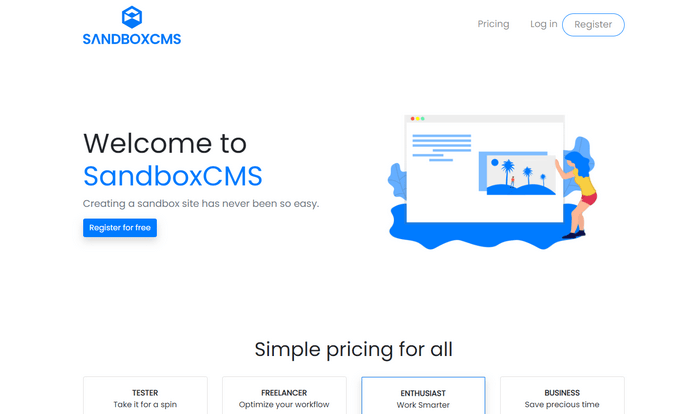
Using SandboxCMS, you can simplify content management and web development. It offers a user-friendly interface that works for both beginners and experienced developers.
With robust customization options, excellent customer support, and a comprehensive feature set, SandboxCMS enables users to create and maintain professional websites.
Whether you’re building a blog, business site, or online portfolio, SandboxCMS provides the tools and support needed for web management.
Pros:
Ease of Use: Straightforward interface for effortless content creation and management.
Flexibility: Wide range of customization options for various website types.
Robust Features: Vast set of tools for building and maintaining websites.
Cons:
Learning Curve: Mastering advanced features may take time and effort.
Pricing: Costs may be a concern for smaller businesses or individuals. However, there is a free test version.
Conclusion:
In summary, SandboxCMS offers an excellent balance of simplicity and functionality. Its ease of use, flexibility, and support make it a perfect choice for anyone managing their web content.
DevKinsta

DevKinsta by Kinsta is a robust free local development tool for WordPress developers.
It offers an intuitive interface, vast tools for database management, email testing, HTTPS support, and seamless integration with Kinsta hosting.
DevKinsta simplifies the creation and testing of WordPress sites locally, making it a valuable resource for both beginners and advanced developers.
Despite being resource-intensive, its powerful features and ease of use make it a great choice for WordPress development.
Pros:
Ease of Use: It is easy to set up and manage local WordPress environments, even for beginners.
Comprehensive Tools: It includes essential tools like database management, email testing, and HTTPS support.
Integration with Kinsta: Easily deploy local sites to live servers using Kinsta hosting.
Free to Use: DevKinsta is completely free, providing a cost-effective solution for developers.
Advanced Features: Includes rich features like multi-site support and one-click WordPress site creation.
Cons:
Resource Intensive: DevKinsta can be demanding on system resources, especially when running multiple sites simultaneously.
Limited to WordPress: As a tool specifically designed for WordPress, it may not be suitable for developers working with other CMS platforms.
Requires Technical Knowledge: While the basic setup is straightforward, some advanced features may require a deeper understanding of WordPress development.
Conclusion:
DevKinsta is a perfect tool for WordPress developers. Simple to use, powerful features, and seamless integration with Kinsta hosting.
DevKinsta significantly enhances the local development experience, making it a must-have for anyone working with WordPress.
More Local WordPress Development Environments
There are more local WordPress development environments with premium and free versions.
We have not covered all of them in our article, but here is a list of more local WordPress development environments you can explore and try.
However, many tools below require technical knowledge to set up and use.
- XAMPP (Windows, Linux, macOS)
- MAMP (Windows, macOS)
- Studio (Windows and MacOS)
- Vagrant (Windows, Linux, macOS)
- WampServer (Windows)
- InstantWP (Windows and MacOS)
- Bitnami WordPress Stack
- Laragon (Windows)
- Laravel Valet (MacOS)
Conclusion
Using WordPress Playgrounds offers numerous benefits, making it an essential tool for developers, designers, and even newbies.
Platforms like WordPress Playground, LocalWP, and TasteWP provide a safe, flexible environment where you can experiment without the risk of disrupting a live site.
These WordPress playgrounds allow you to test new themes, and plugins in a controlled environment, ensuring that your changes won’t negatively impact your website’s functionality or user experience.
Playgrounds also offer significant learning opportunities, enabling beginners to explore WordPress features and development techniques in a hands-on way.
Additionally, the convenience of setting up WordPress Playgrounds without the need for a local server or complex configurations saves time and enhances productivity.
Overall, using WordPress Playgrounds is a smart choice for anyone looking to improve their WordPress development skills, streamline workflows, and ensure a smoother, more efficient website-building process.
If you use any of the tools in our article or can recommend a WordPress test development environment, please leave a comment.
Disclosure: We sometimes use affiliate links in our content. Some of the links in this post are “affiliate links.” We will receive an affiliate commission if you click on the link and purchase the item. It helps our website run and allows us to offset our writing team’s cost. Thanks for your support.