You’ve got a WordPress site and a growing list of things to do. Write the post. Share it. Email your subscribers. Track who clicked what. Then do it all again next week.
And you can only manually send so many emails. That’s where the top marketing automation tools for WordPress come in.
They’re not just for big-name brands with deep pockets. Most freelance marketers and small business owners can afford the ones we’ll list here.
These tools are for anyone who wants to stop juggling ten tabs and focus on stuff you can’t automate— content, customer relationships, etc.
In this guide, you’ll find out which marketing automation tools work best and how they improve your site.
Let’s get into it.
How Does Marketing Automation Work in WordPress?
Marketing automation sounds fancy, but it’s simple when you break it down. It’s just using tools to handle repetitive tasks, like sending emails, tagging site visitors, or posting updates. Crucially, without you needing to hit a button every time.
In WordPress, that usually means using plugins or connecting your site to a service that takes care of the grunt work.
You can set up a welcome email that goes out the moment someone signs up. Or build a workflow that tags users based on what page they visit. The goal is to save time and keep your visitors engaged while you do other things.
You don’t have to run a huge business for this to make sense. If you’re a solo blogger, a small shop owner, or someone launching a side hustle, automation helps you punch above your weight.
Some automation tools are built right into WordPress plugins. Others connect through integrations and APIs. Either way, they do the heavy lifting once you set them up.
Why You Need It
You’re probably already juggling too much. There are comments to moderate, posts to write, products to update, and customers to respond to.
If leads are slipping through the cracks or abandoned carts are becoming the norm, you’re not alone. That’s exactly where automation can help.
With the right setup, you can trigger a follow-up email when someone leaves your checkout page. Or send a re-engagement message to a subscriber who hasn’t clicked anything in months.
You don’t need to chase people manually. Automation does that for you, while you focus on the next idea or take a well-earned break.
And it’s not just a trend. According to research, 43% of marketers already use AI automation, mostly for tasks like emails and lead management. That number keeps growing every year.
You’ve got better things to do than manually chase every lead or copy-paste the same message a hundred times. Let the tech handle the rinse-and-repeat stuff, so you can return to the work that matters.
Top Marketing Automation Tools for WordPress
You’ve got options. A lot of them. But that doesn’t mean you need to use them all.
WordPress’s top marketing automation tools aren’t about cramming your dashboard with plugins. They’re about finding a few solid ones that make your life easier.
Let’s go through the automation tools that help.
HubSpot
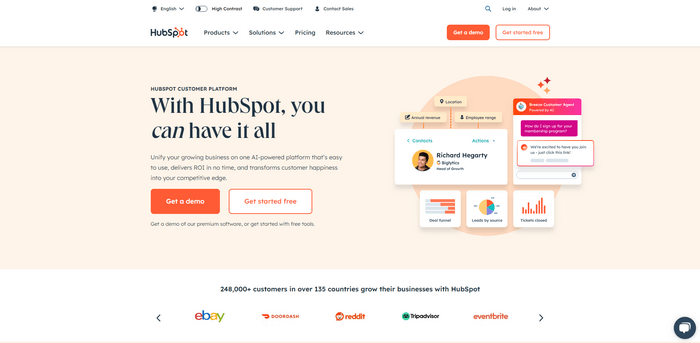
HubSpot does a bit of everything. Email marketing. Pop-ups. CRM. Even live chat.
It connects to WordPress through a free plugin, so setup is pretty painless. You can build simple workflows, like a welcome email that fires off when someone fills out a form.
If you want an all-in-one that feels polished, this one’s worth a look, especially if you’re running a small business or offering services.
Mailchimp
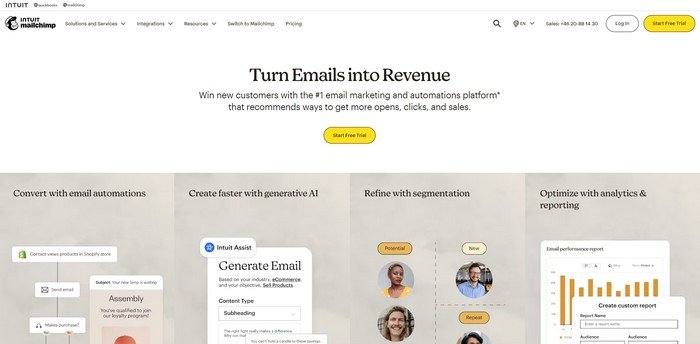
Mailchimp has been around for a while, and for good reason. It’s focused on email but brings automation, segmentation, and even retargeting into the mix.
The Mailchimp for WordPress plugin helps you get forms on your site fast. No coding needed.
Let’s say someone buys a product or signs up for a guide. You can send an automated email without lifting a finger. The free tier covers most of what you’ll need when starting.
ActiveCampaign

ActiveCampaign – This one’s a bit more advanced, but powerful.
If you’re the kind of person who wants to build detailed user journeys and track behavior closely, ActiveCampaign will feel like a dream.
It works well with WooCommerce. You can tag users, score leads, and send emails based on page views or purchases.
It takes time to set up. But once it’s rolling, it’s a machine.
Kit
Simple. Clean. Friendly.
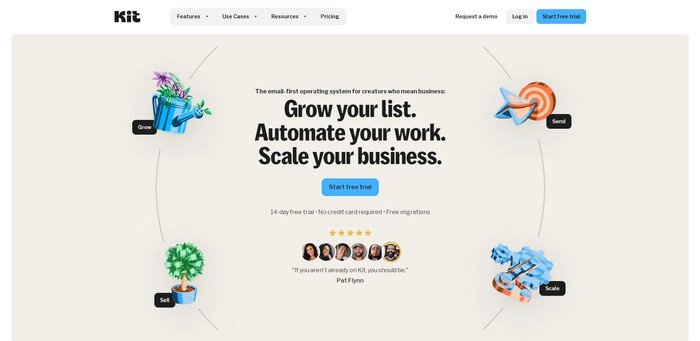
Kit (formerly ConvertKit) is made for creators, like bloggers, podcasters, and course makers. The automation builder is visual, and it just makes sense.
You can send a custom sequence based on interests. Or tag users based on which form they used to sign up.
It integrates easily with WordPress using their plugin. Or you can just copy-paste forms manually if you want more control.
Drip
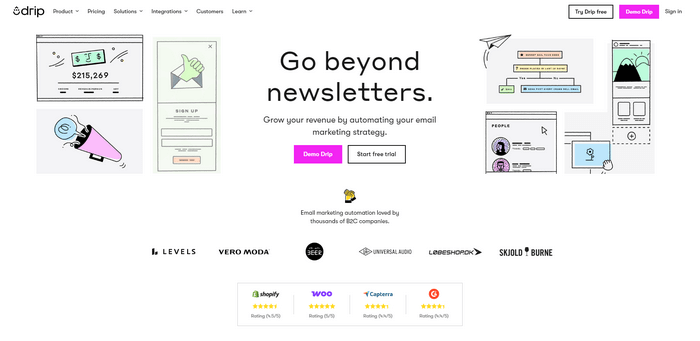
Drip focuses on e-commerce.
This one might be your new best friend if you run a store. It handles abandoned cart emails, product suggestions, and follow-ups like a champ.
The WooCommerce connection is solid. And the workflow builder? It’s visual and intuitive.
Drip’s all about personalizing the shopping journey. You don’t have to guess what works — you can see it happen.
Bonus Mentions
Some lesser-known tools deserve a quick nod:
- AutomateWoo is perfect for WooCommerce users who want deep automation inside WordPress.
- Uncanny Automator lets you connect plugins without touching code.
- Brevo (previously Sendinblue) gives you email and SMS automation in one tool.
They might not be flashy (though Uncanny Automator has a great interface), but they do the job. Sometimes that’s all you need.
How to Use These Tools Effectively
You don’t need to be a tech wizard to get automation working on your WordPress site. Most automation tools are built to help you, not confuse you. Still, a little guidance goes a long way.
Start by picking one tool. Not five. Just one.
Once you’ve installed it — whether it’s a plugin or a connected service — head to the settings and take your time. Explore the options. See what’s already built in.
Think about what you want to automate first. Maybe it’s sending a welcome email when someone joins your list. Or a quick message when they abandon their cart. Keep it simple at the start.
Every tool uses the same idea: a trigger and an action.
- A visitor signs up. That’s the trigger.
- You send them a thank-you email. That’s the action.
Most of the top automation tools will walk you through this. Some even have templates you can copy.
Testing Automation Tools
Don’t go overboard with complexity. Just get one automation running properly. Then test it. Once you’re sure something works, you can add more tools or plugins.
But, rinse and repeat — test to see if everything works every time you add something. Otherwise, you can fall into the trap of adding five plugins in one go, breaking something, and not being sure where the problem is.
So, Test, test, and test.
Sign up for your list. Abandon your cart. Make sure it works.
After that? Build out from there. Add a follow-up email. Segment your list. Try sending different messages to different people.
The goal is to make things easier, not more stressful.
Also, check in on your automations now and then. Make sure they’re still doing what you want. Update the wording if it feels stale. Adjust the timing if things aren’t landing right.
And remember, even a small automation can save you hours each week. That adds up.
Let the automation tools do the boring stuff. You stick to the fun part.
Common Marketing Automation Mistakes to Avoid
It’s easy to get excited and overdo it. But when it comes to automation, less is often more.
One big mistake? Sending too many emails.
Just because you can trigger five messages in a row doesn’t mean you should. You’re not trying to spam your subscribers.
Another misstep is skipping personalization.
People can tell when they’re getting a generic message. Use their name. Mention the product they looked at. Make it feel human.
You should also test everything.
Don’t assume your automation is working because it’s “live.” Run through it yourself. Make sure it fires the way you expect.
And please, don’t ignore data privacy.
If you’re collecting emails or tracking behavior, you’ve got to stay on the right side of GDPR or similar laws. Add that consent box. Link to your privacy policy. It matters.
Finally, don’t forget about the human touch, which goes together with top marketing automation tools for WordPress.
Automation should help your workflow, not replace real connection.
Keeping it thoughtful and clean will make your automations feel helpful instead of pushy. That’s the sweet spot.
Wrapping Up
You don’t need to automate everything. But if you’re tired of doing the same tasks repeatedly, it’s probably time to use top marketing automation tools for WordPress.
Start small. One plugin. One workflow. One win. That’s all it takes to get momentum.
Give yourself some breathing room. Let the tech handle the routine tasks. Then you can spend more time on the stuff that matters — writing, selling, and connecting.
Author bio: Charlie Woods is a digital strategist at Movers Development, where he helps moving companies grow through smart automation and SEO. When he’s not testing new plugins, he’s probably fine-tuning a WordPress site or sipping coffee.