


In today’s digital world, businesses need to be able to reach diverse global audiences to stay competitive.
A website with multiple languages built using WordPress development is becoming essential for companies wanting to tap into new markets and grow internationally.
WordPress multilingual websites help businesses engage with customers in their native languages, building trust and loyalty across different cultures.
Tools like WordPress make creating multilingual sites easy and cost-effective through its flexible development platform. Overall, a multilingual website demonstrates a commitment to customers worldwide.
It enables companies to provide consistent messaging and user experience anywhere through WordPress’s seamless multilingual capabilities.
As global commerce expands, multilingual sites give businesses the flexibility to enter new locations and serve international customers.
WordPress’s powerful multilingual capabilities, like WPML and Polylang, allow businesses to create fully translated websites quickly and easily. Multilingual sites can display content in multiple languages without duplicating pages.
WordPress makes launching sites in multiple languages cost-effective and flexible, giving businesses an advantage in international e-commerce.
Sites created with WordPress’s translation features rank higher in foreign search engines, improving visibility in other countries.
With its user-friendly multilingual options, WordPress enables consistent messaging and experience no matter the locale.
WordPress’s ability to easily create multilingual sites as global commerce expands makes it the top choice for businesses aiming to serve customers globally.
A multilingual site on WordPress helps companies tap into growth opportunities worldwide.
Understanding the Need for a Multilingual Website

The Expansive Benefits of a WordPress Multi-Language Site
Creating a multilingual website on WordPress offers immense benefits for businesses looking to expand globally. WordPress’s powerful translation plugins like WPML make it simple and affordable to launch fully translated sites quickly.
This enables companies to provide content in the native languages of new target markets, building trust and loyalty across cultures.
A multilingual WordPress site also improves visibility in foreign search engines, increasing organic traffic from other countries.
A translated WordPress site demonstrates a commitment to customers worldwide and allows businesses to easily localize messaging and user experience.
Enhancing User Experience With Multiple Languages
Offering content in multiple languages greatly enhances the user experience for global audiences.
Visitors prefer consuming information in their native tongue rather than struggling with translations. A multilingual website shows customers that their needs are understood and valued.
It provides a consistent, intuitive interface that accommodates different locales. Translated content that resonates with cultural nuances also builds connection and trust.
Ultimately, the ability to effortlessly access content in their language encourages visitors to engage more with a site. A positive user experience leads to higher conversion rates and customer satisfaction.
SEO Advantages of Diversifying Your Site Languages

Creating translated website content improves visibility and search engine rankings internationally. Websites optimized for keywords in different languages can better target users from specific countries.
Multilingual sites have more pages and content to index, helping search engines understand relevancy for diverse audiences. Localized content also performs better in foreign SERPs.
A website in multiple languages allows businesses to capitalize on this SEO advantage and drive more traffic globally. It’s an essential strategy for expanding reach and gaining market share in new regions.
WordPress Basics: Setting the Stage for Multilingual Functionality
Picking a Suitable Theme Compatible With WordPress Multilingual Requirements
Choosing a suitable WordPress theme is crucial when creating a multilingual site in WordPress. The theme needs to be compatible with multilingual plugins like WPML and Polylang to correctly display translated content.
The best themes for multilingual sites have .mo and .po translation files built-in, allowing text strings to be easily translated.
A flexible theme with code structured for multiple languages will smoothly adapt to content additions in new languages.
The WordPress theme also needs to enable create mirrored versions for different locales without duplicating pages.
Picking a theme designed specifically for multilingual sites, like those from WPML or PolyLang, saves time and avoids issues.
The theme’s features and functionality should also align with the business’s global requirements.
The Significance of a Structured Code for Smooth Multi-Language Functionality
The underlying code must be structured appropriately to build a multilingual website on WordPress.
An organized, clean codebase allows different languages to be seamlessly integrated without conflicts.
Modular code correctly commented on and adhering to best practices will have the hooks, functions, and flexibility required for multilingual plugins to work smoothly.
A structured code makes loading resources and assets conditionally based on language easier. It also enables the creation of mirrored versions of pages/posts for each locale.
Well-formatted code is crucial for multilingual plugins to translate strings and output content correctly.
Overall, investing in a logical, well-structured codebase lays the foundation for a trouble-free multilingual site.
Strategies To Transform Your Site Into a WordPress Multi-Language Platform
The Manual Translation Approach: Pros and Cons
Manually translating a WordPress site into multiple languages has advantages and significant drawbacks.
Human translation provides nuanced, culturally adapted content that resonates well in each target market. But it’s extremely time-consuming and expensive to translate entire websites this way.
Minor inconsistencies between human translators can also lead to a disjointed user experience.
However, manual translation may be feasible for sites with limited text content, like blogs. The quality can outweigh the costs.
But for more extensive, dynamic sites, manual translation becomes impractical. Streamlining processes is crucial when localizing manually.
Overall, the superb quality of human translation must be weighed against its lack of scalability.
Treading With Machine Translation Tools: A Hint of Caution

Machine translation tools like Google Translate offer a fast, low-cost way to quickly create translated WordPress site content. However, relying solely on machines has risks.
While AI translation technology has improved, it cannot grasp linguistic nuances and cultural contexts like humans.
Machine-translated content may have glaring inaccuracies or sound unnatural. So quality control is essential.
The best approach is post-editing – letting machines do a first-pass translation, then having human editors review, fix errors, and polish the output.
With proper oversight, machine translation can automate the heavy lifting. But human input is still key to creating understandable, engaging multilingual content.
The risks of low-quality machine translation damaging the user experience outweigh the speed and cost savings benefits.
Multilingual Plugins: WordPress Language Plugin Overview
TranslatePress
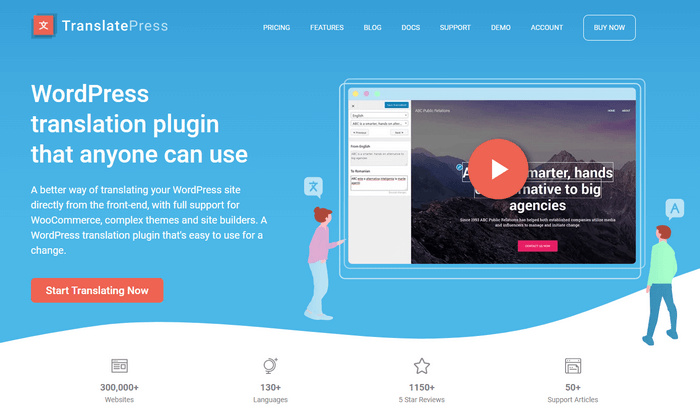
TranslatePress is a WordPress plugin that simplifies creating multilingual websites. It features an intuitive visual editor, allowing you to translate content directly from the front end.
It integrates seamlessly with Google Translate and DeepL with automatic and manual translation capabilities.
With SEO optimization and WooCommerce support, TranslatePress is ideal for businesses seeking to reach a global audience efficiently.
Pros:
Automatic and Manual Translation: Supports both manual translations and automatic translations via Google Translate and DeepL.
SEO Friendly: Optimized for SEO with features like translating URLs and compatibility with SEO plugins.
Multilingual Support: Capable of handling multiple languages with ease, expanding your website’s reach.
Cons:
Cost for Advanced Features: The free version has limited features, and advanced functionalities require a premium subscription.
Learning Curve: Despite its user-friendly interface, mastering all features and optimizing translations may take some time.
WPML (WordPress Multilingual Plugin)
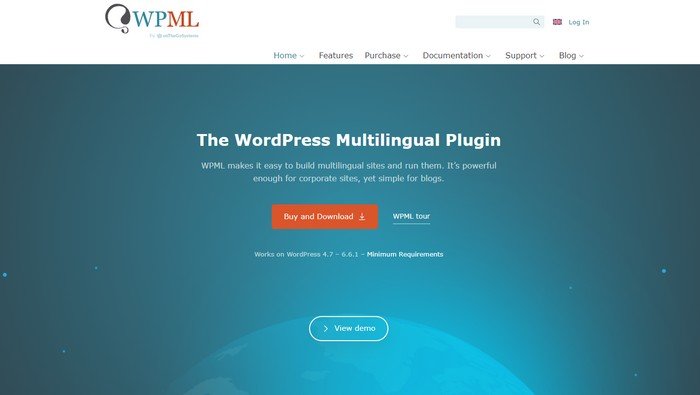
WPML (WordPress Multilingual Plugin) is a powerful tool for creating multilingual WordPress websites.
It allows users to easily translate content, themes, and plugins, ensuring seamless integration and a consistent user experience across different languages.
WPML supports over 40 languages and offers features like automatic translation, translation management, and compatibility with popular WordPress themes and plugins.
WPML is an ideal solution for businesses and bloggers looking to expand their reach globally.
Key features include:
- Translation management.
- Multilingual SEO tools.
- Language switchers for front and back end.
- Compatibility with themes/plugins.
Pros:
Wide Language Support: Supports over 40 languages and allows for adding custom languages, making it versatile for global audiences.
Automatic Translation: Offers automatic translation services, saving time and effort for site owners.
Comprehensive Documentation: Detailed guides and tutorials help users navigate the setup and use of WPML.
Translation Management: Efficient tools for managing translations, including translation roles and job assignments.
Cons:
Cost: WPML is a premium plugin with annual fees, which might be expensive for small businesses or individual bloggers.
Learning Curve: Despite its intuitive interface, new users might face a learning curve when setting up and configuring the plugin for the first time.
Performance Impact: Adding multiple languages can increase the site’s database size and may affect site performance.
Polylang
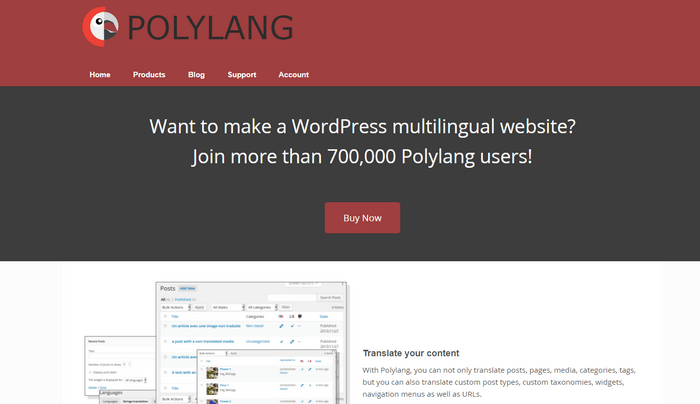
Polylang is a user-friendly, free multilingual plugin designed for creating multilingual websites. It allows for translating content and managing translations without coding.
With support for an unlimited number of languages, Polylang integrates seamlessly with most themes and plugins. The user-friendly interface makes it easy to manage translations.
While offering a free version with robust features, a premium upgrade provides additional functionalities and support, making it a popular choice for global websites.
Pros:
Comprehensive Translation: It supports translation for posts, pages, media, categories, tags, and custom post types.
SEO Friendly: The plugin creates SEO-friendly URLs for each language, helping improve your site’s search engine rankings.
Compatibility: Polylang integrates well with most themes and plugins, ensuring a seamless multilingual experience.
Free Version Available: Polylang offers a robust free version, providing essential features for multilingual sites without cost.
Cons:
Premium Features: Some advanced features and support are only available in the paid version, which might be a consideration for budget-conscious users.
Performance Impact: Running multiple languages can impact site performance, especially on larger sites with extensive content.
Weglot
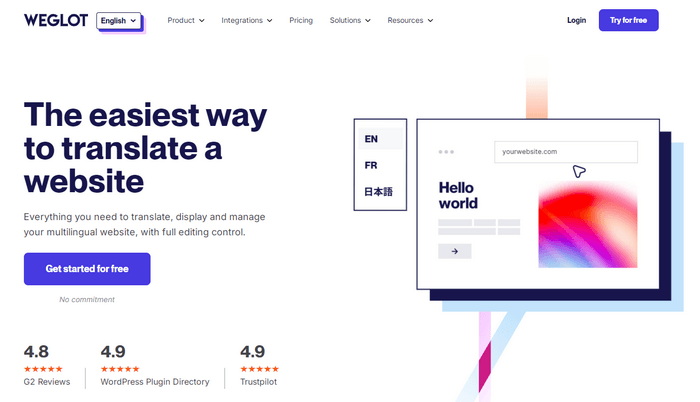
Weglot is an effective WordPress plugin that enables easy translation of your website into multiple languages. It automatically detects and translates content, making it accessible to a global audience.
Additionally, Weglot supports over 100 languages and provides tools for managing translations. Its robust features and ease of use make it a top choice for website localization.
Pros:
Automatic Translation: Automatically detects and translates content, saving time and effort.
Wide Language Support: Supports over 100 languages, allowing for extensive multilingual capabilities.
Integration: Compatible with any WordPress theme and plugin, providing a consistent experience across the site.
SEO Friendly: Generates SEO-friendly URLs for translated pages, improving visibility in search engines.
Cons:
Pricing: The premium plans can be expensive, especially for small websites or businesses with limited budgets.
Translation Quality: While automatic translations are convenient, they may require manual editing for accuracy and context.
Word Count Limit: The free plan has a word count limit, which might be restrictive for content-rich websites.
Guided Steps to Establish a Multilingual WordPress Site Using Language Plugins
Installation and Activation of Your Selected WordPress Language Plugin

The first step in creating a multilingual WordPress site is installing and activating the translation plugin of choice, whether WPML, Polylang, TranslatePress, etc.
Follow the plugin documentation to upload files and enable the plugin.
Activating it adds multilingual features to the WordPress dashboard. Test basic functionality by switching admin languages before proceeding. Proper installation lays the groundwork for adding translations.
Fine-Tuning Language Settings for Optimal Performance
After installing the WordPress multilingual plugin:
Optimize performance by customizing its settings.
Configure default languages, translation options, URL structure, language switcher display, and multilingual SEO settings.
Fine-tune based on your translation workflow, target markets, and site’s technical specifications.
Save time by utilizing the plugin’s built-in best practices.
Keep testing across languages to ensure optimal experience for localized users.
Translating Your Content: Tips for Authenticity
When translating content, focus on conveying the essence accurately across cultures for an authentic localized experience.
Adapt idioms, examples, currencies, and measurements as needed for relevance. Strike a balance between localization and brand consistency.
Leverage translation management tools and professional translators for large sites. For small sites or blogs, manual translation may suffice if done carefully. Review all translated content thoroughly before going live.
WordPress Multilingual SEO Optimization
Optimize translated content for international SEO by utilizing the multilingual plugin’s SEO features. Create language-specific URL structures and metadata. Generate XML sitemaps for indexing.
Follow SEO best practices like keyword optimization and internal linking for each language version. Monitor success in international SERPs using analytics.
Design Tips for an Effective WordPress Multi-Language Website
Upholding Cultural Relevance in Design and Content

The design and content must uphold cultural relevance when localizing a WordPress site into multiple languages.
Visual aesthetics, color symbolism, layout, images, and content tone should resonate with each target locale.
Collaborate with native translators and local marketing teams when adapting the site for new markets. Conduct user testing to get feedback on engagement and sentiment across languages.
A design rooted in cultural significance helps build authentic connections and trust with diverse audiences.
Collaborating With Professional Translators: Ensuring the Essence Isn’t Lost in Translation
Work closely with experienced translators when localizing WordPress sites to prevent miscommunication or distorted messaging.
Provide context on brand voice, values, and style guidelines. Use translation management systems to streamline collaboration at scale.
Have translators review the live site to ensure content flows naturally.
For smaller sites, carefully choose individual translators who grasp the cultural nuances.
Though professional translation has a cost, preserving the essence is worthwhile as content is adapted across languages and regions.
Evaluating User Engagement Across Various Language Versions
Continuously evaluate how users from different locales engage with the translated WordPress site.
Compare analytics like time on site, bounce rates, and conversions across language versions.
Conduct multilingual user testing to identify any pain points or cultural disconnects. Monitor social sentiment and reviews.
Optimization is an ongoing process as new languages are added.
Evaluate engagement frequently to ensure customized versions provide an equivalent, culturally adapted experience. Make adjustments to improve resonance and satisfaction.
Challenges in WordPress Multilingual Sites and Mitigation Strategies
Managing Content Updates in a Multilingual Website Setting
Frequently updating content in multiple languages can quickly become unwieldy.
Utilize translation management systems to automate pushing new strings to translators.
Centralize glossaries for consistency. Schedule content freezes to batch translations.
When updating posts/pages, enable the plugin to propagate changes across languages to avoid gaps.
Manage revisions carefully between versions. With planning, content workflows can scale across languages.
Ensuring Translation Consistency With Your WordPress Language Plugin
Inconsistencies between translators can undermine the user experience in WordPress multilingual sites. To maximize consistency:
Leverage the translation plugin’s features like glossaries, style guides, and translation memory.
Provide context and feedback to translators.
Have a dedicated quality assurance process to compare linguistic nuances and tone across translated content.
Consistent, high-quality human translation prevents disjointedness.
Navigating Through Potential Technical Hiccups and Plugin Incompatibilities
Multilingual WordPress plugins can sometimes conflict with themes or other plugins, causing technical glitches. Test extensively before launch to catch issues.
Troubleshoot conflicts methodically and contact support forums for help.
Keep plugins/themes updated and streamline code—plan for disruptions by allocating time and resources.
Most hiccups can be smoothened with care and testing for seamless multilingual functionality.
Multilingual SEO for WordPress: Best Practices
The Role of Hreflang Tags in a WordPress Multilingual Setup
Implement hreflang tags on a multilingual WordPress site to indicate to search engines which pages are translations.
The tags prevent duplicate content issues by specifying the target language and locale in schema markup.
Configure your translation plugin to auto-generate hreflang tags for each page and language. Use language slugs in URLs for consistency.
Follow Google’s guidelines on tagging formatted pages, regional subdomains, and alternate versions. Hreflang is vital for international SEO.
Crafting the Ideal URL Structure for WordPress Multi-Language Content

Carefully structure URLs for multilingual WordPress content using a combination of subdirectories, subdomains, or domain mapping.
Optimally structure URLs to target keywords in each language while signaling the connection between versions to search engines.
Utilize the translation plugin’s settings to configure a URL format tailored to your site architecture and SEO goals.
Conducting Effective Keyword Research Tailored for Different Languages
Ensure translated WordPress content targets valuable, high-volume keywords in each language market.
Use keyword research tools to identify niche terms and nuances for better localization. Incorporate locally popular jargon and phrases.
Optimize pages individually rather than just translating keywords. Tailored multilingual keyword targeting improves engagement and converts traffic.
Conclusion
In summary, creating WordPress multilingual websites unlocks immense strategic value for organizations aiming to broaden their global reach.
The platform’s versatile translation plugins empower hassle-free localization to engage international audiences.
Companies that invest resources in WordPress multilingual sites stand to gain visibility, traffic, and conversions overseas through localized UX and SEO.
When executed thoughtfully, translated websites cultivate trust and affinity across cultures.
As the world grows increasingly connected, a global digital presence via WordPress language tools has become imperative for ambitious brands.
Looking ahead, WordPress multilingual websites will only increase in importance as more business goes digital worldwide.
Companies that proactively localize using WordPress’s translation capabilities will have a competitive edge. They can propel growth by tapping into emerging multicultural markets before competitors.
Businesses yet to explore multilingual sites may risk falling behind as globalization accelerates. The message is clear – brands must embrace diverse linguistic needs through digital inclusion.
With its array of user-friendly translation solutions, WordPress presents the optimal platform for organizations to cost-effectively translate their ambitions and establish an authentic global voice.
The future stands at an exciting crossroads of borderless communication.
Disclosure: We sometimes use affiliate links in our content. Some of the links in this post are “affiliate links.” It means if you click on the link and purchase the item, we will receive an affiliate commission. It helps our website keep on running and allows us to offset our writing team’s cost. Thanks for your support.
[…] First, let’s look at what features we should be looking for in a multilingual website. […]