
Do you want your digital marketing campaigns to be efficient? Well, who doesn’t, right?
To make your efforts more productive, the website must stop acting as a static brochure and start acting as an active partner. Users arrive with some baggage: needs, signals, histories, and habits. A brand that listens to them moves ahead. A brand that guesses will stall.
Website UX should also act as a friendly guide, not a maze. Clear paths, clear messages, and clear actions help everyone breathe easier. The real trick lies in matching what users see with who they are in your database, CRM, and ongoing communication cycles.
This is where aligning website UX with CRM segments steps from theory into practice, and we show you how to do it.
CRM as the Engine Behind Smarter UX Choices
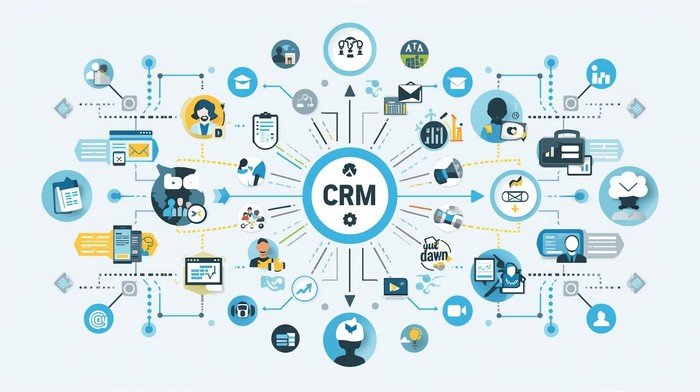
Website changes require data, and that data typically resides within a CRM. When teams connect interface decisions with customer records, something interesting happens. Pages stop being generic.
Content starts to match user intent. And suddenly, before you know it, the website you’ve updated using a solid CRM strategy has become a platform that helps you do better and explains why CRM is important for your digital marketing strategy in a very practical way.
CRM data shows who returns, who drops off, who opens emails, who clicks specific elements, and who views pricing pages at 2 in the morning. The UX then meets these signals with friendly copy, simplified forms, and fewer unnecessary steps. The user gets faster paths. The business gets clearer conversions. The conversation grows simpler.
A CRM also keeps the memory. It remembers interactions across channels. It doesn’t forget that a visitor once asked for support or showed interest in a specific service. UX can present relevant help before confusion appears.
This integration forms the base for smarter segmentation strategies. Instead of broadcasting one grand message, the site can speak in focused micro-messages. A returning customer sees reassurance. A first-time visitor sees clarity and orientation. A lead at the decision stage sees confidence points and proof.
Personalization Through Segments Without Noise or Gimmicks
Segmentation sits at the center of CRM value, and UX is what makes that segmentation visible. When segmentation is used well, the site feels personal without becoming intrusive. It treats users as humans with goals, not as faceless traffic totals.
Each segment has a purpose and a story. New users need explanations, while existing users prefer shortcuts. High-value customers need quick access to account features and support.
Curious visitors need gentle education before commitment. UX should serve each segment through simple content blocks, direct messages, clear headings, and easy flows.
Segment-based UX is all about a clean structure. Page hierarchy should make sense. Call-to-action text should speak clearly. Forms should ask for exactly what matters, no extra fields, no hidden traps. The CRM tells the UX what stage the user stands in.
The UX responds with appropriate interactions that support progress instead of pressure. In practice, this looks like different homepage versions for different user states, adaptive product pages, or subtle content shifts based on past interactions.
Aligning website UX with CRM segments supports smarter marketing decisions by giving every visitor a smoother, more relevant digital experience grounded in clear data.
Collaboration, Teams, and the Hidden Power of Shared Information
CRM doesn’t only speak to software. CRM also speaks to people working together. Marketing, sales, UX, and support teams often sit with pieces of the same puzzle. A CRM system brings those pieces into one shared view and encourages cooperation based on facts rather than assumptions.
A major business publication (Forbes) has highlighted that a strong benefit of CRM adoption is improved teamwork. It views that structured customer data in one place allows different departments to work with the same information.
They can also update it and act without stepping on each other’s toes. In practice, this means fewer repeated questions, fewer lost insights, and faster responses for the customer. Teams are able to coordinate through one central record.
UX design benefits from this cooperation. Content teams know what questions support teams receive every day. Sales teams know which objections stop deals. Marketing teams see which campaigns attract which type of audience. When all of this sits in the CRM, UX designers can build pages that answer real questions before they become tickets.
The result feels calm and efficient for the user. Pages speak to actual concerns. Navigation reflects real journeys. Micro-copy explains what once confused many visitors. Internal collaboration shapes external clarity. The website becomes a reliable partner for both user and business, with fewer silos and more shared understanding.
Micro-Moments and UX Signals With CRM Insight
Users often decide in small bursts of time. A glance at pricing, a quick scroll through features, a short pause on testimonials – these micro-moments matter so much. CRM systems capture the traces of these moments. UX then responds with precision.
When the CRM records repeated visits to a feature page, the UX can move that content higher. When it shows high abandonment on a form step, UX can simplify that step. This process is straightforward and practical. Data observes. UX adapts. Marketing benefits.
Micro-moments don’t require dramatic storytelling, but good timing and relevant content placement. Short messages, clear buttons, and logical page flow help users move through these tiny decision points without friction. CRM insights show where friction lives. UX design gently removes it.
This approach respects user energy. It guides. The website becomes lighter in feel and stronger in performance. Teams will see measurable results in engagement, conversions, and satisfaction because the UX responds to real user behavior recorded in the CRM rather than assumptions or guesswork.
Measurement, Iteration, and Continuous Refinement
UX aligned with CRM data never stands still. It grows through testing, review, and small adjustments. Each campaign adds fresh insights. Each visit leaves subtle traces. CRM stores them. Analytics tools read them. UX designers translate them into practical changes.
This cycle remains simple: measure, adjust, repeat. Headlines change based on open-rate patterns. Forms shrink based on drop-off points. Support links surface where confusion tends to rise. Personalization improves one small piece at a time. Nothing vague and everything measurable.
The key lies in clear objectives. Teams should decide what success means before adjustment begins. More sign-ups? More demo requests? Longer time on key pages? CRM data then serves as the scoreboard. UX adjustments become the game plan.
This continuous refinement produces a website that feels alive and responsive. It doesn’t overwhelm users with gimmicks. It welcomes them with obvious respect for their time.

Data Quality, Privacy, and Trust as Foundations for Meaningful UX
Data drives decisions, but the quality of that data shapes everything that follows. A CRM filled with outdated entries, duplicate records, or vague tags will send UX efforts in strange directions. Clean data supports clear UX choices. Messy data creates confusion.
So the first step is simple. Teams validate inputs, define fields with purpose, and keep records accurate. This improves every interaction that follows.
Privacy sits beside data quality. Users expect respect for their information. They expect clear consent and honest use of their details. A website interface can show this respect through transparent messages and easy preference controls, using a calm tone.
Trust grows when visitors see how their data serves them through relevance, faster service, and fewer repeated questions. Trust shrinks when data use feels hidden or excessive.
Security also matters in this picture. Users want to feel safe as they submit forms, view account details, or respond to offers. UX signals safety through clear error states, visible confirmations, and consistent design patterns.
CRM systems then protect stored information through strong controls and disciplined internal access. The two parts work together. One faces the user. One works behind the scenes.
Data governance supports collaboration as well. Clear rules explain who edits records, who reads them, and who acts on them. This prevents accidental changes and keeps history intact. With governance in place, teams move with confidence. UX reflects that confidence through stable flows and predictable outcomes.
When data quality, privacy, and trust stand on firm ground, CRM-driven UX becomes meaningful. Users feel respected. Teams feel informed. Marketing actions feel precise rather than random.
Conclusion: Clear Alignment, Clear Results
The connection between CRM segments and web design brings practical benefits. It sharpens messaging, improves relevance, supports collaboration, and strengthens decision-making. Businesses stop broadcasting random content and start speaking directly to defined groups with clear needs and clear signals.
With each improvement, the website becomes easier to use, more helpful, and more profitable. Marketing teams gain confidence because actions rest on real data rather than vague guesses. Users gain smoother journeys with fewer obstacles and fewer confusing steps. Everyone wins through clarity.
In simple terms, aligning website UX with CRM segments sets a direct path to smarter marketing, stronger relationships, and sustained growth built on precision, shared insight, and focused execution.