Running Google Ads for a Magento store is not simply a matter of turning on campaigns and waiting for sales. Adobe Commerce gives merchants powerful catalog, pricing, customer group, and merchandising tools, but PPC success depends on connecting that data to the right campaign structure, bidding strategy, and landing experience.
TLDR: For Magento and Adobe Commerce stores, the best Google Ads strategy starts with clean product data, accurate conversion tracking, and campaigns segmented by margin, intent, and performance. Use Shopping, Performance Max, Search, and remarketing together rather than relying on one campaign type. Optimize feeds, landing pages, and bidding around profit, not just revenue. Review search terms, product performance, and audience signals regularly to keep wasted spend under control.
Why Magento PPC Needs a Different Approach
Magento stores often have large catalogs, complex product attributes, configurable products, tiered pricing, and multiple customer segments. That complexity can become a PPC advantage if it is organized properly. A well-built Google Ads account can promote bestsellers, push seasonal inventory, support high-margin categories, and bring back shoppers who abandoned carts.
The mistake many merchants make is treating all products equally. A $20 accessory with a thin margin should not be managed the same way as a $900 commercial product with repeat purchase potential. Your PPC strategy should reflect product profitability, buying intent, inventory availability, and customer lifetime value.

Start with Tracking Before Spending
Before scaling any campaign, make sure tracking is accurate. Without reliable data, automated bidding will learn from misleading signals and your budget may disappear quickly.
At minimum, your Adobe Commerce store should track:
- Purchases with dynamic revenue values
- Add to cart actions
- Begin checkout events
- Newsletter or account signups, if they matter to your sales cycle
- Phone calls or quote requests for B2B stores
Use Google Tag Manager, GA4, and Google Ads conversion tracking together, but avoid double-counting conversions. For ecommerce, purchase tracking should include transaction value, currency, product IDs, and order data. If you sell both retail and wholesale, consider assigning values to lead actions so Google can understand which users are more likely to become valuable customers.
Build a Better Product Feed
For Magento PPC, your product feed is one of the most important assets. Google Shopping and Performance Max campaigns rely heavily on feed quality. Poor titles, missing attributes, weak images, or incorrect availability can limit impressions and reduce conversion rates.
Optimize your feed by improving:
- Product titles: Include brand, product type, key attribute, size, color, model, or use case.
- Descriptions: Make them clear, specific, and benefit-oriented without keyword stuffing.
- Images: Use clean, high-resolution product images that match the landing page.
- Google product categories: Select the most accurate category possible.
- Custom labels: Group products by margin, seasonality, price range, bestseller status, or clearance priority.
Custom labels are especially valuable. They allow you to separate campaigns or asset groups based on business logic, not just Google’s default product taxonomy. For example, you can label products as “high margin,” “low stock,” “holiday,” or “top seller,” then adjust your budget and bidding accordingly.
Choose the Right Google Ads Campaign Types
Magento merchants usually perform best with a mix of campaign types. Each plays a different role in the customer journey.
1. Shopping Campaigns
Standard Shopping campaigns give you more control over product groups, bids, and search term visibility. They are useful when you want to test products carefully, isolate categories, or manage bids manually before moving to automation.
2. Performance Max
Performance Max can reach users across Shopping, Search, Display, YouTube, Gmail, and Discover. It works well when conversion tracking is strong and the product feed is clean. However, do not put your entire catalog into one campaign without structure. Segment asset groups by category, margin, or intent so you can understand performance more clearly.
3. Search Campaigns
Search campaigns are ideal for high-intent keywords such as product names, category terms, competitor alternatives, and problem-based queries. For example, a Magento store selling industrial parts might bid on exact model numbers, while a fashion store may focus on brand plus product type terms.
4. Remarketing Campaigns
Remarketing helps bring back shoppers who viewed products, abandoned carts, or purchased in the past. Dynamic remarketing is particularly effective for ecommerce because it shows users the exact products they viewed.
Segment Campaigns by Profit, Not Just Revenue
Revenue can be misleading. A campaign generating $50,000 in sales may look successful until you realize discounts, shipping, and product costs leave little profit. Instead of optimizing only for ROAS, consider contribution margin and repeat purchase behavior.
Create separate campaigns or asset groups for:
- High-margin products that can support aggressive bidding
- Bestsellers with proven conversion rates
- Clearance items where speed matters more than margin
- New arrivals that need visibility and performance testing
- B2B products with longer sales cycles or quote requirements
This structure makes budget decisions easier. If high-margin products are hitting profitable ROAS targets, increase spend. If low-margin products are consuming budget without strategic value, reduce bids or exclude them.
Use Smart Bidding Carefully
Google’s automated bidding can be powerful, but it needs good data. For mature Magento stores with steady sales volume, Target ROAS can work well. For newer campaigns, starting with Maximize Conversion Value may help Google gather data before you set strict targets.
Avoid changing bidding targets too frequently. If you adjust ROAS goals every few days, the algorithm may not stabilize. Make changes gradually, monitor performance over one to two weeks, and compare results by product group rather than only account-wide averages.
Make Landing Pages Match the Ad Intent
Even the best campaign will struggle if shoppers land on slow, confusing, or irrelevant pages. Magento stores should pay close attention to page speed, mobile usability, product filters, and checkout friction.
Strong landing pages should include:
- Clear product titles that match the ad or search query
- Visible price, availability, and shipping information
- High-quality images and product variations
- Reviews, ratings, or trust badges
- Simple add-to-cart and checkout paths
If you advertise category keywords, send users to filtered category pages rather than generic catalog pages. If you advertise a specific product model, land users directly on that product page. Relevance improves Quality Score, conversion rate, and overall PPC efficiency.
Do Not Ignore Negative Keywords
Negative keywords are essential for Search and still useful when analyzing Shopping and Performance Max insights. Magento stores can waste significant money on informational, low-intent, or incompatible searches.
Common negative keyword themes include:
- Free, DIY, manual, or template when they do not match your offer
- Used, cheap, or wholesale if they conflict with your positioning
- Jobs, careers, repair, or support searches
- Brands or models you do not carry
Review search terms regularly. Small exclusions can add up to major savings over time.
Build Audiences from Magento Customer Data
Adobe Commerce stores often have valuable customer data that can improve Google Ads performance. Export customer lists, segment them by purchase history, and upload them as Customer Match audiences when allowed by policy.
Examples include repeat buyers, high-value customers, lapsed customers, and category-specific purchasers. You can use these audiences for remarketing, exclusions, or signals in Performance Max. A customer who bought premium equipment six months ago may be a strong candidate for accessories, refills, or service-related products.

Measure What Actually Matters
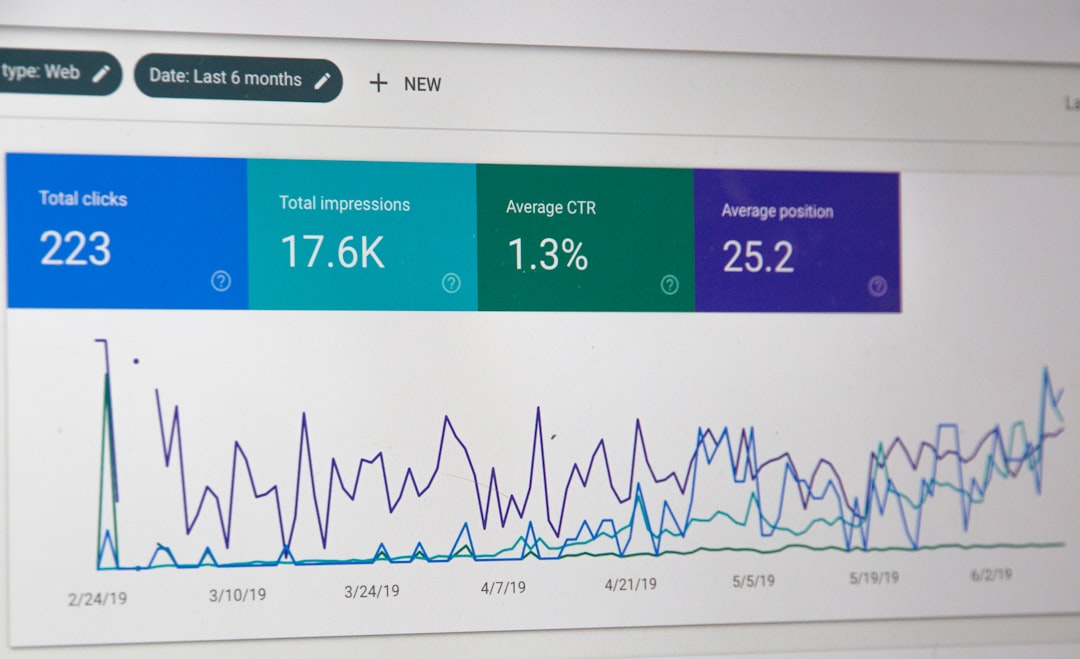
Magento PPC reporting should answer business questions, not just advertising questions. Look beyond clicks and impressions. Track ROAS, cost per acquisition, average order value, profit margin, new versus returning customers, and assisted conversions.
For B2B Adobe Commerce stores, the final sale may happen offline or after a quote request. In that case, import offline conversions into Google Ads when possible. This helps campaigns optimize toward leads that become real revenue, not just form submissions.
Final Thoughts
A strong Magento PPC strategy combines technical accuracy with commercial judgment. Google Ads can bring qualified shoppers to your Adobe Commerce store, but profitability comes from clean tracking, optimized feeds, smart segmentation, and continuous testing.
Start with your best products, structure campaigns around business value, and let performance data guide expansion. When Magento’s catalog power is paired with disciplined PPC management, Google Ads becomes more than a traffic source; it becomes a scalable growth channel.