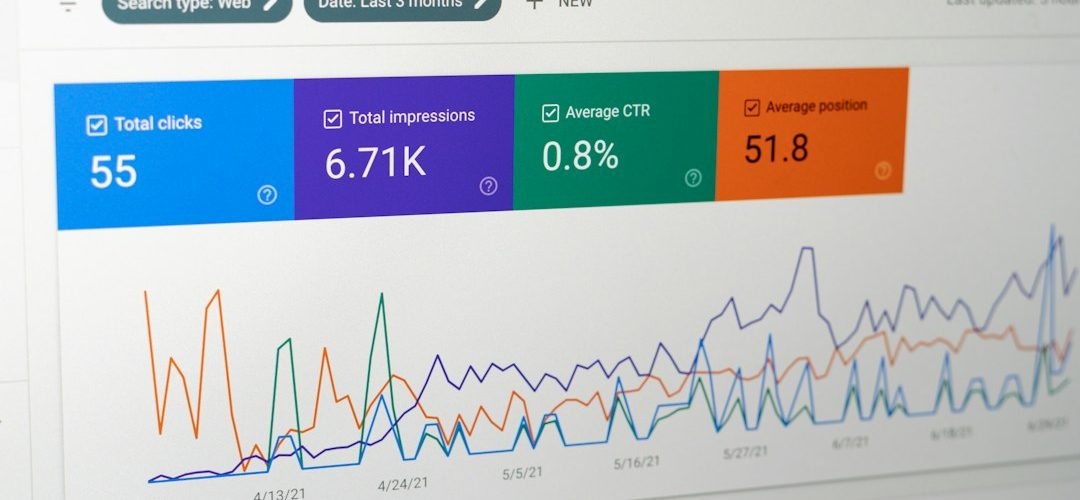
The best IG Follower Export alternatives are the ones that turn follower lists into usable audience data without making you babysit a messy spreadsheet. Instagram’s ad reach is reported at more than 1.7 billion people, so even a small brand account can hide useful audience signals in its followers, commenters, and creator network [source: DataReportal].
TLDR: We picked PhantomBuster, Apify, Modash, and HypeAuditor as serious options for reviewing Instagram audience data. If a brand account has 12,000 followers, a good export can help spot that 18% are creators, 9% look inactive, and 4% may be fake or low quality. For simple CSV work, PhantomBuster or Apify make sense. For influencer checks and audience quality, Modash and HypeAuditor are stronger.
IG Follower Export is useful when you need a quick follower or following list. But it can feel thin once you need deeper checks. You may want audience location, bio keywords, engagement clues, creator overlap, or fake follower signals. That is where these four tools earn attention.
How We Judged the Tools
We focused on practical review work, not flashy dashboards. A good tool had to help with at least three of these tasks:
- Exporting follower data into CSV or sheets.
- Checking audience quality, including fake or inactive accounts.
- Finding creators inside a follower base.
- Filtering by profile details, such as bio words, location, or public metrics.
- Saving time compared with manual profile checks.
We also looked at risk. Instagram data tools can break when platform rules or page layouts change. Some tools rely on automation. That can create account limits or failed runs. Use them with care. Do not process private data you do not have a valid reason to review.
1. PhantomBuster
Best for: teams that want structured exports and repeatable workflows.
PhantomBuster is close in spirit to IG Follower Export, but more flexible. It can collect public profile data, follower lists, and related Instagram information through prebuilt automations. The big benefit is repeatable collection. You set a task, run it, and get clean files for review.
The annoying part? Setup can take longer than expected. A simple job may need session cookies, rate settings, and test runs before it behaves. Expect to waste time on the first run if your team has never used automation tools before.
Still, it is useful for monthly audience audits. You can export followers, match them against past lists, and see who joined or left. For growth teams, that is better than guessing from follower count alone.
2. Apify
Best for: technical teams that need custom scraping and larger data jobs.
Apify is a strong option if you want more control. It has actors that can collect Instagram profile and post data from public pages. Developers can connect it to databases, dashboards, or internal reporting systems.
This is not the friendliest choice for a solo social media manager. Honestly, it feels like using a power tool to open a cardboard box if all you need is one follower export. But for agencies or analysts, the control is valuable.
Apify works well when you need to review many profiles. For example, an agency checking 300 creator accounts can collect public metrics, compare follower counts, and flag accounts for manual review. It is less about a pretty report and more about raw, useful data.
3. Modash
Best for: influencer marketing teams checking audience fit.
Modash is not just an export tool. It is built for influencer discovery and audience analysis. That makes it useful when your real question is not “Who follows us?” but “Which creators have audiences we should trust?”
Its strongest features are audience demographics, fake follower checks, and creator search filters. You can review a creator before paying for a campaign. That matters. A profile with 80,000 followers can look great, but weak audience quality can drain a budget fast.
Modash is best for brands that pay creators or run gifting campaigns. It helps sort creators by audience location, engagement, and profile traits. It is more expensive than a basic export tool, but the added context can save money on bad partnerships.
4. HypeAuditor
Best for: deeper influencer audits and risk checks.
HypeAuditor is one of the more serious tools in this group. It focuses on influencer analytics, audience quality, and fraud detection. If your team needs to defend campaign choices to a client or finance team, this kind of reporting helps.
It can show audience credibility, engagement patterns, location splits, and growth changes. These signals are useful when a creator’s numbers feel off. Sudden follower spikes, low comment quality, or odd audience locations can all point to risk.
The tradeoff is cost and complexity. HypeAuditor may be more than you need for a basic follower list. But for high spend campaigns, it gives stronger checks than a simple CSV export.
Which Tool Should You Pick?
- Pick PhantomBuster if you want repeatable follower exports and can handle some setup.
- Pick Apify if your team has technical skills and needs custom data flows.
- Pick Modash if you care most about creator discovery and audience fit.
- Pick HypeAuditor if campaign risk, fraud checks, and formal reports matter.

A Practical Workflow
Start simple. Export your current followers once a month. Tag accounts by type: customer, creator, competitor, media, inactive, or unclear. Then compare changes over time.
For a small brand, even 2,000 followers can reveal useful patterns. If 14% of new followers mention “fitness coach” in their bio, your content may be reaching professionals, not casual buyers. If engagement comes from the same 40 accounts every week, your audience may be loyal but narrow.
Use export tools for sorting. Use audit tools for judgment. Do not treat any score as final. Manual review still matters, especially before paying creators or removing accounts from a campaign list.
Final pick: for most teams replacing IG Follower Export, PhantomBuster is the closest match. For influencer work, choose Modash or HypeAuditor. For custom data projects, Apify is the safer serious choice.