Creating effective TikTok videos is no longer just a matter of pointing a phone at a subject and pressing record. As the platform has become more competitive, creators need reliable tools for planning, filming, editing, captioning, publishing, and measuring performance. The right toolkit can improve production quality, save time, and help creators make decisions based on evidence rather than guesswork.
TLDR: TikTok’s built-in tools are useful, but serious creators should also understand editing apps, captioning tools, analytics platforms, and content planning software. CapCut, TikTok Studio, Canva, Adobe tools, DaVinci Resolve, and scheduling platforms can each support a different part of the workflow. The best choice depends on your content style, budget, and production speed. Start with a simple setup, then add tools only when they solve a clear problem.
1. TikTok’s Native Creation Tools
The first tool every creator should understand is TikTok itself. The app’s built-in editor has become more capable over time and is often enough for fast, platform-native content. It includes trimming, text overlays, filters, effects, voiceovers, stickers, transitions, green screen features, and sound syncing.
For creators who post frequently, native tools matter because they are designed around TikTok’s current user behavior. Features such as trending sounds, interactive stickers, polls, and templates can help videos feel natural on the platform. TikTok also gives creators immediate access to sounds and effects that may be gaining traction.
Best for: quick edits, trend participation, simple talking-head videos, reaction content, and casual behind-the-scenes posts.
Professional note: Do not rely only on trends. Use native tools to support a clear message, not to cover up weak content planning.

2. CapCut for Fast, TikTok-Friendly Editing
CapCut is one of the most widely used editing tools among TikTok creators, largely because it is fast, intuitive, and closely aligned with short-form video formats. It offers timeline editing, auto captions, background removal, templates, effects, transitions, keyframes, and audio controls.
One of CapCut’s strongest features is its captioning capability. Since many users watch videos without sound at first, accurate captions can improve accessibility and retention. CapCut also allows creators to resize videos for different platforms, which is useful if you distribute content across TikTok, Instagram Reels, and YouTube Shorts.
- Strengths: fast editing, caption generation, mobile and desktop versions, short-form templates.
- Limitations: template-heavy content can look repetitive if used without customization.
- Best for: creators who need to publish consistently without a complex editing workflow.
3. Canva for Visual Assets and Simple Video Design
Canva is useful for creators who need polished visual elements without becoming professional designers. It can help with TikTok covers, branded intro screens, educational slides, product showcases, and simple animated graphics. For creators in niches such as education, real estate, finance, coaching, and small business marketing, clean visual structure can make content look more credible.
Canva is not always the best choice for advanced video editing, but it works well for planning visual narratives. For example, a creator can build a sequence of slides, add short text points, export the design as a video, and then finish the edit in CapCut or TikTok.
Best for: branded graphics, thumbnails, text-based explainers, carousel-style videos, and presentation-led content.
4. Adobe Premiere Pro and Premiere Rush
Creators who want more control may benefit from Adobe Premiere Pro or Premiere Rush. Premiere Rush is simpler and more accessible, while Premiere Pro is a professional editing platform with deeper control over color, audio, motion, and file management.
Premiere Pro is especially useful for creators who handle client work, branded campaigns, interviews, podcasts, or multi-camera production. It supports advanced workflows that mobile-first apps often cannot handle as cleanly. However, it has a steeper learning curve and may be excessive for creators who only need quick edits.
- Premiere Rush: better for simple edits and fast publishing.
- Premiere Pro: better for professional production and complex projects.
- Best for: creators who value precision and long-term scalability.
5. DaVinci Resolve for Advanced Editing and Color
DaVinci Resolve is a powerful option for creators who want professional editing without immediately committing to expensive software. It is known for color grading, but it also includes editing, audio post-production, motion graphics, and export tools.
For TikTok creators, Resolve is particularly relevant when visual quality is central to the brand. Filmmakers, travel creators, fitness professionals, product reviewers, and documentary-style creators may benefit from its control over color and image consistency.
The main drawback is complexity. DaVinci Resolve can be intimidating for beginners, and it is usually better suited to creators who are prepared to spend time learning editing fundamentals.
6. Descript for Talking-Head and Interview Content
Descript is valuable for creators who produce educational videos, interviews, commentary, or podcast clips. Its text-based editing system allows users to edit video by editing the transcript. This can save considerable time when removing pauses, repeated phrases, or mistakes.
Descript also includes transcription, captions, screen recording, filler word removal, and audio enhancement features. For creators who repurpose long-form interviews into TikTok clips, this type of workflow can be highly efficient.
Best for: educators, coaches, consultants, podcasters, and creators who work heavily with spoken content.
7. Teleprompter Apps for Clear Delivery
Many creators underestimate the value of a teleprompter. A good script can improve clarity, reduce filming time, and help creators avoid rambling. Teleprompter apps allow you to read bullet points or full scripts while looking close to the camera lens.
This does not mean every video should sound scripted. In fact, overly rigid delivery can reduce trust. The best approach is often to write a concise outline, practice once or twice, and then record in a conversational tone.
- Use a teleprompter for: educational videos, legal or financial disclaimers, product explanations, and brand messages.
- Avoid overusing it for: casual storytelling, reactions, and highly personal content.
8. Captioning and Accessibility Tools
Captions are not optional for serious TikTok creators. They improve accessibility, support viewers in sound-off environments, and can help emphasize key points. While TikTok and CapCut both offer automatic captions, creators should always review them for accuracy.
Tools such as VEED, Kapwing, Submagic, and Descript can help generate styled captions and improve workflow efficiency. Caption style should support readability rather than distract from the message. High contrast, simple fonts, and sensible line breaks are usually more effective than overly animated text.
Best practice: keep captions concise, accurate, and placed where they do not cover faces, products, or important on-screen actions.
9. Planning and Scheduling Tools
Consistency is easier when content is planned. Tools such as Notion, Trello, Airtable, Google Sheets, and Asana can help creators organize ideas, scripts, posting schedules, hooks, performance notes, and brand collaborations.
For publishing and scheduling, TikTok Studio is a key resource. It allows eligible creators and businesses to manage uploads, review analytics, and handle content more systematically from desktop. Other social media management platforms may also support TikTok scheduling, depending on account type and region.

10. Analytics Tools for Better Decisions
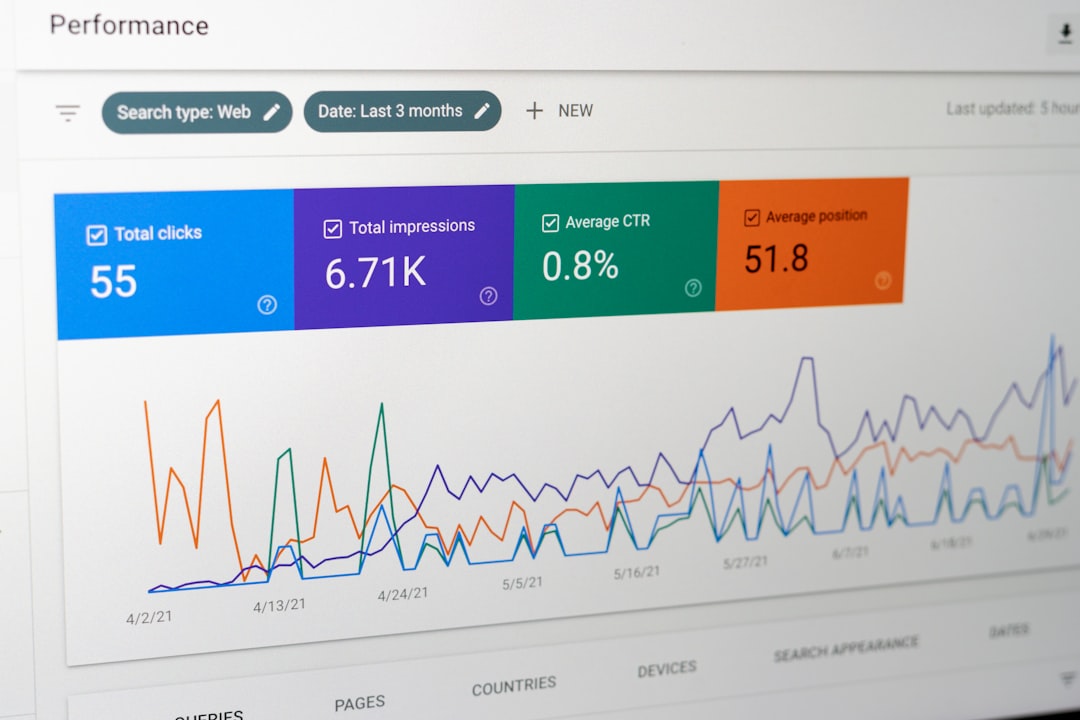
Creative instinct matters, but analytics help creators understand whether that instinct is working. TikTok’s built-in analytics can show views, watch time, audience retention, traffic sources, follower activity, and engagement patterns.
The most important metrics are not always likes or follower count. For many creators, average watch time, completion rate, saves, shares, and profile visits are more meaningful indicators. A video with fewer views but strong retention may provide a better model for future content than a viral video that attracted the wrong audience.
Creators should review performance weekly rather than obsessing over every post in real time. Look for patterns: which hooks hold attention, which topics generate saves, and which formats lead viewers to follow or visit a website.
11. Audio, Lighting, and Filming Support
Software matters, but capture quality still begins with filming. A basic external microphone, a stable tripod, and a simple light can improve perceived professionalism immediately. Tools such as ring lights, softbox lights, wireless microphones, and phone gimbals are not strictly required, but they can solve common problems such as shaky footage, poor sound, and low-light grain.
Audio is especially important. Viewers may tolerate imperfect visuals, but unclear sound often causes them to leave quickly. If your content depends on speech, improving audio should be a priority.
Choosing the Right Tool Stack
The best TikTok toolkit is not the largest one. It is the one that supports your workflow without slowing you down. A beginner might use only TikTok, CapCut, and a simple planning document. A more advanced creator may add Descript, DaVinci Resolve, TikTok Studio, and dedicated analytics tracking.
Before adopting any tool, ask three practical questions:
- Does this tool save time or improve quality?
- Will I use it often enough to justify the cost or learning curve?
- Does it help me create content my audience actually values?
TikTok success depends on strong ideas, clear communication, and consistent execution. Tools can support all three, but they cannot replace strategy. Start with reliable essentials, refine your process, and invest in more advanced tools only when your content demands them.