Proposify is a proposal management platform designed for sales teams, agencies, consultants, and service businesses that need to create, send, track, and close professional proposals more efficiently. This review examines Proposify pricing, key features, integrations, and competitors to help you decide whether it is a practical fit for your sales workflow.
TLDR: Proposify is best suited for teams that send recurring proposals and want stronger control over templates, approvals, e-signatures, and deal tracking. For example, a 10-person agency sending 80 proposals per month could use Proposify analytics to identify which sections prospects spend the most time reading and adjust pricing or service descriptions accordingly. Its value is strongest when proposal consistency and sales visibility matter, but very small teams may find simpler or cheaper tools sufficient. Pricing can be meaningful for lean businesses, so it should be compared carefully against close alternatives such as PandaDoc, Qwilr, and Better Proposals.
What Is Proposify?
Proposify is a cloud-based software platform for producing and managing sales documents, particularly proposals, quotes, contracts, and statements of work. Instead of building each proposal manually in a word processor or presentation tool, teams can use reusable templates, pre-approved content blocks, pricing tables, and embedded signature fields.
The platform is especially useful for organizations where multiple sales representatives need to present a consistent brand, pricing structure, and legal language. It also gives managers visibility into what happens after a document is sent, including whether the prospect opened it, which pages they viewed, and when they signed.

Proposify Pricing
Proposify pricing is typically positioned for professional sales teams rather than casual individual users. The company has historically offered plans based on the number of users and the level of administrative control, integrations, and support required. Public pricing may change, so buyers should verify the latest rates directly on Proposify’s website before making a decision.
In general, Proposify’s pricing structure can be understood in two broad categories:
- Team-level plans: Usually intended for small and mid-sized teams that need proposal creation, templates, e-signatures, and basic tracking. Pricing is commonly listed on a per-user basis.
- Business or enterprise plans: Designed for larger teams requiring advanced permissions, approval workflows, CRM integrations, onboarding assistance, and stronger governance over content and branding.
Is Proposify expensive? It depends on the size of your team and your proposal volume. If your team sends only a few proposals per month, the cost may be harder to justify. However, if faster proposal turnaround or improved close rates lead to even one additional signed contract per month, the software can pay for itself quickly.
Key Features
Proposify’s feature set focuses on making proposal creation faster, more consistent, and easier to measure. The platform is not simply a design tool; it is more accurately described as a sales document workflow system.
1. Proposal Templates and Content Library
Users can create templates for different proposal types, industries, or service packages. Reusable sections such as company introductions, case studies, service descriptions, legal terms, and pricing explanations can be stored in a content library. This helps reduce errors and prevents sales representatives from using outdated copy.
2. Drag-and-Drop Editor
The editor allows users to assemble proposals using text, images, tables, videos, and branded layouts. While it may take time to set up polished templates, the long-term benefit is that future proposals can be produced much faster.
3. E-Signatures
Built-in electronic signatures allow prospects to accept a proposal without moving to a separate signing platform. This reduces friction in the buying process and creates a more streamlined experience for both the seller and the customer.
4. Proposal Analytics
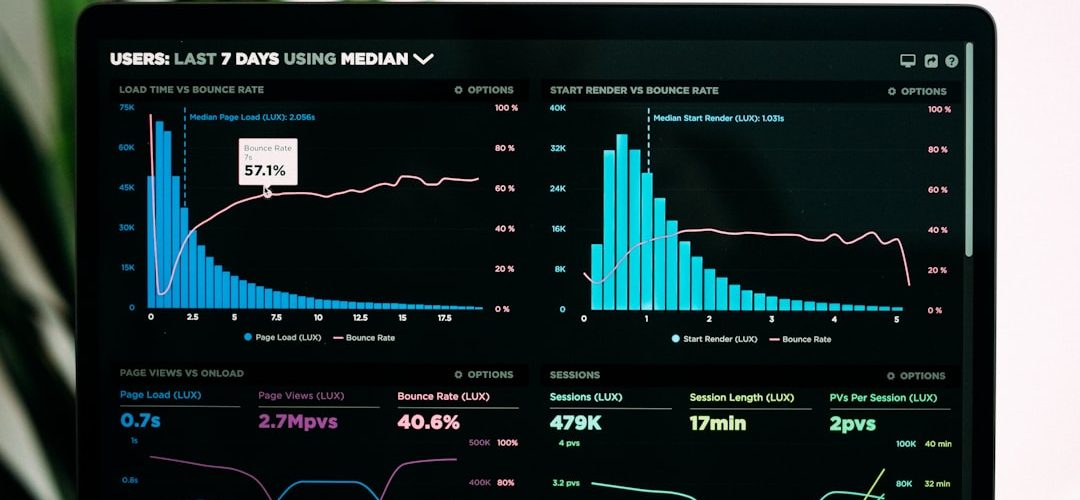
One of Proposify’s strongest features is document tracking. Sales teams can see when a prospect opens a proposal, how long they spend viewing it, and which sections receive the most attention. This can help representatives time follow-ups more effectively and identify objections earlier.
5. Approval Workflows
For companies with strict pricing rules or legal requirements, approval workflows can prevent proposals from being sent before they are reviewed. Managers can approve discounts, custom terms, or non-standard language before the document reaches the client.
6. Pricing Tables and Payments
Proposify supports interactive pricing tables, optional line items, and structured packages. Depending on the setup and available integrations, teams may also connect payment tools to collect deposits or initial payments after acceptance.

Integrations
Proposify integrates with a range of sales, accounting, and automation tools. The exact availability of integrations may depend on the selected plan and changes to the product over time.
Common integration categories include:
- CRM systems: Proposify commonly supports integrations with platforms such as Salesforce, HubSpot, and Pipedrive, helping sales teams sync contacts, deals, and proposal activity.
- Accounting tools: Integrations with accounting platforms such as QuickBooks Online or Xero may help reduce duplicate data entry after a deal is accepted.
- Payment processing: Stripe and similar payment tools can be useful for collecting deposits, retainers, or upfront payments.
- Automation platforms: Zapier can connect Proposify with many other apps, including project management, email marketing, and notification systems.
For teams already using a CRM heavily, integration quality is an important buying factor. A proposal tool is most valuable when it fits into the existing sales pipeline instead of creating a separate administrative process.
Pros and Cons
Pros
- Strong proposal tracking: Visibility into prospect behavior can improve follow-up timing and sales coaching.
- Consistent branding: Templates and content libraries help teams maintain a professional standard.
- Useful for growing sales teams: Approval workflows and permissions support more structured sales operations.
- Built-in e-signatures: Prospects can sign without a separate contract tool.
Cons
- Setup requires effort: The platform is most effective after templates, content blocks, and pricing structures are properly configured.
- May be too much for very small teams: Freelancers or occasional proposal senders may not need the full workflow.
- Pricing should be reviewed carefully: Costs can increase as the number of users grows.
- Design flexibility has limits: Although proposals can look polished, teams with highly custom design needs may require extra setup time.
Proposify Competitors
Several competitors offer similar proposal, quoting, and document automation features. The best choice depends on your sales process, budget, design expectations, and CRM requirements.
- PandaDoc: A broad document automation platform with proposals, quotes, contracts, e-signatures, and payments. It may be a better fit for teams that need a wider range of document workflows beyond proposals.
- Qwilr: Known for visually engaging, web-based proposals and sales pages. It is attractive for teams that care strongly about interactive presentation and modern design.
- Better Proposals: Often considered by small businesses and agencies looking for a straightforward proposal tool with templates, tracking, and signatures.
- DocuSign: Strong in electronic signatures and contract workflows. It may be preferable for organizations where compliance, legal execution, and contract management are more important than proposal design.
- QuoteWerks: A quoting-focused option that can suit businesses needing detailed product quoting, especially in IT, hardware, or reseller environments.

Who Should Use Proposify?
Proposify is a strong option for sales teams, marketing agencies, software service providers, consultants, and professional service firms that send proposals regularly. It is particularly relevant when proposals involve multiple sections, optional pricing, internal reviews, and client signatures.
It may not be the best choice for a solo professional who sends only a few simple proposals each quarter. In that case, a lighter e-signature or document template tool may be sufficient. However, for a team that wants better control, faster turnaround, and measurable proposal engagement, Proposify can be a serious and capable platform.
Final Verdict
Proposify is a mature proposal management solution with strong features for template control, e-signatures, analytics, and sales workflow management. Its main advantage is helping teams move from inconsistent manual proposal creation to a repeatable, trackable process.
The platform is most worthwhile when proposal volume is high enough to justify the subscription and setup effort. Before committing, compare pricing, CRM compatibility, and template requirements against alternatives such as PandaDoc, Qwilr, and Better Proposals. For organizations that treat proposals as a critical part of revenue generation, Proposify is a credible and business-focused choice.