Use “Coming Soon” when the new brand is not ready for public view, and use “Under Maintenance” when the site is only paused for updates. For a professional services firm, that choice affects trust, SEO, lead flow, and how existing clients read the change. Speed matters too: Google has reported that bounce probability rises by 32% as page load time moves from 1 second to 3 seconds [source: Google]. So your temporary page should be clean, fast, and useful.
TLDR: If your firm is rebranding before launch, choose Coming Soon. If your live site is briefly unavailable while you swap pages, choose Under Maintenance. For example, a law firm moving from “Smith & Hill LLP” to “Hill Legal Group” may use a Coming Soon page for 10 days with an email form, then switch to Under Maintenance for a 2-hour launch window. If 8% of visitors join the update list during that period, the temporary page has done real business work.
A rebrand is not just a new logo. It changes how clients judge your firm. Accountants, consultants, architects, agencies, and legal practices all depend on confidence. A blank screen or broken site sends the wrong signal.
That is where the Maintenance plugin for WordPress becomes useful. It lets you show a controlled message while the real site stays hidden. You can use it for either a Coming Soon page or an Under Maintenance page, depending on what visitors need to know.

What “Coming Soon” means
Coming Soon is best when the new brand, site, or service offer is not public yet. The site is not “broken.” It is waiting for a planned reveal.
Use Coming Soon when:
- You are launching a new firm name.
- You are merging two practices into one brand.
- You are building a new site on WordPress.
- You want to collect early interest before launch.
- You need a polished holding page during a brand rollout.
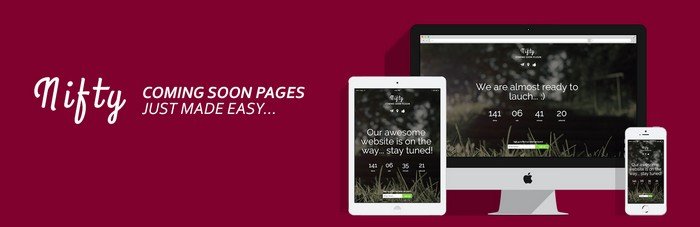
A good Coming Soon page should feel intentional. Add the new name, a short line about what is changing, and a way to contact the firm. If client work continues as usual, say that clearly.
The Maintenance plugin can show a simple branded screen without exposing unfinished pages. You can add a logo, background, headline, text, and contact details. Keep it short. Nobody wants to read a full company history on a temporary page.
What “Under Maintenance” means
Under Maintenance is for short interruptions. The site was live. It will be back soon. Visitors should understand that nothing major is wrong.
Use Under Maintenance when:
- You are updating the homepage after rebrand approval.
- You are replacing service pages.
- You are fixing layout issues.
- You are changing hosting or running plugin updates.
- You need a brief pause during launch day.
The message should be practical. Say when the site will return. Add a phone number or email address. For firms with urgent client needs, this is not optional. It drives me crazy when a professional site goes dark with no contact details. That can cost a lead in under a minute.
Search engines also treat short maintenance differently. For planned downtime, Google recommends using a 503 status code so crawlers know the issue is temporary [source: Google Search Central]. If your setup supports it, this is the cleaner route for SEO.
How to choose the right mode
Ask one question: Is this a launch delay or a service pause?
If the brand is not public, use Coming Soon. If clients already know the firm and the website is briefly unavailable, use Under Maintenance.
| Situation | Best mode |
| New brand not announced yet | Coming Soon |
| Website down for a few hours | Under Maintenance |
| Firm merger page being prepared | Coming Soon |
| Final design fixes before launch | Under Maintenance |
Why the Maintenance plugin fits rebrand work
The Maintenance plugin is useful because it keeps the public view simple while your team works behind the scenes. Admins can still access WordPress. Visitors see the temporary page. That split is exactly what most rebrand projects need.
You can also pair it with a fuller setup from WP Maintenance Mode if you want more guidance around launch pages, maintenance screens, and lead capture during downtime.
The best rebrand pages include:
- A clear headline: “Our new website is coming soon.”
- A useful message: “We are now Hill Legal Group. Client work continues as normal.”
- Contact options: phone, email, or booking link.
- Brand cues: logo, colors, and a calm background.
- A realistic date: never say “soon” if you know it will be six weeks.
Honestly, setup should not take all afternoon. The annoying part is usually not the plugin. It is chasing the final logo file, the approved wording, and the launch date from three different people.
Common mistakes to avoid
- Using Under Maintenance for weeks. It makes the firm look stalled.
- Hiding all contact details. Leads still need a way in.
- Showing vague copy. “We’ll be back” says almost nothing.
- Forgetting mobile users. Check the page on a phone.
- Leaving the mode on after launch. Yes, this still happens.
For a professional services website, the right temporary mode protects trust. Coming Soon builds interest before the reveal. Under Maintenance explains a short pause without causing panic. With the Maintenance plugin, you can handle both in a plain, controlled way while your rebrand moves from draft to public launch.