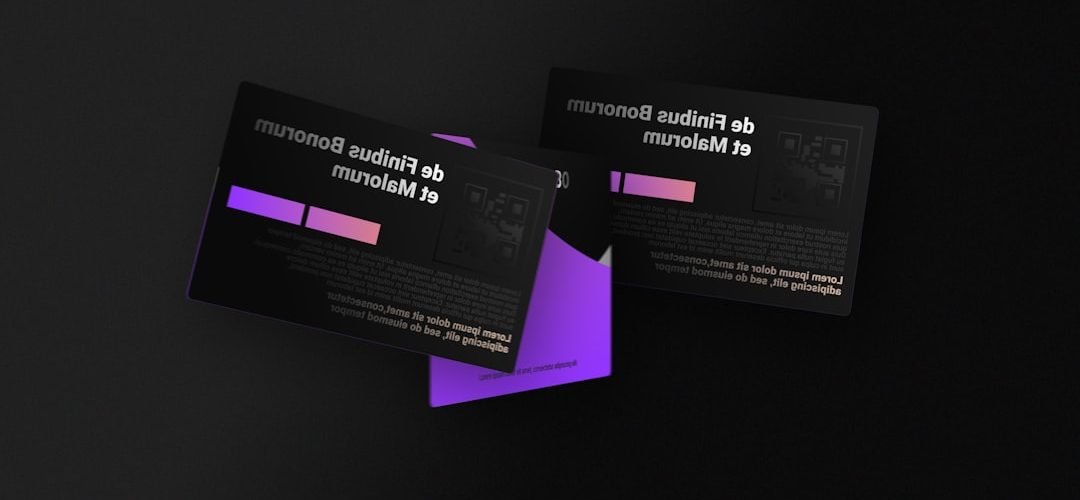
Your next networking event is coming. You have the outfit. You have the elevator pitch. You even have a confident smile ready. But do you have a business card that people will want to keep?
TLDR: A great business card should be clear, useful, and easy to remember. Tools like Canva, Vistaprint, Moo, Adobe Express, and Zazzle make it simple to create one. Pick a maker based on your budget, style, and how fast you need the cards. Keep the design clean, and do not try to fit your whole life story on one tiny rectangle.
Why Business Cards Still Matter
Yes, we live in a digital world. Yes, people connect on LinkedIn. Yes, phones can swap contacts in seconds.
But a business card still has magic.
It is small. It is personal. It gives someone a reason to remember you after the coffee, the handshake, and the “nice to meet you.” A good card says, “I am prepared.” A great card says, “You should call me.”
The best part? You do not need to be a designer. Many online business card makers now do the hard work for you.
1. Canva: Best for Easy Custom Designs
Canva is a favorite for a reason. It is simple, colorful, and friendly. You can choose from many business card templates. Then you can edit the text, colors, logo, fonts, and images.
It is great if you want control without stress. You can start with a clean design or something bold. You can also upload your own logo.
Why try it?
- Very easy to use.
- Lots of free templates.
- Good for beginners.
- You can print through Canva or download the file.
Best for: freelancers, coaches, creators, students, and small business owners.
Fun tip: If you spend more than 20 minutes choosing a font, take a snack break. Fonts can trap you.
2. Vistaprint: Best for Classic Printed Cards
Vistaprint is one of the most popular names in business card printing. It offers lots of templates. It also handles printing and shipping with ease.
You can choose standard cards, premium cards, glossy finishes, matte finishes, and more. If you want a simple card without much fuss, this is a safe pick.
Why try it?
- Many card styles and paper options.
- Good pricing for bulk orders.
- Easy online editor.
- Reliable for basic business needs.
Best for: real estate agents, consultants, local shops, sales teams, and event vendors.
Vistaprint is not the flashiest tool. But it gets the job done. Sometimes that is exactly what you need.
3. Moo: Best for Cards That Feel Fancy
Moo is for people who want their cards to feel special. The paper quality is often praised. The designs look polished. The finishes can make your card feel like a tiny luxury item.
Moo also offers options like rounded corners, square cards, and thick paper. One neat feature is the ability to print different images on different cards in the same pack. That is fun for photographers, artists, and creative brands.
Why try it?
- High quality paper.
- Stylish templates.
- Unique sizes and finishes.
- Great for creative portfolios.
Best for: designers, photographers, artists, boutique brands, and anyone who wants a premium feel.
These cards can cost more. But if you want someone to say, “Oh, this is nice,” Moo is worth a look.

4. Adobe Express: Best for Quick, Polished Designs
Adobe Express is a simple design tool from Adobe. It is much easier than the big professional design programs. You can build a business card with templates, icons, fonts, and brand assets.
If you already use Adobe tools, this can feel natural. But even if you do not, it is still easy to learn.
Why try it?
- Clean and polished templates.
- Good font and image options.
- Useful for matching your wider brand style.
- Easy downloads for printing.
Best for: marketers, content creators, startups, and anyone who wants a polished look fast.
Adobe Express is a good middle ground. It looks professional, but it does not make your brain melt.
5. Zazzle: Best for Fun and Quirky Cards
Zazzle is full of creative designs. You can find business cards that are modern, cute, bold, vintage, colorful, or slightly weird. In a good way.
This is a nice choice if you want your card to show personality. Maybe you are a dog groomer. Maybe you sell handmade candles. Maybe you are a magician. Zazzle probably has something that fits.
Why try it?
- Huge variety of designs.
- Great for niche businesses.
- Easy customization.
- Fun styles that stand out.
Best for: makers, artists, beauty pros, pet businesses, performers, and event vendors.
Just be careful. Some designs can be very busy. Your contact details still need to be easy to read.
6. Jukebox: Best for Bold Materials
Jukebox is a fun option if you want cards that are not boring. It offers unusual materials and finishes. Think recycled paper, textured stock, painted edges, and other eye catching details.
This is not always the cheapest route. But it can be memorable. And at a crowded event, memorable is powerful.
Why try it?
- Unique materials.
- Strong custom options.
- Great for bold brands.
- Good if you want texture and impact.
Best for: luxury brands, creative studios, event planners, and people who want something different.
If your brand has a strong visual style, Jukebox can help your card match it.
7. Staples: Best for Last Minute Cards
Need cards fast? Staples can be a lifesaver. You can design online and often pick up in store. This is very helpful when your event is tomorrow and your printer has chosen violence.
The designs are simple. The process is practical. It may not win a design award, but it can save your networking day.
Why try it?
- Fast pickup options.
- Simple design process.
- Good for urgent needs.
- Easy local access in many areas.
Best for: last minute events, small teams, local businesses, and emergency reprints.
Sometimes done is better than perfect. Especially when the event starts in 18 hours.

How to Pick the Right Business Card Maker
Not sure which one to choose? Start with your goal.
- Want fast and simple? Try Vistaprint or Staples.
- Want creative control? Try Canva or Adobe Express.
- Want premium quality? Try Moo.
- Want something fun? Try Zazzle.
- Want unusual materials? Try Jukebox.
Also think about your budget. A fancy card is nice. But you should still feel okay handing it out freely. If each card feels like a tiny gold bar, you may not share it enough.
Simple Design Tips for Better Cards
A business card is small. So keep it simple.
- Use readable fonts. Tiny fancy letters are not your friend.
- Include only key details. Name, title, phone, email, website, and social handle if needed.
- Leave white space. Empty space makes your card look cleaner.
- Use brand colors. Two or three colors are enough.
- Add a QR code only if useful. Link it to your website, portfolio, or booking page.
- Check everything twice. A typo on a printed card is a special kind of pain.
Before you order, print a test at home if you can. Look at the size of the text. Check the spacing. Ask a friend if the card makes sense in five seconds.
Final Thoughts
A business card is not just paper. It is a pocket sized introduction. It can make you look serious, creative, friendly, or bold.
The right business card maker depends on what you need. Canva is easy. Vistaprint is reliable. Moo feels premium. Adobe Express looks polished. Zazzle adds personality. Jukebox brings drama. Staples saves the day when time is short.
Pick one. Keep the design clear. Order a few extra. Then walk into that networking event like you planned the whole thing. Even if you made the cards last night in pajamas.