No-code app building is a bit like making a sandwich. You pick the pieces. You stack them. Then you hope the whole thing does not fall apart when someone taps a button. Thunkable is a popular tool for this job. It helps people build mobile apps without writing code. But it is not the only tasty option on the table.
TLDR: If you want the best Thunkable alternatives, look at Glide, Adalo, Bubble, FlutterFlow, Softr, AppSheet, and Draftbit. Choose Glide or Softr for simple data apps. Choose Bubble for powerful web apps. Choose FlutterFlow or Draftbit if you want more control and cleaner app design.
Why Look for a Thunkable Alternative?
Thunkable is friendly. It has drag and drop blocks. It can build Android and iOS apps. That is great.
But every app idea is different. Some apps need a better database. Some need prettier screens. Some need web app support. Some need more power. Some need less complexity. And some need a price that does not make your wallet cry.
So, it makes sense to explore. Think of this as dating apps. But for app builders. You want the right match.
What Makes a Good No-Code App Builder?
Before we jump into the tools, let us set the rules. A great no-code builder should be:
- Easy to use: You should not need a computer science degree.
- Flexible: It should handle different app ideas.
- Good looking: Your app should not look like it came from 2009.
- Stable: Buttons should work. Screens should load. Users should smile.
- Expandable: Your app may grow. The tool should grow with it.
- Fairly priced: No surprise monster bills, please.
1. Glide: Best for Simple Data Apps
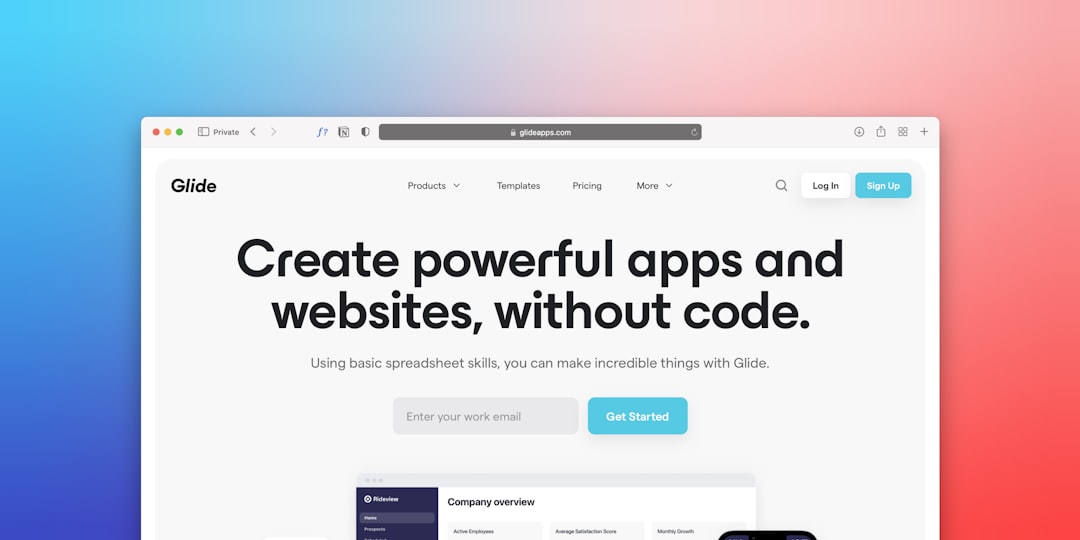
Glide is one of the easiest Thunkable alternatives. It turns spreadsheets and databases into apps. Fast.
If your app has lists, profiles, forms, dashboards, or directories, Glide is a strong choice. You can connect it to Google Sheets, Airtable, Excel, or Glide Tables. Then you build screens with clean components.
It feels smooth. It looks modern. It is very beginner friendly.
Best for:
- Internal business tools
- Client portals
- Directories
- Inventory apps
- Simple CRM tools
Why it is fun: You can go from spreadsheet chaos to shiny app magic in one afternoon.
Watch out for: It is not ideal for complex consumer apps or games. It is also more focused on web and progressive web apps than native app store apps.
2. Adalo: Best for Mobile App Beginners
Adalo is a great choice if you want to build a real mobile app without code. It has a visual editor. You drag things onto the screen. You connect actions. You create collections for your data.
It is close to Thunkable in spirit. But many users like Adalo because it feels more design focused. You can build marketplaces, booking apps, social apps, and membership apps.
Best for:
- Mobile MVPs
- Booking apps
- Community apps
- Marketplace apps
- Simple startup ideas
Why it is fun: It feels like building with digital toy blocks. But the toys can take payments.
Watch out for: Performance can become a concern with large apps. Build carefully. Keep things simple when you can.
3. Bubble: Best for Powerful Web Apps
Bubble is the big beast of no-code. It is not just a Thunkable alternative. It is more like a full no-code software factory.
Bubble is best for web apps. You can build dashboards, marketplaces, SaaS tools, social networks, and complex workflows. It has a visual editor. It also has a deep database system. You can create logic, user roles, payments, APIs, and more.
Bubble is powerful. But it has a learning curve. It is still no-code, but it asks you to think like a builder. Not scary. Just serious.

Best for:
- SaaS products
- Marketplaces
- Internal tools
- Complex web apps
- Startup MVPs
Why it is fun: You can build something that feels like a “real” software product. Because it is.
Watch out for: Mobile app publishing is not its main strength. Also, beginners may need time to learn workflows and data structure.
4. FlutterFlow: Best for Beautiful Native Apps
FlutterFlow is a favorite for people who want polished mobile apps. It is built around Flutter, a popular app framework from Google. But you do not need to write Flutter code to use it.
The real magic is control. You can create beautiful interfaces. You can connect to Firebase. You can use APIs. You can add animations. You can even export code on certain plans.
This makes FlutterFlow a great bridge between no-code and low-code. It is ideal if you want to start simple but keep the door open for developers later.
Best for:
- Native mobile apps
- Beautiful user interfaces
- Apps with Firebase
- Founder MVPs
- Projects that may need code later
Why it is fun: Your app can look very slick. Like “wow, you made that?” slick.
Watch out for: It is more technical than Glide or Adalo. You may need to learn app logic, Firebase, and responsive design.
5. Softr: Best for Portals and Business Apps
Softr is a wonderful tool for building web apps from data. It works very well with Airtable and other data sources. You can create client portals, member areas, directories, job boards, and internal tools.
Softr is not trying to be everything. That is a good thing. It is quick, clean, and business friendly.
You pick blocks. You connect data. You set permissions. Done. No drama. No wizard robe required.
Best for:
- Client portals
- Membership sites
- Resource directories
- Job boards
- Simple business platforms
Why it is fun: It makes boring business data look useful and tidy. That is a real superpower.
Watch out for: It is not made for native mobile apps. If you need App Store publishing, look elsewhere.
6. AppSheet: Best for Google Workspace Users
AppSheet is Google’s no-code app platform. It is great for workplace apps. If your team already uses Google Sheets, Google Drive, or Google Workspace, AppSheet feels natural.
It shines with forms, checklists, field reports, inventory systems, approval flows, and operations apps. It is not the flashiest tool. But it is practical. Like a good backpack. Not fancy. Very useful.
Best for:
- Field service apps
- Inspection forms
- Inventory tracking
- Team workflows
- Google Workspace teams
Why it is fun: It can turn messy office processes into simple apps. Your team may actually stop sending giant email chains.
Watch out for: Design options are more limited. It is best for function, not fancy visuals.
7. Draftbit: Best for Designers Who Want Real App Control
Draftbit is a strong no-code and low-code tool for mobile apps. It lets you build React Native apps visually. That is a big deal. React Native is used by many real-world apps.
Draftbit gives you more control than many simple builders. You can build custom screens. You can connect APIs. You can create advanced layouts. You can also export code.
It is a good choice if you care about ownership and future flexibility.
Best for:
- React Native apps
- API powered apps
- Custom mobile interfaces
- Design focused projects
- Apps that may need developers later
Why it is fun: It feels like designing a real app, not just filling in a template.
Watch out for: It is less beginner friendly than Glide or Softr. Some API knowledge helps.
Quick Comparison
- Glide: Best for fast data apps and internal tools.
- Adalo: Best for simple mobile app MVPs.
- Bubble: Best for powerful web apps and startups.
- FlutterFlow: Best for polished native apps with growth potential.
- Softr: Best for portals, directories, and business tools.
- AppSheet: Best for Google-based workplace apps.
- Draftbit: Best for flexible React Native mobile apps.
How to Pick the Right One
Do not choose the fanciest tool. Choose the tool that fits your app.
Ask yourself these questions:
- Is it a mobile app or web app? For mobile, try Adalo, FlutterFlow, or Draftbit. For web, try Bubble, Glide, or Softr.
- Is it powered by data? Try Glide, Softr, or AppSheet.
- Does it need complex logic? Bubble is a strong pick.
- Does it need a beautiful native feel? FlutterFlow is hard to beat.
- Will developers work on it later? Look at FlutterFlow or Draftbit.
- Do you need speed? Glide and Softr are very fast to launch.
Which Alternative Is Best Overall?
There is no single winner for everyone. Sorry. The app universe refuses to be that simple.
But here is a helpful shortcut.
- Choose Glide if you want the fastest path from data to app.
- Choose Adalo if you want a simple mobile app builder.
- Choose Bubble if your app is complex and web based.
- Choose FlutterFlow if you want a beautiful native app.
- Choose Softr if you need a portal or directory.
- Choose AppSheet if your team lives in Google tools.
- Choose Draftbit if you want design control and code export.
Final Thoughts
Thunkable is a solid no-code app builder. But it is not the only path. The no-code world is full of great choices. Some are simple. Some are powerful. Some are pretty. Some are practical. A few are all of those things on a good day.
The best move is to start with your app idea. Keep it small. Build the first version. Test it with real users. Then improve it.
Do not spend six months choosing a tool. That is a sneaky form of procrastination wearing a fake mustache.
Pick one platform. Build a tiny version. Click buttons. Break things. Fix them. Learn fast.
Your app does not need to be perfect on day one. It just needs to exist. And with these Thunkable alternatives, you have plenty of friendly ways to make that happen.