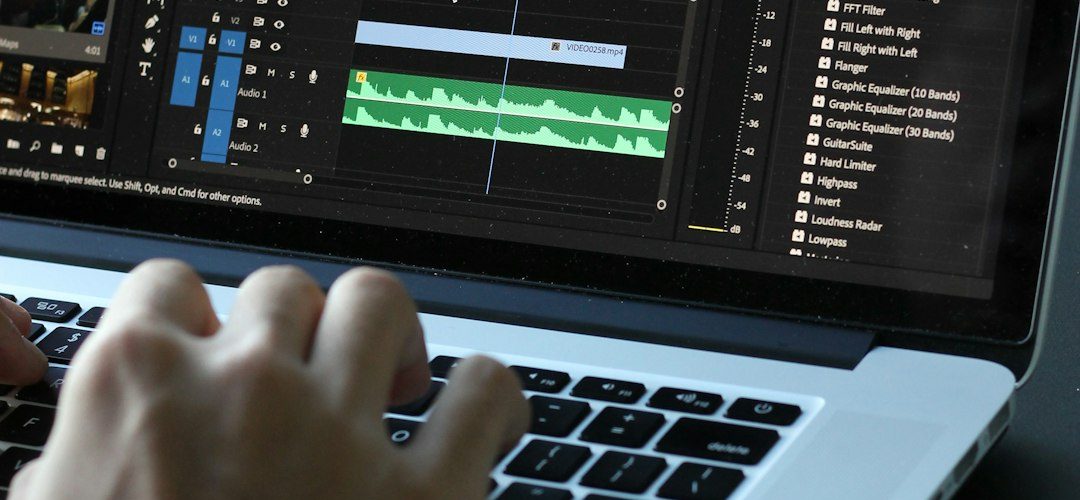
Fast video editing often comes down to one small but important task: splitting footage cleanly without slowing down the whole workflow. Kapwing is a popular browser-based editor, but some creators, marketers, educators, and social media teams may find that other tools offer quicker trimming, smoother timelines, better export options, or more advanced editing features for short-form content.
TLDR: For editors who need faster video splitting than Kapwing, VEED.IO, Flixier, and Descript stand out as strong alternatives. VEED.IO is best for quick social edits, Flixier is ideal for cloud-based speed and team collaboration, and Descript is excellent for text-based cutting and podcast-style video editing. Each option offers a smoother way to cut, trim, and repurpose video content without relying on a complex editing setup.
Why Look Beyond Kapwing for Video Splitting?
Kapwing has earned attention because it is accessible, beginner-friendly, and browser-based. However, speed-focused editors often need more than a simple online cutter. They may need responsive playback, faster rendering, cleaner exports, subtitle tools, content repurposing features, and a workflow that does not feel crowded when projects become longer or more detailed.
A strong video splitter should allow users to cut clips precisely, remove unwanted parts, rearrange scenes, and export in formats suitable for platforms such as TikTok, YouTube Shorts, Instagram Reels, LinkedIn, and online courses. The best alternatives also reduce repetitive work through templates, automatic captions, cloud rendering, and AI-assisted editing.
The following three tools are especially useful for fast video editing because they combine simple splitting with broader editing features that help creators finish projects quickly.

1. VEED.IO: Best for Quick Social Media Video Splitting
VEED.IO is one of the strongest Kapwing alternatives for creators who need to split, trim, caption, and publish videos quickly. It runs in the browser, has a clean interface, and is designed around the needs of modern social media production. For users producing short-form videos, tutorials, clips, explainers, and ads, VEED.IO often feels more direct and streamlined.
Why VEED.IO Is Better Than Kapwing for Fast Editing
VEED.IO makes video splitting simple. Editors can upload a video, move through the timeline, place the playhead, and split the clip with minimal friction. The timeline is visually clear, which helps users remove pauses, mistakes, dead air, or irrelevant sections quickly.
One of its biggest advantages is how well it combines splitting with other fast-editing tasks. A user can cut a video, add automatic subtitles, resize it for several platforms, apply branding, add background music, and export it without moving between multiple tools. This makes it especially useful for creators who need to repurpose one long video into several short clips.
Best Features
- Simple browser-based splitter: Users can cut videos without installing software.
- Automatic subtitles: Captions can be generated quickly for social media videos.
- Platform resizing: Videos can be adapted for vertical, square, or widescreen formats.
- Templates and branding: Teams can keep visual consistency across multiple clips.
- Fast sharing: Projects can be exported or shared online with less friction.
Who Should Use VEED.IO?
VEED.IO is best for social media managers, influencers, coaches, online educators, small businesses, and content creators who need fast results without a steep learning curve. It is particularly useful when the goal is to split a video into shorter, more engaging clips and publish them quickly.
Possible limitation: Like many browser-based tools, performance can depend on internet speed, file size, and browser stability. Advanced editors who need deep color grading or complex multi-track editing may still prefer a desktop editor.
2. Flixier: Best for Cloud Speed and Team Collaboration
Flixier is another excellent video splitter that often performs well for users who want speed. Its main advantage is cloud-powered editing. Instead of relying entirely on a local device, Flixier processes much of the work online, which makes it attractive for users working on lightweight laptops, office computers, or shared team setups.
For fast editing, Flixier provides a responsive online timeline that allows quick trimming, slicing, arranging, and exporting. It is especially helpful when several people need to review or contribute to the same video project.
Why Flixier Is Better Than Kapwing for Fast Editing
Flixier is designed around speed from upload to export. Its cloud rendering can make exporting faster in many situations, especially for teams creating frequent marketing videos, tutorials, product demos, and social content. While Kapwing is also web-based, Flixier’s workflow may feel more production-oriented for users who handle multiple clips, assets, transitions, and collaborative reviews.
The tool also supports importing media from several online sources, which reduces the need to download and reupload files manually. This can save time when a creator is working with cloud storage, stock media, or online assets.

Best Features
- Cloud-powered exports: Rendering can be quick and does not fully depend on the user’s device.
- Collaborative workspace: Team members can review, edit, and comment more easily.
- Fast clip splitting: The timeline supports quick cutting and rearranging.
- Online asset importing: Users can bring in files from multiple sources.
- Templates and motion graphics: Editors can produce polished clips faster.
Who Should Use Flixier?
Flixier is best for marketing teams, agencies, remote collaborators, educators, and businesses that need a fast online editor with strong sharing and review features. It is also a good choice for users who do not want to rely on a powerful desktop computer.
Possible limitation: Because Flixier focuses on online editing, it may not be the best fit for editors who prefer offline control or who regularly work with very large, high-resolution files without stable internet access.
3. Descript: Best for Splitting Videos by Editing Text
Descript takes a different approach to video splitting. Instead of only cutting footage on a traditional timeline, it transcribes the spoken words in a video and lets editors cut the video by editing the text. This makes it one of the fastest options for interviews, podcasts, webinars, tutorials, talking-head videos, online lessons, and presentations.
For spoken content, Descript can be much faster than a standard splitter because users do not need to scrub through the entire video manually. They can scan the transcript, delete unwanted sentences, remove filler words, and instantly shorten the video.
Why Descript Is Better Than Kapwing for Fast Editing
Descript is especially powerful when speed depends on removing spoken mistakes, pauses, repetitions, and irrelevant sections. In many editors, users must listen carefully, find the exact moment, split the clip, and delete the unwanted part. In Descript, they can often delete the words directly from the transcript, and the video updates automatically.
This text-based workflow is a major advantage for creators who regularly edit content with dialogue. It turns video editing into something closer to document editing. For long recordings, this can save a significant amount of time.
Best Features
- Text-based video splitting: Editors can cut video by deleting words or sentences.
- Automatic transcription: Spoken content becomes searchable and editable.
- Filler word removal: Common pauses and filler words can be removed quickly.
- Multitrack editing: Useful for podcasts, interviews, and screen recordings.
- AI-assisted tools: Features can help clean audio, create clips, and speed up editing.
Who Should Use Descript?
Descript is best for podcasters, YouTubers, educators, coaches, interviewers, course creators, and business teams that work heavily with spoken video. It is not just a video splitter; it is a productivity tool for anyone who wants to convert long-form talking content into clean, polished clips.
Possible limitation: Descript may not feel as natural for highly visual edits that require frame-by-frame action cutting, cinematic pacing, or complex graphics. Its main strength is spoken-word editing.

Quick Comparison of the Top 3 Kapwing Alternatives
| Tool | Best For | Main Advantage | Ideal User |
|---|---|---|---|
| VEED.IO | Social media clips | Fast splitting, captions, resizing | Creators and marketers |
| Flixier | Cloud editing and collaboration | Cloud rendering and team workflow | Agencies and remote teams |
| Descript | Talking-head and podcast videos | Text-based video editing | Podcasters and educators |
How to Choose the Right Video Splitter
The best choice depends on the type of content being edited. A creator making short social videos may prefer VEED.IO because it combines splitting, captions, and resizing in one simple workflow. A marketing department may prefer Flixier because of its cloud-based speed and collaboration features. A podcaster or educator may choose Descript because editing through a transcript can be far faster than cutting clips manually.
Editors should also consider file size, export quality, subtitle needs, branding, storage, team access, and whether the tool works well in the browser. Speed is not only about how quickly a clip can be split; it is also about how quickly the final video can be completed, approved, exported, and published.
Final Verdict
Kapwing remains a useful online editor, but it is not the only option for fast video splitting. VEED.IO is the best overall choice for quick social content, Flixier is the strongest option for cloud-based team editing, and Descript is the fastest solution for spoken-word videos. Each tool offers a clear advantage depending on the workflow, making them strong alternatives for users who want to edit faster and publish more efficiently.
FAQ
What is the best video splitter better than Kapwing?
VEED.IO is often the best overall alternative for fast video splitting because it combines trimming, captions, resizing, templates, and quick exports in a browser-based editor.
Which tool is best for splitting long talking videos?
Descript is the best choice for long talking videos, interviews, webinars, and podcasts because users can edit video by editing the transcript.
Is Flixier faster than Kapwing?
Flixier can be faster for certain workflows because it uses cloud-powered editing and rendering. It is especially helpful for teams and users working on devices with limited processing power.
Are these video splitters good for social media content?
Yes. VEED.IO, Flixier, and Descript can all help creators produce short-form clips for TikTok, Instagram Reels, YouTube Shorts, Facebook, and LinkedIn. VEED.IO is particularly strong for quick social media formatting.
Do these tools require installation?
VEED.IO and Flixier are primarily browser-based. Descript usually works through a dedicated app, though its workflow remains simple and beginner-friendly.
Which Kapwing alternative is best for teams?
Flixier is the strongest option for team collaboration because it supports cloud workflows, shared projects, reviews, and faster online production.