The best DupeGuru alternatives are Czkawka, AllDup, Duplicate Cleaner Pro, Gemini 2, and Easy Duplicate Finder because they cover photos, documents, music, and bulky storage drives without forcing users into one workflow. Duplicate files build up fast, and even Windows includes Storage Sense to help remove unneeded files and free space automatically [source: Microsoft]. A duplicate finder goes further. It compares file names, sizes, hashes, content, and sometimes image similarity.
TLDR: For most users, Czkawka is the best free DupeGuru replacement, while Duplicate Cleaner Pro is stronger for deep Windows scans. A photographer with 50,000 images and an estimated 8% duplicate rate could recover space from about 4,000 repeated files after a careful review. Gemini 2 is the easiest pick for Mac owners who want a polished visual cleanup tool. Large drives need patience, previews, and safe deletion rules, not a one-click purge.
Why replace DupeGuru?
DupeGuru is still useful, especially for basic duplicate scans. But some users want faster indexing, clearer previews, better photo matching, or a tool that feels less bare. Honestly, it feels like some duplicate tools save disk space but spend the user’s patience instead. Slow scans, vague results, and risky delete prompts can turn a simple cleanup into a chore.
A good alternative should offer three things: accurate matching, clear review tools, and safe removal options. The best ones also support external drives, NAS folders, photo libraries, and document archives.
Image not found in postmeta1. Czkawka: best free and open source option
Czkawka is a strong pick for users who want a free tool without ads or trial limits. It works on Windows, macOS, and Linux. It can find duplicate files, empty folders, similar images, large files, and broken files.
Its biggest strength is speed. It uses modern scanning methods and can handle big folders well. It is also lighter than many paid apps. The interface is plain, but it gets the job done.
- Best for: free cleanup on mixed file types
- Platforms: Windows, macOS, Linux
- Useful feature: similar image search
- Weak spot: the interface may feel cold to non-technical users
2. AllDup: best for detailed Windows scans
AllDup is a Windows duplicate file finder with lots of scan controls. It can compare names, extensions, sizes, content, dates, and file attributes. That makes it handy for users sorting old backup folders or years of copied office documents.
The app gives more control than many people expect from a free Windows tool. The downside is clutter. Expect to waste time on the first setup screen if every checkbox gets opened at once.
- Best for: Windows users who want fine control
- Platforms: Windows
- Useful feature: many comparison modes
- Weak spot: busy interface
3. Duplicate Cleaner Pro: best paid tool for large drives
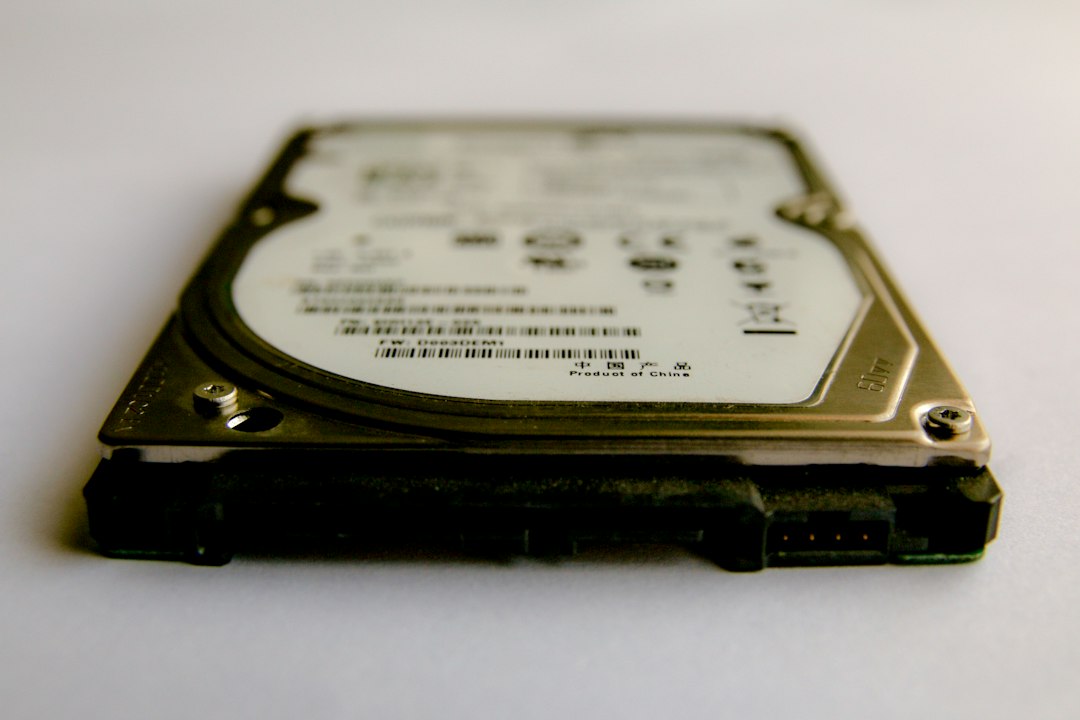
Duplicate Cleaner Pro is one of the stronger paid DupeGuru alternatives for Windows. It works well for large hard drives, external disks, photo folders, and music collections. It includes image preview, audio tag comparison, file filtering, and smart selection tools.
This tool is useful when a user has several backup drives with the same files copied again and again. It can mark older files, smaller images, or files in certain folders. That reduces manual work.
- Best for: serious Windows cleanup jobs
- Platforms: Windows
- Useful feature: smart selection assistant
- Weak spot: free version is limited
4. Gemini 2: best DupeGuru alternative for Mac
Gemini 2 is built for macOS and feels more polished than most duplicate finders. It scans photos, music, downloads, and folders with a clean review process. Mac users who dislike technical menus will likely prefer it.
It also groups similar files in a friendly way. That helps with photo cleanup, where exact duplicates are not the only problem. Burst shots, edited copies, and resized images can fill a drive quickly.
- Best for: Mac photo and media cleanup
- Platforms: macOS
- Useful feature: attractive visual review
- Weak spot: subscription pricing may annoy light users
5. Easy Duplicate Finder: best for guided cleanup
Easy Duplicate Finder is made for users who want a guided process. It supports photos, documents, email files, cloud folders, and music. It also includes an undo option, which matters when removing hundreds of files at once.
Its scan wizard is simple. A user picks folders, chooses file types, starts the scan, then reviews matches. It is not the cheapest choice, but it feels less risky than tools that drop users into a wall of file paths.
- Best for: users who want step-by-step cleanup
- Platforms: Windows, macOS
- Useful feature: undo support
- Weak spot: paid plans can feel pricey
How to choose the right duplicate finder
Users should choose based on the mess they need to fix. Photos need previews and similar image detection. Documents need content comparison, not just file names. Large drives need filters, scan logs, and safe auto-selection.
No tool should be trusted blindly. A good cleanup plan starts with one folder, not an entire drive. The safest users send files to the Recycle Bin or Trash first. They also keep one backup before deleting anything from an archive drive.
FAQ
What is the best free DupeGuru alternative?
Czkawka is the best free choice for most users. It is open source, fast, and works across major desktop systems.
Which duplicate file finder is best for photos?
Gemini 2 is best for Mac photo cleanup. Czkawka is a good free option for similar image searches on several platforms.
Is it safe to delete duplicate files automatically?
Automatic deletion can be risky. Users should review results first, especially in system folders, photo libraries, and work document folders.
Which tool is best for large external drives?
Duplicate Cleaner Pro is a strong pick for large Windows drives. It has filters, previews, and smart rules for big cleanup jobs.
Can duplicate finders clean cloud folders?
Some can scan synced folders from services such as OneDrive, Dropbox, or Google Drive. They usually scan the local synced copy, not the cloud account directly.