Building machine learning models can feel like teaching a robot puppy. It is cute. It is powerful. It also chews the furniture if you do not guide it well. The good news is that today’s AI tools make the job much easier. They help you write code, clean data, train models, track experiments, tune settings, and ship your model into the real world.
TLDR
The best AI tools for machine learning development help you move faster and make fewer mistakes. Use tools like Jupyter, PyTorch, TensorFlow, scikit-learn, Hugging Face, MLflow, Weights & Biases, Optuna, and Ray Tune. Some tools help you build models. Others help you optimize, track, deploy, and monitor them. Pick tools based on your project size, team, budget, and skill level.
Why AI Tools Matter
Machine learning is not just one task. It is a whole adventure. First, you collect data. Then you clean it. Then you train a model. Then you test it. Then you tune it. Then you deploy it. Then you watch it like a hawk.
Without good tools, this can become messy fast. Your notebook may have ten versions. Your model may change every hour. Your results may live in random files called final final really final model 7.
AI development tools give you order. They give you speed. They give you better model quality. They also make your future self much happier.

1. Jupyter Notebook: The Friendly Lab Bench
Jupyter Notebook is one of the most loved tools in machine learning. It lets you write code, run small chunks, show charts, and explain your thinking in one place.
Think of it as a digital science notebook. But cooler. And with fewer coffee stains.
It is great for:
- Testing ideas quickly.
- Exploring data.
- Creating charts.
- Sharing experiments.
- Learning machine learning step by step.
Jupyter is best for early work. It helps you play with data before building a full system. Many data scientists start here because it feels simple and natural.
2. Google Colab: Free Power in the Cloud
Google Colab is like Jupyter Notebook, but online. You do not need to install much. You open a browser and start coding.
The best part? You can use cloud GPUs. A GPU is a special chip that trains models faster. It is like giving your robot puppy rocket shoes.
Colab is useful for:
- Students and beginners.
- Small deep learning projects.
- Fast testing.
- Sharing notebooks with teammates.
There are limits on free use. Still, it is a fantastic starting tool. If you want to test PyTorch, TensorFlow, or Hugging Face models, Colab is a friendly place to begin.
3. VS Code: The Swiss Army Knife for Developers
Visual Studio Code, or VS Code, is a powerful code editor. It is light, fast, and packed with extensions.
For machine learning, it helps you write cleaner code. It also works well with Python, notebooks, Git, Docker, and remote servers.
Use VS Code when your project grows up. Notebooks are great for experiments. But real machine learning systems need proper files, folders, tests, and version control.
VS Code is great for:
- Writing Python packages.
- Debugging model code.
- Managing large projects.
- Working with Git.
- Connecting to cloud machines.
4. scikit-learn: The Classic Machine Learning Toolbox
scikit-learn is one of the best tools for traditional machine learning. It is simple, clean, and very useful.
It works well for models like:
- Linear regression.
- Logistic regression.
- Decision trees.
- Random forests.
- Support vector machines.
- Clustering models.
scikit-learn is perfect when your data is stored in tables. That means rows and columns, like a spreadsheet.
It also includes tools for scaling data, splitting data, testing models, and building pipelines. This makes it a top choice for fast, practical machine learning.
5. PyTorch: The Deep Learning Playground
PyTorch is a favorite tool for deep learning. Researchers love it. Developers love it too. It feels flexible and natural in Python.
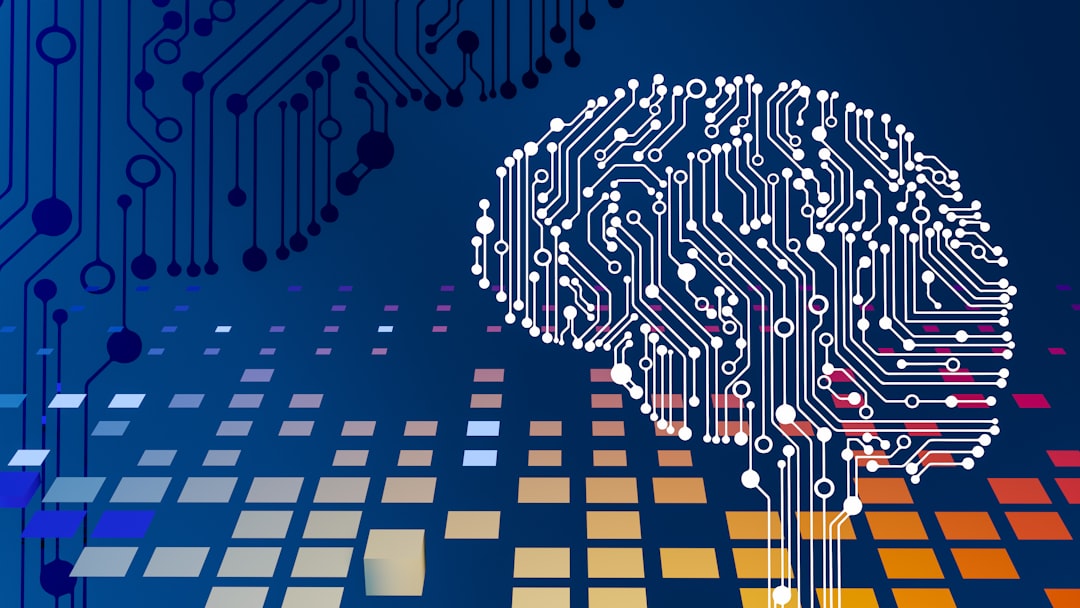
PyTorch is great for neural networks. These are models inspired by the brain. They are used for images, text, speech, video, and more.
Use PyTorch for:
- Computer vision.
- Natural language processing.
- Generative AI.
- Research projects.
- Custom model design.
PyTorch lets you build models in a very hands-on way. It is like having a box of smart LEGO bricks. You can build almost anything.
6. TensorFlow and Keras: Big Tools for Big Builds
TensorFlow is another top deep learning framework. It is strong, mature, and widely used in production. Keras is its friendly high-level interface.
Keras makes model building simple. You can create neural networks with fewer lines of code. TensorFlow gives you deeper control when you need it.
These tools are good for:
- Large production systems.
- Mobile AI apps.
- Web machine learning.
- Deep learning at scale.
- Teams that need stable workflows.
If PyTorch feels like a creative workshop, TensorFlow feels like an engineering factory. Both are excellent. The best choice depends on your team and project.
7. Hugging Face: The Model Candy Store
Hugging Face is one of the most exciting tools in AI today. It gives you easy access to thousands of pre-trained models.
Need a text classifier? There is a model. Need a chatbot model? There is a model. Need image generation, translation, speech recognition, or summarization? There is probably a model for that too.
Hugging Face is popular because it saves time. You do not always need to train from zero. You can start with a pre-trained model and fine-tune it for your task.
It includes:
- Transformers for language and vision models.
- Datasets for loading data.
- Tokenizers for text processing.
- Model Hub for sharing models.
- Spaces for demos.
This tool makes advanced AI feel much less scary. It is like getting a head start in a race, but without cheating.
8. MLflow: The Experiment Organizer
MLflow helps you track machine learning experiments. This is very important.
Why? Because models are full of tiny choices. Learning rate. Batch size. Dataset version. Model type. Number of layers. Random seed. The list goes on.
If you do not track these choices, your results become soup. Very confusing soup.
MLflow helps with:
- Tracking experiments.
- Saving model settings.
- Logging metrics.
- Managing model versions.
- Packaging models for deployment.
It is especially useful for teams. Everyone can see what was tested. Everyone can compare results. No more mystery models hiding in folders.
9. Weights & Biases: Beautiful Tracking and Team Dashboards
Weights & Biases, often called W&B, is another powerful tool for experiment tracking. It is popular in deep learning teams.
It creates clean dashboards. You can compare training runs. You can see charts. You can inspect model behavior. You can even track datasets and artifacts.
W&B is great when you want:
- Pretty visual reports.
- Team collaboration.
- Model training history.
- Hyperparameter tracking.
- Easy sharing of results.
It turns messy experiment logs into something clear. It is like giving your model experiments a tidy bedroom.
10. Optuna: The Hyperparameter Treasure Hunter
Optuna helps with model optimization. More specifically, it tunes hyperparameters.
Hyperparameters are settings you choose before training. They can make or break your model. A small change can turn a weak model into a champion.
Examples include:
- Learning rate.
- Tree depth.
- Number of layers.
- Batch size.
- Dropout rate.
Optuna searches for better settings automatically. It does not just guess randomly. It uses smart search methods. It also stops bad trials early, which saves time.
Use Optuna when your model works, but you want it to work better.
11. Ray Tune: Optimization at Scale
Ray Tune is another strong tool for hyperparameter tuning. It shines when you need to run many experiments across many machines.
Small project? Optuna may be enough. Big project? Ray Tune can help manage the chaos.
Ray Tune works with PyTorch, TensorFlow, scikit-learn, XGBoost, and more. It can run lots of training jobs in parallel. That means faster searching.
It is useful for:
- Large tuning jobs.
- Distributed training.
- Cloud experiments.
- Reinforcement learning.
- Heavy model optimization.
Think of Ray Tune as a team of tiny lab assistants. Each one tests a different idea. The best idea wins.
12. DVC: Version Control for Data
DVC means Data Version Control. Git is great for code. But data files and model files can be huge. Git does not love huge files.
DVC helps you track datasets, models, and pipelines. It lets you know which data created which model. This is a big deal.
Without data versioning, you may ask, “Why did this model perform better last week?” Then nobody knows. Sad trombone.
DVC helps create repeatable results. That means you can rebuild the same model later. This is important for serious machine learning work.
13. ONNX: The Model Translator
ONNX stands for Open Neural Network Exchange. It helps move models between different tools.
For example, you might train a model in PyTorch. Then you may want to run it in another system. ONNX can help convert the model into a common format.
This is useful for deployment and speed. It also gives you more freedom. You are not locked into one framework forever.
14. TensorRT: Speed for Deep Learning Models
TensorRT is made for optimizing deep learning models on NVIDIA GPUs. It helps models run faster and use less memory.
Training a model is one thing. Running it in real time is another. If your model is used in a car, camera, robot, or app, speed matters.
TensorRT can improve performance using tricks like precision reduction and graph optimization. In simple words, it makes the model leaner and faster.
15. Cloud AI Platforms: The Big Control Rooms
Cloud platforms can manage the full machine learning lifecycle. The main options include:
- Amazon SageMaker.
- Google Vertex AI.
- Azure Machine Learning.
These platforms help with training, tuning, deployment, monitoring, and scaling. They are strong choices for companies that need reliable systems.
They also connect with cloud storage, security tools, GPUs, and data warehouses. This makes them very useful for enterprise work.
The downside is cost and complexity. Cloud tools are powerful. But they can feel like a spaceship dashboard. Start small before pressing every button.
16. Docker: The “It Works Everywhere” Box
Docker is not only an AI tool. But it is very important for machine learning development.
Docker packages your code, libraries, and settings into a container. This helps your model run the same way on different machines.
You may have heard the classic developer line: “It works on my machine.” Docker helps fix that problem.
Use Docker when you deploy models, share projects, or run training on servers.
17. FastAPI and BentoML: Serving Models with Style
After training a model, you often need to serve it. That means other apps can send data to your model and get predictions back.
FastAPI is a fast Python framework for building APIs. It is simple and developer-friendly.
BentoML is built for serving machine learning models. It helps package models, create APIs, and deploy them.
These tools are useful when your model needs to leave the notebook nest and fly into the real world.
How to Pick the Right Tools
You do not need every tool. Please do not collect tools like shiny rocks. Pick what solves your problem.
Here is a simple guide:
- Learning or exploring? Use Jupyter or Colab.
- Building classic ML models? Use scikit-learn.
- Building deep learning models? Use PyTorch or TensorFlow.
- Using pre-trained AI models? Use Hugging Face.
- Tracking experiments? Use MLflow or Weights & Biases.
- Tuning models? Use Optuna or Ray Tune.
- Managing data versions? Use DVC.
- Deploying models? Use Docker, FastAPI, BentoML, or a cloud platform.
- Optimizing speed? Use ONNX or TensorRT.
A Simple Starter Stack
If you are new, keep it simple. Start with this stack:
- Google Colab for coding.
- scikit-learn for basic models.
- PyTorch for deep learning.
- Hugging Face for pre-trained models.
- Optuna for tuning.
- MLflow for tracking.
This stack is friendly. It is powerful. It lets you build real projects without drowning in complexity.
Final Thoughts
Machine learning development is easier when you have the right tools. Some tools help you think. Some help you build. Some help you tune. Some help you ship.
The best tools do not replace skill. They boost it. They remove boring work. They help you make better decisions. They also make machine learning feel less like wizard magic and more like a fun craft.
Start small. Learn one tool at a time. Build tiny projects. Break things. Fix them. Laugh a little. Then optimize like a pro.
Your model is waiting. Give it good data, good tools, and a tiny bit of patience. It may just surprise you.