Paper MCP wins when you want AI to turn messy plans into clear design tasks before anyone opens a design file. Figma wins when you need polished screens, reusable components, and visual control. The smart choice is not always one or the other. For many teams, the best workflow is Paper MCP first, Figma second.
TLDR: Paper MCP is great for planning, writing specs, generating user flows, and asking AI to organize chaos. Figma is better for actual interface design, prototypes, and team reviews. For example, a product team building a 5-screen onboarding flow might use Paper MCP to cut planning time by 40%, then use Figma to create the clickable prototype. If your team spends 6 hours arguing over requirements, Paper MCP can save your sanity before pixels enter the chat.
What is Paper MCP?
Paper MCP is best understood as an AI-friendly planning layer. MCP means Model Context Protocol. It lets AI tools connect to files, notes, tasks, docs, and other work systems.
So, instead of asking your AI assistant a vague question like, “Can you design a settings page?”, you can give it real context. It can read product notes. It can inspect user stories. It can check brand rules. It can create a clearer plan.
Think of Paper MCP as the neat friend at the party. Everyone is shouting ideas. Someone wants dark mode. Someone wants a pricing page. Someone says, “Make it more premium,” which means nothing. Paper MCP helps turn that mess into useful design instructions.
What is Figma?
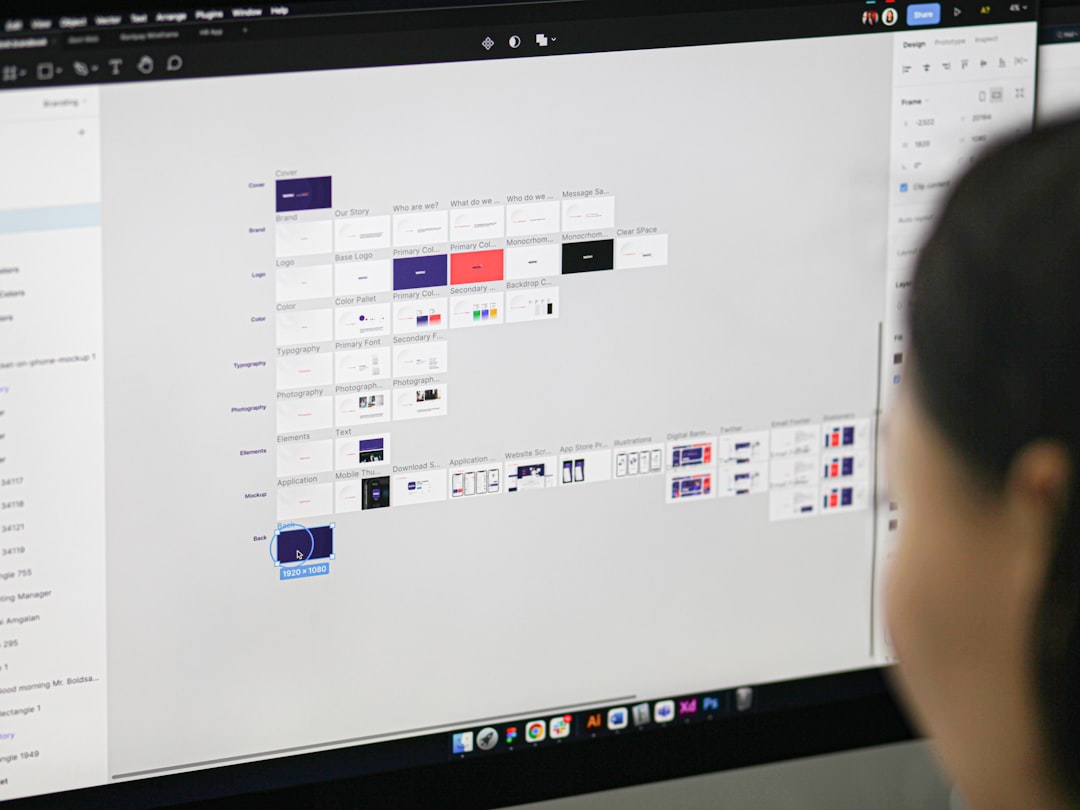
Figma is the visual design tool most product teams already know. It is where designers make wireframes, mockups, design systems, and prototypes. It is also where comments multiply like rabbits.
Figma has AI features too. It can help generate layouts, edit copy, rename layers, create quick mockups, and clean up parts of the design process. That is useful. Very useful.
But Figma still shines most when you are working with visual structure. Buttons. Cards. Auto layout. Spacing. Components. Variants. States. The stuff that makes an interface feel real.
The big difference
The difference is simple.
- Paper MCP helps AI understand the work.
- Figma helps humans and AI shape the screen.
Paper MCP is about context. Figma is about execution. One works closer to words. The other works closer to pixels.
If design work were cooking, Paper MCP would organize the recipe. Figma would plate the food. Both matter. Nobody wants a gorgeous plate of mystery mush.
Where Paper MCP feels better
Paper MCP is great at the start of a project. That is when everyone has opinions. Many of those opinions are half-baked. Some are just vibes in a hoodie.
With Paper MCP, AI can help with:
- Turning meeting notes into design briefs.
- Writing user stories and acceptance criteria.
- Summarizing research.
- Creating feature lists.
- Spotting missing steps in a user flow.
- Generating wireframe instructions.
- Comparing design requests against product goals.
This is where AI can feel less like a toy and more like a tired project manager with great memory.
Honestly, it feels like half of “design work” is just finding out what people meant. Paper MCP helps with that. It creates a cleaner handoff before anyone starts pushing rectangles around.
Where Figma feels better
Figma is still the boss when it is time to make the thing look right. You can plan forever. At some point, someone has to decide if the button is blue, gray, or “brand ocean mist,” whatever that means.
Figma is stronger for:
- High-fidelity mockups.
- Design systems.
- Interactive prototypes.
- Component libraries.
- Responsive layout testing.
- Developer handoff.
- Commenting directly on screens.
Paper MCP can describe a dashboard. Figma lets you build it. Paper MCP can suggest a cleaner checkout flow. Figma lets you see if it actually fits on mobile.
The AI workflow that actually makes sense
Here is a simple AI-assisted design workflow that does not make your team want to scream.
- Start in Paper MCP. Collect notes, goals, user pain points, and constraints.
- Ask AI to summarize the problem. Keep it short. No fluffy strategy soup.
- Generate user flows. Ask for edge cases too. AI often finds the boring stuff humans miss.
- Create a design brief. Include audience, goal, screens, content, and success metrics.
- Move to Figma. Build wireframes or import AI-generated structure as a guide.
- Use Figma AI for cleanup. Rename layers, draft copy, or test layout ideas.
- Review with the team. Keep comments tied to goals, not personal taste wars.
This flow keeps AI strongest where it helps most. It reduces blank-page panic. It also stops teams from designing the wrong thing very beautifully.
Paper MCP vs Figma: quick comparison
| Area | Paper MCP | Figma |
|---|---|---|
| Best for | Planning and context | Visual design and prototypes |
| AI strength | Understanding docs and tasks | Creating and editing screens |
| Team use | Product, UX, content, research | Designers, developers, product |
| Weak spot | Not a full visual editor | Needs clear input first |
| Best timing | Before design starts | During design production |
The annoying parts
The catch is that Paper MCP can become another place where work hides. If your docs are messy, AI will still read messy docs. Garbage in, fancy garbage out.
Figma has its own pain. It drives me crazy that a tiny naming mess can turn into 200 confusing layers by lunch. AI can help clean that up, but it will not fix poor team habits by magic.
Also, AI is not your product designer. It can suggest. It can summarize. It can generate. But it does not know your users like real research does. It also has no taste unless you give it rules.
When to choose Paper MCP
Pick Paper MCP when your main problem is confusion. Use it when you have lots of notes, unclear requests, mixed feedback, or scattered research.
It is a strong fit for:
- Early product planning.
- UX research summaries.
- Feature scoping.
- Content-first design.
- AI-generated design briefs.
- Teams with lots of async work.
If your stakeholders keep saying, “Can we just make it simpler?”, Paper MCP can help define what simpler means. Bless it.
When to choose Figma
Pick Figma when you need to see, test, and ship interface ideas. Use it when layout, spacing, hierarchy, and interaction matter.
It is the better choice for:
- Wireframes.
- Mobile app screens.
- Web app dashboards.
- Design systems.
- Clickable prototypes.
- Developer handoff specs.
If the question is “What should this screen look like?”, Figma is usually where the answer becomes real.
The best setup for most teams
Use Paper MCP to shape the thinking. Use Figma to shape the interface. That combo is simple and powerful.
A nice workflow looks like this:
- Paper MCP: “What are we building?”
- Paper MCP: “Who is it for?”
- Paper MCP: “What screens do we need?”
- Figma: “How should it work?”
- Figma: “How should it look?”
- Figma: “Can users click through it?”
This saves time because each tool does its best job. Paper MCP handles the brain dump. Figma handles the polish.
Final verdict
Paper MCP is not a Figma killer. It is more like a smart prep station. It helps AI turn raw ideas into better design fuel.
Figma is still the main stage for interface design. It is where teams create screens, test flows, and prepare real product work.
So do not ask, “Which one replaces the other?” Ask, “Where does AI help us most?” Start with Paper MCP when thoughts are messy. Move to Figma when the screen needs to exist. Your team will argue less. Your designs will make more sense. And yes, your layers might still be a disaster. Some battles are eternal.