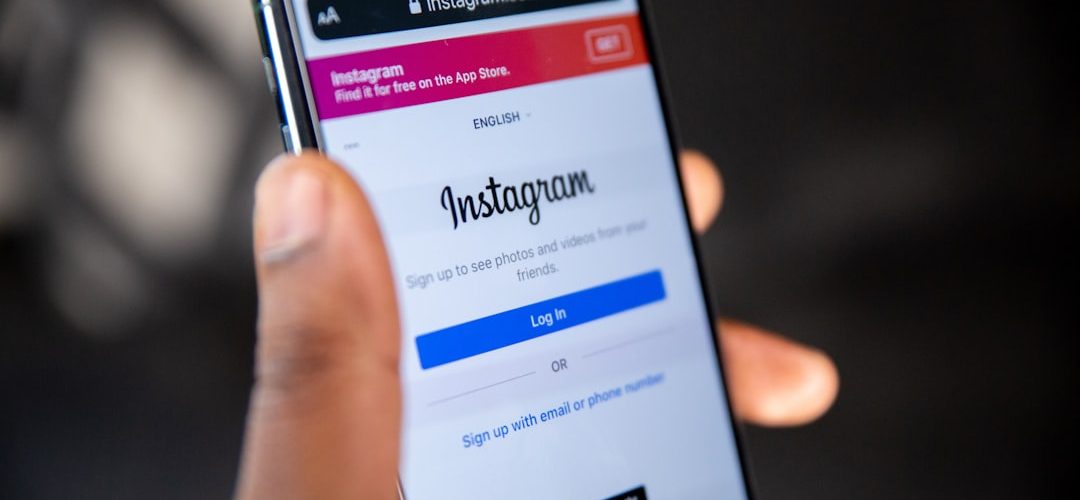
Instagram screenshots are a common privacy concern because people often save posts, Stories, chats, and photos for later. However, Instagram does not treat every screenshot the same way. Whether a notification appears depends on what is being captured and where it appears inside the app.
TLDR: Instagram generally does not notify users when someone screenshots posts, Reels, profiles, regular Stories, Highlights, or standard direct messages. The main exceptions are disappearing photos and videos sent through Instagram Direct, and in some cases Vanish Mode chats. For maximum privacy, users should assume temporary or private content may trigger alerts, while public content usually will not.
Does Instagram Notify When Someone Takes a Screenshot?
In most situations, Instagram does not send screenshot notifications. A person can screenshot a public post, a Reel, a profile page, a comment thread, or a regular Story without the account owner receiving an alert. Instagram has tested screenshot alerts in the past, especially for Stories, but those tests did not become a permanent feature for ordinary Story viewing.
The exception is content designed to disappear. Instagram places stronger privacy controls around disappearing media, such as photos or videos sent through direct messages using the camera feature with “View Once” or “Allow Replay.” If someone screenshots or screen records that type of content, Instagram may show an icon or notification in the chat.
Quick Screenshot Notification Breakdown
| Instagram Area | Screenshot Notification? |
|---|---|
| Feed posts | No |
| Reels | No |
| Profiles and bios | No |
| Regular Stories | No |
| Story Highlights | No |
| Regular direct messages | No |
| Disappearing photos or videos in DMs | Yes, usually |
| Vanish Mode chats | Often yes, depending on app version and region |
Instagram Posts, Reels, and Profiles
Instagram does not notify account owners when someone screenshots or screen records regular posts, carousel posts, Reels, profile pages, bios, follower lists, or tagged photo sections. These areas are considered standard visible content within the platform. If an account is public, anyone who can view the content can generally capture it without generating a notification.
For private accounts, the same rule usually applies. If a follower has access to a private post or Reel, Instagram still does not send a screenshot notification. The privacy protection is based on follower approval, not screenshot detection.
Does Instagram Show Story Screenshots?
Instagram does not notify users when someone screenshots a standard Story. This includes photo Stories, video Stories, polls, stickers, question boxes, countdowns, and other Story formats. It also does not notify users when someone records the screen while viewing a regular Story.
This can be confusing because Instagram briefly tested Story screenshot alerts years ago. During that test, some users saw warning messages or screenshot icons. However, the feature was removed, and regular Story screenshots currently do not trigger notifications.
What About Story Highlights?
Story Highlights follow the same general rule as Stories. If someone screenshots a Highlight on an Instagram profile, the account owner is not notified. Highlights are saved Story collections displayed on a profile, but Instagram does not treat them as disappearing direct-message content.
However, the viewer list for a Story is different from screenshot notifications. An account owner may be able to see who viewed a Story for a limited time, but that does not mean Instagram reports who captured it.
Direct Messages: When Screenshots Matter
Direct messages are where Instagram’s screenshot rules become more specific. A screenshot of a normal text conversation, a shared post, a shared Reel, a link, or a normal photo sent from the camera roll does not usually notify the other person. Standard DMs behave like typical chat messages.
The important exception is a disappearing photo or video. If a person sends media through Instagram’s built-in DM camera and selects a temporary viewing option, Instagram can alert the sender when the recipient takes a screenshot or screen recording. These temporary messages are meant to be viewed once or replayed briefly, so Instagram adds extra visibility around captures.
- View Once: The recipient can view the photo or video one time. Screenshots may trigger a notification.
- Allow Replay: The recipient can replay the media for a short period. Screenshots may still be reported.
- Keep in Chat: The media remains visible in the conversation. Screenshot behavior may be less restrictive than disappearing media.
Does Instagram Notify in Vanish Mode?
Vanish Mode is designed for temporary conversations that disappear after they are seen and the chat is closed. Because of that, Instagram may notify participants when someone screenshots or records the chat. The exact behavior can vary depending on the app version, device, and regional rollout, but Vanish Mode should be treated as a higher-privacy area where screenshots are more likely to be flagged.
For users concerned about privacy, the safest assumption is simple: if the message is temporary, disappearing, or sent in a privacy-focused chat mode, Instagram may show capture activity.
Does Instagram Notify About Screen Recording?
Screen recording is often treated similarly to screenshots, but detection is not always consistent. Instagram generally does not notify account owners when someone screen records posts, Reels, profiles, or regular Stories. However, screen recording a disappearing photo or video in direct messages may trigger the same type of alert as a screenshot.
Because apps and operating systems change frequently, users should not rely on loopholes or assumptions. Instagram can update screenshot and screen recording detection without making a major public announcement.
Can Third Party Apps Reveal Screenshot Activity?
Third-party apps that claim to show who screenshotted Instagram content should be treated with caution. Instagram does not provide ordinary screenshot data for posts, profiles, Reels, or Stories through public tools. Apps that promise this information may be inaccurate, unsafe, or designed to collect login details.
Using unauthorized tools can also violate Instagram’s terms and may put an account at risk. The most reliable source of screenshot information is Instagram itself, and the platform only reveals this activity in limited situations.
Privacy Tips for Instagram Users
Because screenshots are easy to take and often invisible, users should manage Instagram privacy with realistic expectations. Even private accounts are not fully protected from someone saving content manually.
- Share carefully: Content posted online can often be captured, copied, or redistributed.
- Use Close Friends: Stories can be limited to a smaller audience, although screenshots still will not trigger alerts.
- Review followers: Private accounts should regularly remove unknown or unwanted followers.
- Use disappearing media wisely: Temporary content offers more control but is not impossible to save.
- Avoid sensitive information: Personal documents, addresses, and private details should not be shared casually.
FAQ
Does Instagram notify when someone screenshots a Story?
No. Instagram does not notify users when a regular Story is screenshotted or screen recorded.
Does Instagram notify when someone screenshots a post?
No. Feed posts, carousel posts, captions, comments, and public or private posts do not trigger screenshot alerts.
Does Instagram notify when someone screenshots a Reel?
No. Instagram does not send notifications for screenshots or screen recordings of Reels.
Does Instagram notify when someone screenshots a DM?
Usually no. Regular text messages, shared posts, links, and normal chat content do not generate screenshot notifications. Disappearing photos or videos may trigger an alert.
Does Instagram notify when someone screenshots a disappearing photo?
Yes, in many cases. If the photo or video was sent as disappearing media through Instagram Direct, the sender may see a screenshot or screen recording indicator.
Does Instagram notify in Vanish Mode?
Often, yes. Vanish Mode is designed for temporary conversations, and Instagram may notify participants when screenshots are taken.
Can someone see if a profile was screenshotted?
No. Instagram does not notify users when their profile, bio, followers list, or tagged photos are screenshotted.
Is there a way to know who screenshotted Instagram content?
Only in limited cases, mainly disappearing media and some temporary chat features. For posts, Stories, Reels, and profiles, Instagram does not provide screenshot information.