Clover Flex is a handheld point-of-sale system built for businesses that need to take payments, manage orders, and run basic operations away from a fixed counter. It combines a card reader, touchscreen, receipt printer, barcode scanner, and POS software in one compact device, making it a popular option for cafés, food trucks, salons, pop-up retailers, and service businesses.
TLDR: Clover Flex is a strong mobile POS choice if you want an all-in-one device with payments, receipts, inventory, staff tools, and app integrations in a single handheld terminal. For example, a coffee cart processing 120 transactions per day at an average ticket of $8 could use Clover Flex to take payments, print receipts, and track best-selling drinks without needing a full register setup. Pricing can be higher than simpler competitors, especially once software fees and processing rates are included. It is best for businesses that value convenience, mobility, and a polished customer checkout experience.
What Is Clover Flex?
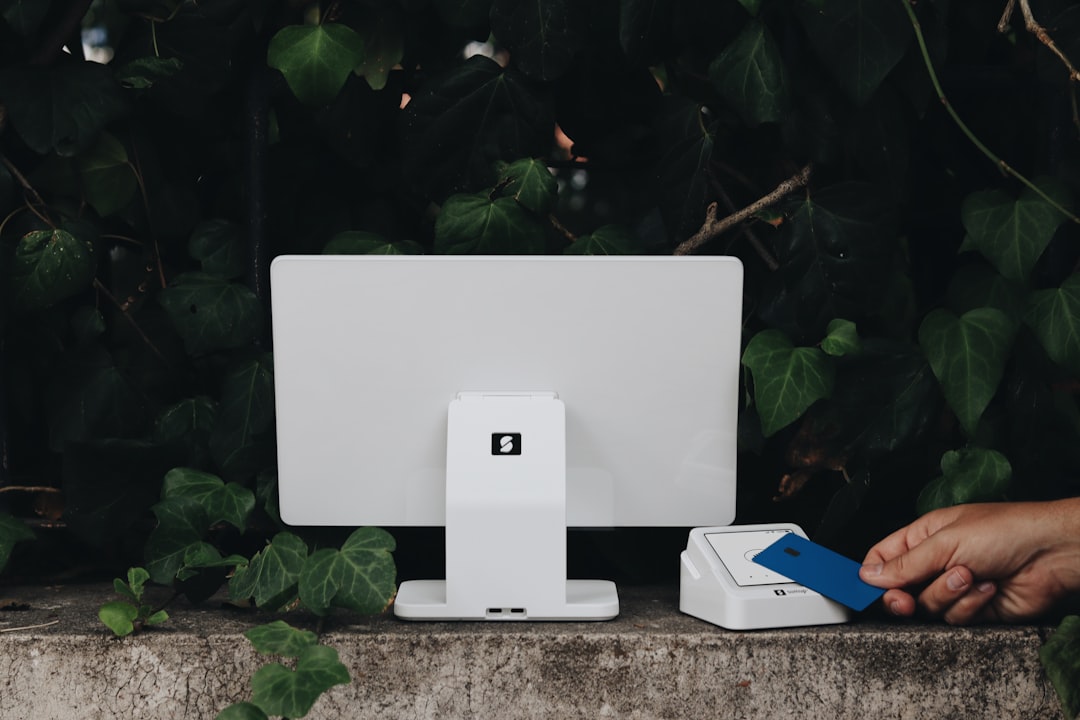
Clover Flex is a mobile POS terminal from Clover, a point-of-sale platform owned by Fiserv. Unlike basic card readers that must connect to a phone or tablet, Clover Flex is a standalone device. It includes a 5-inch touchscreen, built-in receipt printer, camera-based barcode scanner, and support for swipe, chip, and contactless payments.
The main appeal is simplicity. A staff member can carry the device to a table, checkout line, market booth, delivery stop, or client appointment and complete the transaction on the spot. That makes it especially useful for businesses that do not want customers waiting in line at a central register.

Key Clover Flex Features
Clover Flex offers more than payment processing. It is designed to be a compact business management tool, though the exact features you get depend on your Clover software plan and merchant provider.
- Multiple payment types: Accepts magstripe cards, EMV chip cards, contactless cards, Apple Pay, Google Pay, and manually keyed transactions.
- Built-in receipt printer: Print receipts instantly or send them by email or text message.
- Inventory management: Add products, track stock, apply modifiers, and manage item-level pricing.
- Barcode scanning: The integrated camera can scan barcodes, useful for retail products and quick item lookup.
- Employee permissions: Create staff profiles, limit access, and track basic employee activity.
- Order and table management: Restaurants can take orders tableside and send them to a kitchen printer or display system if configured.
- Reporting tools: View sales totals, payment types, taxes, discounts, and employee performance from the device or Clover dashboard.
- App marketplace: Add tools for loyalty, payroll, accounting, online ordering, email marketing, and more.
The interface is generally user-friendly. Staff can learn basic checkout functions quickly, and the device feels more professional than a card reader attached to a phone. For customer-facing businesses, that polished feel can matter.
Pricing: Hardware, Software, and Processing
Clover Flex pricing can be slightly confusing because costs vary depending on where you buy it. Clover devices are sold through Clover directly, banks, and merchant service providers. That means hardware prices, contract terms, monthly fees, and processing rates may not be identical for every business.
In general, Clover Flex hardware often costs around $599 to $699 if purchased outright, though some providers offer monthly payment plans. Be careful with leases: a low monthly device fee can become expensive over a long contract.
Software plans typically add a monthly fee. Depending on your business type and required features, you may pay approximately $14.95 to $54.95 or more per month. Basic payment-only plans are cheaper, while retail and restaurant plans with inventory, ordering, and advanced reporting cost more.
Payment processing fees also apply. In-person rates are often around 2.3% to 2.6% plus 10 cents per transaction, while keyed-in payments usually cost more, often around 3.5% plus 10 cents. These numbers can change based on provider, plan, industry, and sales volume, so it is worth asking for a full written quote before signing up.
Who Should Use Clover Flex?
Clover Flex is a good fit for businesses that need mobility but still want the functions of a traditional POS system. It works particularly well for:
- Food trucks and market vendors that need a compact checkout system with printed receipts.
- Restaurants and cafés that want tableside ordering and payment.
- Retail boutiques that need inventory lookup and barcode scanning on the floor.
- Salons and spas that collect payments at treatment stations or reception.
- Service businesses that take payment in the field, such as repair technicians or mobile consultants.
For example, a small boutique could use one Clover Flex at the counter during normal hours and carry it onto the sales floor during busy weekends. Staff can check inventory, scan items, and complete checkout without sending every customer to a register.
Pros and Cons
Pros
- All-in-one design: No separate phone, tablet, printer, or card reader is required for basic mobile checkout.
- Professional checkout experience: The device looks and feels like a dedicated business tool.
- Good feature depth: Inventory, reporting, staff permissions, and app integrations make it more capable than many simple readers.
- Portable and flexible: Useful at counters, tables, booths, events, and client locations.
Cons
- Pricing is not always transparent: Costs may vary by reseller, and contracts can differ significantly.
- Processing is tied to Clover partners: You generally cannot choose any payment processor you want.
- Monthly fees add up: Hardware plus software plus processing can be expensive for very small businesses.
- Limited compared with full POS stations: For complex restaurants or multi-location retailers, Clover Flex may work better as an add-on than the main system.
Clover Flex Alternatives
Before choosing Clover Flex, compare it with other mobile POS systems. The best alternative depends on your budget, industry, and existing tools.
- Square Terminal: A strong option for small businesses that want simple pricing, no long-term commitment, and easy setup. It has a built-in printer and accepts major payment types, but its inventory and restaurant features may be less advanced than Clover’s higher-tier plans.
- Toast Go: Best for restaurants that need handheld ordering, tipping, menu modifiers, and kitchen workflows. Toast is more restaurant-focused than Clover, but it may be overbuilt for retail or service businesses.
- Shopify POS: Ideal for retailers that already sell online using Shopify. Its strength is syncing online and in-store inventory, customers, and orders.
- Lightspeed POS: A good fit for inventory-heavy retailers and restaurants that need more advanced reporting, supplier management, or multi-location tools.
- PayPal Zettle: A budget-friendly choice for businesses that need basic card acceptance and do not require a full POS ecosystem.

Final Verdict
Clover Flex is a capable and attractive mobile POS device that bridges the gap between a simple card reader and a full countertop register. It is especially valuable for businesses that want to accept payments anywhere while still managing products, employees, receipts, and sales reports from one device.
The main drawback is cost flexibility. Clover can be affordable for businesses with steady sales, but smaller merchants should carefully review the hardware price, software subscription, payment processing rates, and contract terms. If you only need occasional card acceptance, Square Terminal or PayPal Zettle may be easier and cheaper.
However, if your business needs a portable, professional, feature-rich POS that can grow with add-ons and integrations, Clover Flex is worth serious consideration. It is not the cheapest mobile POS, but for many restaurants, retailers, and service providers, its convenience and all-in-one design justify the investment.