
As an online business grows, its website stops being a simple digital brochure and becomes part of the company’s operating system. It may process orders, capture leads, serve content, host customer accounts, support marketing campaigns, and connect to analytics, payment, email, and inventory tools. At that stage, choosing the right website hosting service is not just a technical decision; it is a business decision that affects speed, reliability, security, search visibility, and customer trust.
TLDR: Growing online businesses should choose hosting based on performance, scalability, security, support, and total cost, not just the cheapest monthly price. Shared hosting can work early on, but many businesses eventually benefit from cloud hosting, VPS hosting, managed WordPress hosting, or dedicated infrastructure. The best option depends on your traffic, platform, technical skill, and growth plans.
Why Hosting Matters More as Your Business Grows
In the early days, a basic hosting plan may be enough. Your website might receive light traffic, contain a few pages, and rely on standard plugins or simple ecommerce features. But as your audience expands, every performance issue becomes more expensive. A slow product page can reduce conversions. A checkout error can cost sales. An outage during a campaign can damage the credibility you worked hard to build.
Reliable hosting helps your website stay fast, secure, and available when customers need it. It also gives your team room to add new features, publish more content, run seasonal promotions, and handle traffic spikes without constant technical stress. The goal is not always to buy the most expensive plan, but to select a hosting environment that matches your business stage and can grow with you.

Key Features to Look for in a Hosting Service
Before comparing hosting providers, it helps to understand the features that matter most for a growing online business. The right mix depends on your website type, but the following factors are usually important:
- Uptime reliability: Look for strong uptime guarantees, ideally 99.9% or higher, combined with a real reputation for stability.
- Page speed: Fast servers, caching, content delivery networks, and optimized infrastructure can improve user experience and search performance.
- Scalability: Your hosting should allow you to upgrade resources without a painful migration every time traffic increases.
- Security: SSL certificates, malware scanning, firewalls, backups, and proactive monitoring are essential for protecting customer data.
- Support quality: Responsive technical support can save hours of frustration, especially during urgent issues.
- Backup and recovery: Automated backups and simple restoration tools are vital if something breaks or data is lost.
- Platform compatibility: Make sure the host works well with your content management system, ecommerce platform, or custom application.
Shared Hosting: Affordable, but Limited
Shared hosting is often the first option for small websites because it is inexpensive and easy to use. With shared hosting, multiple websites use the same server resources. This keeps costs low, but it also means your site’s performance can be affected by other websites on the same server.
For a growing business, shared hosting may still be useful if the website is relatively simple, traffic is predictable, and there are no complex ecommerce or membership features. It can be a sensible starting point for blogs, portfolios, landing pages, or early-stage company websites.
However, shared hosting has clear limits. Resource restrictions, slower speeds during busy periods, and fewer customization options can become obstacles. If your website is central to revenue, shared hosting is usually best treated as a temporary solution rather than a long-term foundation.
VPS Hosting: More Control and Better Performance
Virtual Private Server hosting, commonly called VPS hosting, is a step up from shared hosting. Your website still shares a physical server with others, but it receives a dedicated portion of resources. This usually means better performance, more control, and improved reliability.
VPS hosting is worth considering if your business is getting steady traffic, running resource-heavy plugins, handling user accounts, or needing more server customization. It is also a good option for companies that have some technical knowledge or access to a developer.
The main advantage of VPS hosting is balance. It offers more power than shared hosting without the full cost of a dedicated server. The tradeoff is that unmanaged VPS hosting can require server administration skills. If you do not want to manage updates, security settings, and server configuration, look for a managed VPS plan.
Cloud Hosting: Flexible and Built for Growth
Cloud hosting is one of the most attractive options for growing online businesses because it is designed for flexibility. Instead of relying on a single physical server, cloud hosting uses a network of connected servers. This allows resources to be adjusted more easily as demand changes.
For example, if your online store gets a sudden surge of visitors after a product launch, cloud infrastructure can often scale more smoothly than traditional hosting. This makes it especially useful for ecommerce brands, software companies, media websites, and businesses that experience seasonal traffic spikes.
Cloud hosting can be offered in simple managed packages or as advanced infrastructure through platforms that require technical expertise. The best choice depends on how hands-on your team wants to be. A managed cloud host may cost more, but it can remove much of the complexity around setup, monitoring, updates, and server optimization.
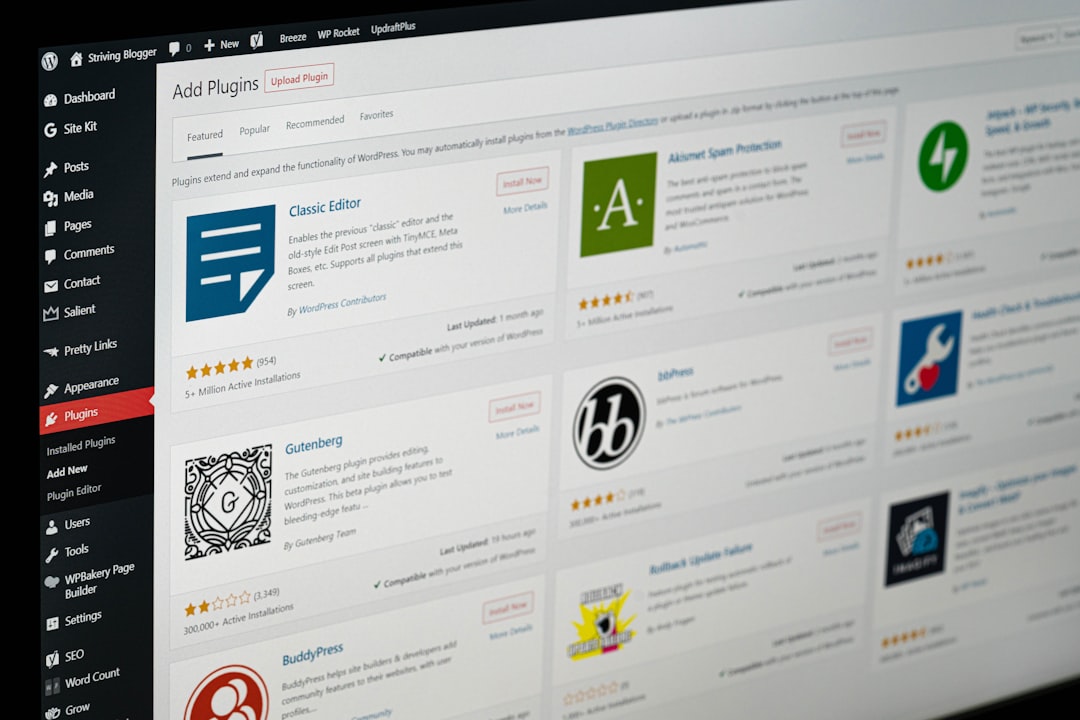
Managed WordPress Hosting: Optimized for WordPress Sites
If your website runs on WordPress, managed WordPress hosting can be a smart investment. These hosting services are specifically configured for WordPress performance, security, backups, staging, and updates. Many also include built-in caching, specialized support, and tools for developers or content teams.
This option is particularly useful for businesses that publish regularly, depend on organic search traffic, use WooCommerce, or run content-heavy websites. A managed WordPress host can help reduce technical maintenance while improving speed and reliability.
The downside is that managed WordPress hosting may be more expensive than general hosting, and some providers restrict certain plugins for security or performance reasons. Still, for many growing businesses, the convenience and stability are worth the extra cost.
Dedicated Hosting: Maximum Power for Demanding Sites
Dedicated hosting gives your business an entire physical server. This means you do not share resources with other websites. It can deliver excellent performance, high customization, and strong isolation, which is valuable for businesses with heavy traffic, complex applications, or strict compliance needs.
Dedicated hosting is usually not necessary for early-stage businesses, but it becomes worth considering when your site has outgrown VPS or cloud plans, requires specialized server configurations, or handles large volumes of sensitive data. It is common among high-traffic ecommerce stores, large publishers, enterprise applications, and platforms with demanding workloads.
The main drawback is cost and complexity. Dedicated servers often require more technical management unless you choose a fully managed plan. For many businesses, cloud hosting provides similar scalability with more flexibility, but dedicated hosting still has a place when predictable high performance and full control are priorities.
Ecommerce Hosting: Built for Selling Online
For businesses that sell products or services online, hosting should be evaluated through an ecommerce lens. It is not enough for the website to load; it must support secure payments, product searches, inventory updates, carts, checkout flows, transactional emails, and customer accounts.
Good ecommerce hosting should offer:
- Fast product and checkout pages to reduce cart abandonment.
- SSL support to protect customer information.
- PCI conscious infrastructure or compatibility with secure payment processors.
- Automatic backups before updates or major sales campaigns.
- Scalable resources for promotions, holidays, and flash sales.
- Strong database performance for stores with many products or customers.
If you use WooCommerce, managed WordPress or cloud hosting can be a good fit. If you use a hosted ecommerce platform, some hosting concerns are handled for you, but you may still need to think about domain management, email hosting, integrations, and performance of third-party tools.
Hosting Support: The Feature You Notice When Something Breaks
Support quality is easy to overlook when everything is working. But when a website goes down, a database error appears, or a checkout page stops loading, support becomes one of the most important parts of your hosting plan.
Growing businesses should look for hosts that provide 24/7 support through channels such as live chat, ticketing, and phone support. More importantly, the support team should understand your platform. General support may be enough for simple websites, but WordPress, Magento, Laravel, or custom applications often require specialized knowledge.
It is also worth checking whether support is limited to server issues or includes application-level help. Some hosts will only confirm that the server is running, while others will assist with migrations, performance analysis, plugin conflicts, security problems, and staging environments.
Security and Backups Should Not Be Optional
Security becomes more important as your website grows because your risk increases with visibility. More visitors, more transactions, and more stored data can make your business a bigger target. A good hosting service should provide layers of protection, not just a login screen and a basic SSL certificate.
Look for features such as web application firewalls, malware scanning, DDoS protection, automatic updates, secure file access, and regular backups. Backups should be frequent, stored safely, and easy to restore. A backup system that exists but is difficult to use during an emergency is not very helpful.
You should also ask how long backups are retained and whether you can create manual backups before making major changes. For ecommerce sites, membership platforms, and active communities, backup frequency matters because orders, accounts, and user content can change constantly.

How to Choose the Right Hosting Service
The best hosting service is the one that fits your business model, technical resources, budget, and growth expectations. Instead of choosing based only on price, consider the practical needs of your website over the next 12 to 24 months.
Start by asking these questions:
- How much traffic does the website receive now, and how quickly is it growing?
- Is the website mostly informational, or does it generate revenue directly?
- Does the business need ecommerce, bookings, subscriptions, or customer accounts?
- Who will manage updates, security, performance, and troubleshooting?
- How damaging would one hour of downtime be during peak activity?
- Will the site need staging environments, developer tools, or custom configurations?
If your website is small and budget is the main concern, shared hosting may be acceptable. If your traffic is growing and you need more dependable performance, VPS or managed WordPress hosting may be a better move. If your business expects unpredictable spikes or rapid expansion, cloud hosting is often the most future-friendly choice. If you need full control and significant power, dedicated hosting may be appropriate.
Do Not Ignore the Total Cost
Hosting prices can be misleading. A plan that looks cheap at first may renew at a much higher rate, charge extra for backups, limit storage, or require paid add-ons for security and performance. On the other hand, a more expensive managed plan may include tools and support that save your team time and reduce risk.
When comparing providers, look at the total cost of ownership. Include renewal pricing, migration fees, premium support, CDN access, backup services, SSL certificates, email hosting, staging features, and developer tools. Also factor in the cost of downtime or slow performance. The cheapest plan is not a bargain if it causes lost sales or hours of emergency troubleshooting.
Final Thoughts
Website hosting is one of the most important infrastructure choices a growing online business will make. The right service can improve speed, protect customer data, support marketing campaigns, and create a smoother experience for visitors. The wrong service can hold back growth, frustrate customers, and create unnecessary technical problems.
For many businesses, the ideal path is gradual: start with a practical plan, monitor performance closely, and upgrade before limitations become emergencies. Whether you choose shared hosting, VPS hosting, cloud hosting, managed WordPress hosting, ecommerce-focused hosting, or dedicated infrastructure, prioritize reliability, scalability, security, and support. A strong hosting foundation gives your business the confidence to grow without wondering whether the website can keep up.