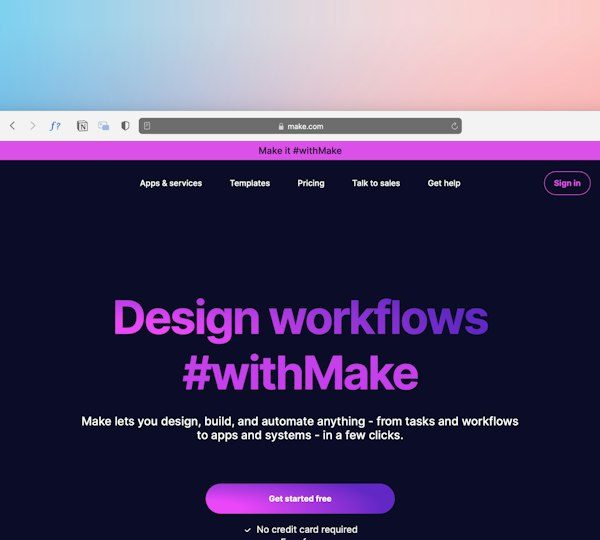
Splashtop, TeamViewer, AnyDesk, Zoho Assist, RemotePC, and RustDesk are the strongest Getscreen alternatives for remote device access, screen sharing, and IT support. Getscreen is handy for browser-based support, but many teams need richer admin controls, better unattended access, stricter security options, or lower pricing at scale. Remote support is now a normal IT workflow, with Microsoft reporting that hybrid work has become a lasting model for many organizations [source: Microsoft].
TLDR: If you support 10 to 50 devices, start with Splashtop or Zoho Assist. If you need a well-known enterprise option, TeamViewer is still hard to ignore, though the price can sting. For example, a small MSP handling 30 remote sessions per week may save hours by using unattended access, file transfer, and session notes in one tool instead of asking users to install one-time apps again and again.
1. Splashtop: Best for managed IT support
Splashtop is one of the most practical alternatives to Getscreen for IT teams, schools, and managed service providers. It offers unattended access, remote wake, file transfer, multi-monitor support, chat, session recording, and strong permission controls.
The interface feels clean. Sessions connect fast. Admins can group computers by department, client, or location. That helps a lot when you manage dozens or hundreds of endpoints.
- Best for: MSPs, internal IT teams, schools
- Standout feature: Reliable unattended access
- Possible downside: Some advanced features sit in higher plans
Pick Splashtop if you want a tool that feels built for daily support work, not just quick screen sharing.
2. TeamViewer: Best-known enterprise option
TeamViewer has been around for years, and many users already know it. That matters. When a stressed employee needs help, familiar software can cut down support friction.
It supports remote control, mobile device access, file transfer, VPN-like connections, unattended access, and integrations with IT service tools. It also has strong security features, including conditional access and device trust options on business plans.
The catch is the pricing. It can feel heavy for small teams that only need basic support. Also, some users dislike the number of prompts and account checks. It drives me crazy when a simple “connect and fix” task turns into a license or device approval detour.
- Best for: Larger teams and enterprises
- Standout feature: Mature feature set
- Possible downside: Cost can rise fast
3. AnyDesk: Best for fast remote sessions
AnyDesk is known for speed. It works well on slower networks and offers smooth remote control with low lag. That makes it useful for support teams helping users outside the office, especially in areas with weaker internet.
You get unattended access, file transfer, remote printing, session recording, address books, and permission settings. The app is light, so setup is usually quick.
Still, the admin area can feel less polished than some rivals. Expect to waste time on small settings if you are rolling it out across many machines. For one-off support, though, it is quick and simple.
- Best for: Fast connections and lightweight access
- Standout feature: Low-latency performance
- Possible downside: Admin controls may feel less friendly
4. Zoho Assist: Best browser-friendly support suite
Zoho Assist is a strong fit if you like Getscreen’s browser-based feel but want more business features. It supports attended and unattended remote access, screen sharing, file transfer, voice and video chat, reboot and reconnect, and detailed reports.
It also connects well with other Zoho apps, which helps if your team already uses Zoho Desk or Zoho CRM. Support agents can start sessions from tickets, record sessions, and keep better notes.
- Best for: Help desks and customer support teams
- Standout feature: Good mix of browser access and admin tools
- Possible downside: Interface can feel busy at first

5. RemotePC: Best for simple remote computer access
RemotePC works well for users who need steady access to office computers from home or while traveling. It is less flashy than some tools, but that can be a good thing. The menus are simple, and the basic workflow is easy to understand.
Features include always-on remote access, file transfer, remote printing, chat, whiteboard tools, and multi-monitor support. It is also often priced well for small businesses that need access to several computers.
RemotePC is not always the first choice for advanced help desk workflows. It is better for “I need to reach my computer” than “I need a full support command center.”
- Best for: Remote workers and small offices
- Standout feature: Simple always-on access
- Possible downside: Fewer deep support features
6. RustDesk: Best open-source option
RustDesk is the alternative to watch if you want more control. It is open source and lets technical teams host their own server. That can appeal to companies with strict data rules or teams that dislike sending remote access traffic through third-party systems.
It supports remote control, file transfer, cross-platform access, and self-hosting. The setup is not as smooth as mainstream paid tools, but the tradeoff is control and flexibility.
- Best for: Technical teams and privacy-focused users
- Standout feature: Self-hosted remote access
- Possible downside: Setup takes more skill
How to choose the right Getscreen alternative
Start with your support style. If you mostly help customers on demand, choose Zoho Assist or TeamViewer. If you manage company devices every day, try Splashtop. If speed matters most, test AnyDesk. If you need low-cost personal or business access, compare RemotePC. If control matters more than polish, consider RustDesk.
Also check the boring details before you commit. Look at session limits, device limits, audit logs, permission controls, mobile support, and cancellation terms. Remote desktop software seems simple until a technician cannot reconnect after a reboot, or a user is stuck waiting 90 seconds for an approval prompt.
For most teams, Splashtop is the safest all-around pick. Zoho Assist is the most natural step up from browser-style support. TeamViewer is best when you need a mature enterprise brand. The right choice depends on how many devices you support, who uses the tool, and how much control your IT team needs.