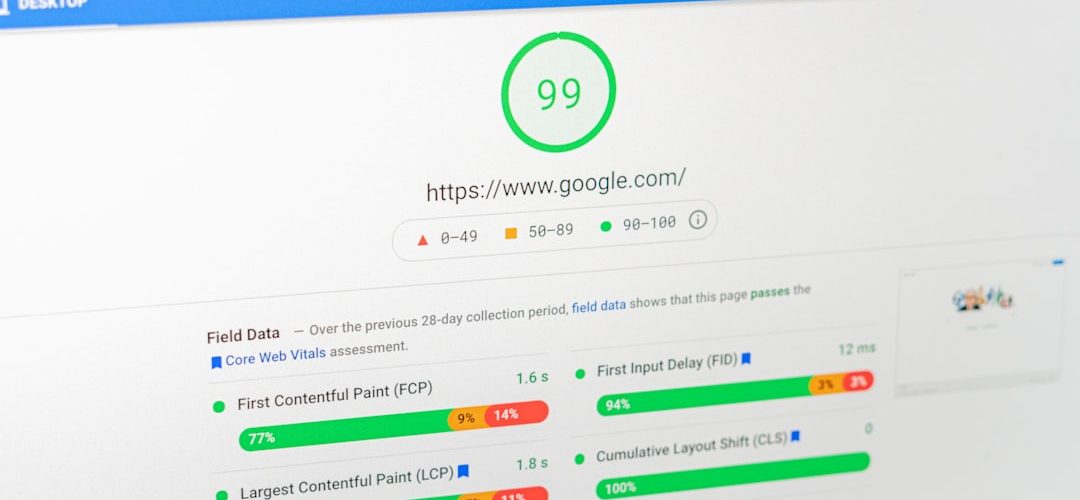
Make your SaaS site faster by caching repeat work, shrinking images, tracking Core Web Vitals, and shipping through a platform with a global edge. Google recommends a Largest Contentful Paint of 2.5 seconds or less, which is a useful target for your homepage, pricing page, and app login screen [source: web.dev]. Speed matters because users do not wait around while your hero section coughs and spins.
TLDR: Cache pages, assets, and safe API responses so your server does less work. Compress images to WebP or AVIF, and lazy load anything below the fold. Watch Core Web Vitals weekly, not once a year. For example, a SaaS landing page with 25 images could cut image weight by 50% to 70%, and a 60-second API cache could reduce repeat server calls by 40% or more.
Start with caching, because servers get tired too
Caching means saving a ready-made result. Then the site can reuse it. Simple. No drama.
Without caching, your SaaS site may rebuild the same page again and again. Pricing page? Rebuilt. Blog post? Rebuilt. Logo file? Sent from scratch. Honestly, it feels like asking a chef to cook the same toast 10,000 times per hour.
Use these cache layers:
- Browser cache: Keeps CSS, JavaScript, fonts, and logos on the user’s device.
- CDN cache: Stores static files close to users around the world.
- Page cache: Saves prebuilt HTML for public pages.
- API cache: Stores safe responses, such as plan lists, public stats, or feature flags.
Do not cache everything. That gets messy fast. User billing data, private dashboards, account settings, and login sessions need care. Cache public and repeatable data first.
A good rule is this. Cache static assets for a long time. Cache public API data for a short time. Avoid caching private user data unless your team knows exactly what it is doing.
Fix your images before blaming your framework
Images are often the biggest files on a SaaS website. Hero graphics. Team photos. Product screenshots. Blog thumbnails. They pile up.
It drives me crazy when a tiny testimonial avatar is uploaded as a 4 MB photo. Nobody asked for that. Your user just wanted to read a review.
Do this instead:
- Use WebP or AVIF for smaller image files.
- Resize images to the size shown on the page.
- Use lazy loading for images below the fold.
- Add width and height values to stop layout jumps.
- Compress screenshots before uploading them.
A pricing page does not need a 3000 px wide feature image if it displays at 700 px. That extra weight slows everything down. It also costs more bandwidth. Lovely, right?
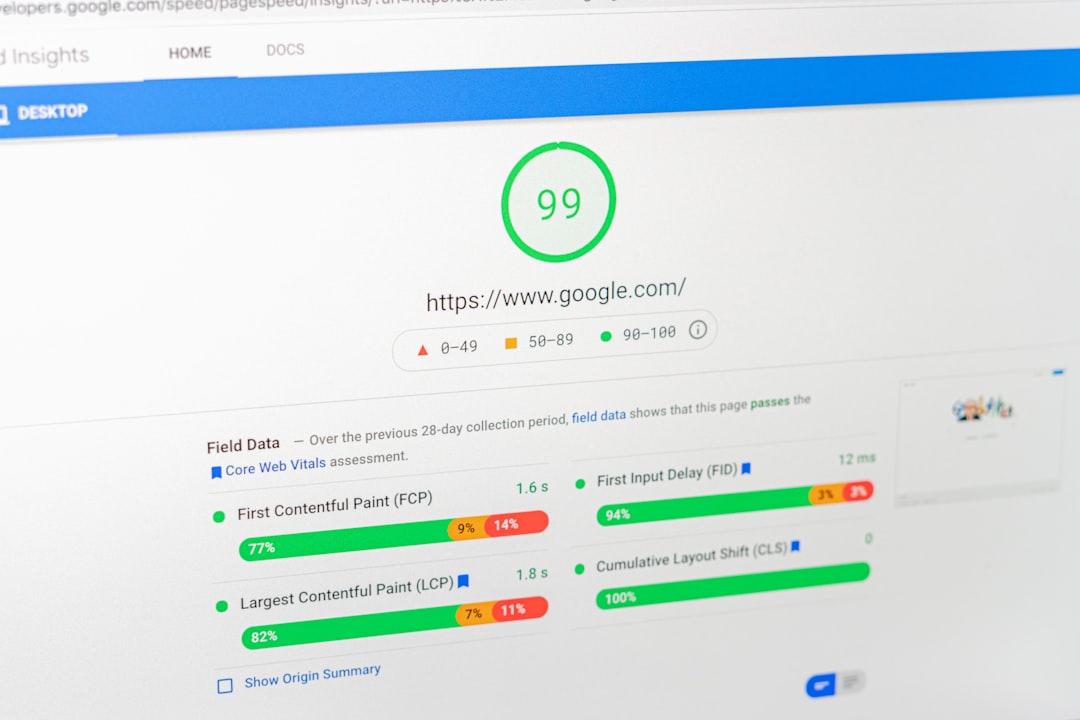
Core Web Vitals are your speed scoreboard
Core Web Vitals are Google’s user experience metrics. They are not magic. They just show if your site feels fast and stable.
- LCP: Largest Contentful Paint. It tracks how fast the main content appears.
- INP: Interaction to Next Paint. It checks how quickly the page reacts.
- CLS: Cumulative Layout Shift. It measures annoying page jumps.
If your SaaS homepage has a slow LCP, your hero section may be too heavy. If INP is poor, your JavaScript may be doing too much. If CLS is bad, images, ads, banners, or fonts may be moving things around after the page loads.
Quick wins:
- Preload the main hero image.
- Remove unused JavaScript.
- Split large scripts into smaller chunks.
- Use system fonts or preload key fonts.
- Reserve space for banners and images.
Check your numbers in tools like Lighthouse, PageSpeed Insights, WebPageTest, or your hosting platform’s analytics. But do not obsess over lab scores alone. Real user data matters more. A test from your office Wi-Fi is not the same as a user on a weak mobile signal.
Use modern deployment platforms to ship faster pages
Modern deployment platforms help you publish code, cache files, and serve users from edge locations. Think Vercel, Netlify, Cloudflare Pages, Render, or Fly.io.
These tools can make performance easier. Not automatic. Easier.
Look for these features:
- Global CDN: Serves files from a location near the user.
- Preview deploys: Test changes before they go live.
- Edge functions: Run small bits of logic close to users.
- Image tools: Resize and convert images on demand.
- Easy rollbacks: Undo a bad release fast.
Preview deploys are underrated. They help your team catch slow pages before customers do. A designer can test a new homepage. A marketer can check tracking scripts. A developer can compare bundle size. Less panic. Fewer “who broke this?” messages.

Build a simple SaaS speed plan
You do not need a 90-page performance report. Start smaller. Fix the things users touch most.
- Audit top pages: Homepage, pricing, signup, login, dashboard, docs.
- Measure Core Web Vitals: Record LCP, INP, and CLS.
- Compress images: Convert large images to WebP or AVIF.
- Add caching: Start with static assets and public pages.
- Trim scripts: Remove tools you no longer use.
- Deploy through an edge CDN: Serve users from closer locations.
- Track weekly: Watch trends after each release.
Expect to waste time on old scripts. Many SaaS sites carry tracking pixels, chat widgets, heatmaps, and unused A/B testing code from campaigns nobody remembers. Each one adds weight. Each one asks for attention. Cut what you can.
Small fixes can feel huge
A SaaS site does not need to be perfect. It needs to feel fast. Users want the page now. Not after your giant JavaScript bundle finishes its workout.
Cache what repeats. Shrink what is heavy. Track what users feel. Ship on a platform that puts content close to them.
That is the whole playbook. Faster pages. Happier users. Fewer support tickets asking why the dashboard feels stuck in mud.