Use Buffer if you want a clean, fast posting workflow; use Later if your growth depends on visual planning, Reels, creator-style content, and a polished Instagram grid. Organic Instagram growth is not about posting more garbage. It is about posting the right content often enough, learning from the numbers, and giving people a reason to follow before they leave your profile.
TLDR: Buffer is better for simple scheduling, captions, analytics, and running several social channels without fuss. Later is stronger for Instagram-first creators who care about grid preview, visual planning, Reels scheduling, and link-in-bio sales paths. For example, a small skincare brand posting 5 times per week could use Later to plan a cleaner feed and track link clicks, while Buffer might save 2 to 3 hours per month on scheduling and reporting. In either case, organic growth usually comes from consistent Reels, smart captions, replies within the first hour, and testing content weekly.
What Organic Instagram Growth Really Means
Organic growth means gaining followers without buying ads, bots, fake engagement, or “growth hacks” that burn trust. It is slower. It is also cleaner. You attract people who actually care about your posts, products, opinions, or tutorials.
The core formula is simple:
- Post content people save, share, or comment on.
- Publish consistently, not randomly.
- Study which posts bring profile visits and follows.
- Reply fast and sound human.
- Make your profile easy to understand in 5 seconds.
Tools like Buffer and Later do not create a good idea for you. They help you repeat good ideas without losing your mind. That matters when you are posting Reels, Stories, carousels, and product updates while also answering DMs.
Buffer vs Later: The Quick Difference
Buffer is built for speed and simplicity. It works well if you manage Instagram plus LinkedIn, X, Facebook, Pinterest, or TikTok. Its queue system is easy to grasp. Add posts, set times, review performance, and move on.
Later feels more Instagram-native. Its visual content calendar, media library, grid preview, and Linkin.bio features suit brands that think visually. Fashion, beauty, food, travel, fitness, and creator accounts often feel at home here.
Honestly, it feels like Buffer is the tool you use when you want fewer screens. Later is the tool you use when your feed layout, content batches, and bio link clicks all need careful planning.
Where Buffer Wins
Buffer is excellent for creators and teams who want less friction. The interface is tidy. The post composer is clear. You can line up posts across multiple platforms without feeling buried under menus.
Buffer works especially well for:
- Solo founders who need a simple posting system.
- Coaches and consultants sharing tips, carousels, and client stories.
- Small teams posting across several channels.
- Writers and educators repurposing content from blogs, newsletters, or podcasts.
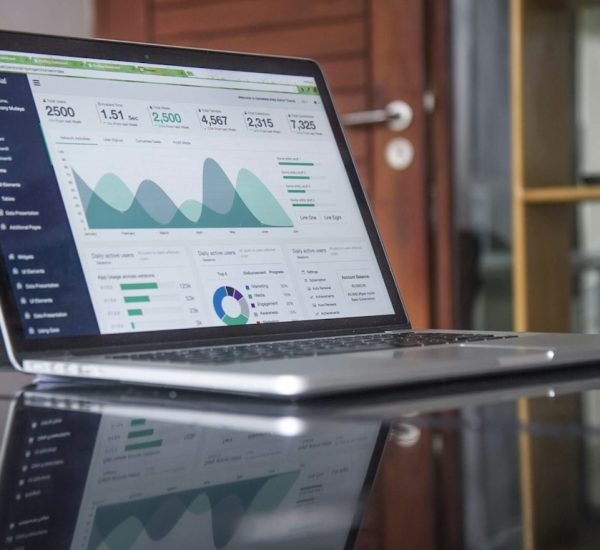
Its analytics are useful for spotting basic patterns. You can see which posts earn engagement, when your audience responds, and what content deserves a second version. That is enough for many accounts under 50,000 followers.
The annoying part? Buffer is not as satisfying if you live inside Instagram visuals. The grid planning is not the star feature. If you care deeply about how nine posts look together, Later feels nicer.
Where Later Wins
Later is stronger for Instagram planning, especially for visual brands. The drag-and-drop calendar makes it easier to see what your profile will look like before anything goes live. That sounds cosmetic, but it affects follows. A messy profile loses people fast.
Later is useful for:
- Reels-heavy creators who batch video content.
- Product brands that mix lifestyle shots, reviews, and launches.
- Influencers tracking campaigns and bio link traffic.
- Restaurants, boutiques, and salons that rely on strong visuals.
Later’s Linkin.bio feature also helps turn profile visits into action. If someone watches a Reel about “3 summer outfits,” taps your bio, and lands on matching product links, the path is smoother. That does not directly grow followers, but it raises the value of each visitor.
The design has one small irritation. Uploading, sorting, and selecting media can take a few extra clicks compared with Buffer. Expect to waste time on tiny tasks if your media library is messy. Clean file names help more than people admit.

Which Tool Helps You Gain Followers Faster?
Neither tool magically grows an account. Instagram does not reward your scheduler. It rewards content signals. Saves, shares, rewatches, profile taps, comments, and follow rate matter more.
Still, the better tool can help you publish better work more often. Choose based on your weak spot:
- If you miss posting days: choose Buffer.
- If your feed looks scattered: choose Later.
- If you manage many channels: choose Buffer.
- If Instagram is your main sales channel: choose Later.
- If you need approval workflows: compare paid plans closely before picking.
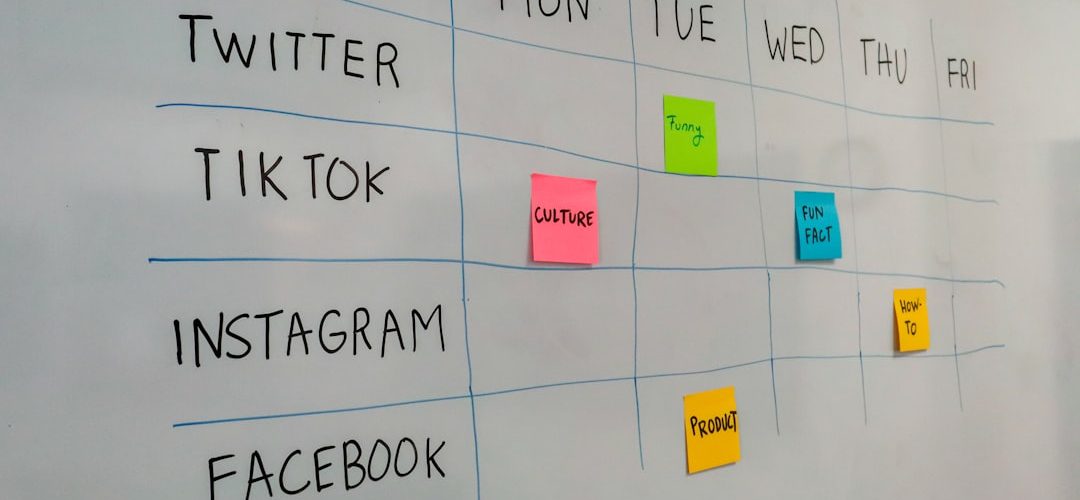
A useful target is to post 3 to 5 Reels per week, 1 to 2 carousels per week, and Stories most days. Then review the numbers every Friday. If one Reel gets 38% more shares than your average, make a related version. If a carousel gets saves but no follows, improve the cover slide and bio promise.
Other Tools That Support Organic Instagram Growth
Buffer and Later can handle planning. But organic growth often needs a small stack of tools.
- Meta Business Suite: Free scheduling, inbox tools, and native Instagram insights. Not always pretty, but useful.
- Canva: Great for carousel templates, Story graphics, and quick branded layouts.
- CapCut: Strong for editing Reels, captions, cuts, and trend-based videos.
- Metricool: Good for analytics, competitor tracking, and reporting across channels.
- Notion or Trello: Helpful for idea banks, content calendars, hooks, and campaign planning.
- Google Sheets: Boring, yes. Still great for tracking post type, hook, reach, saves, follows, and notes.
It drives me crazy that many teams use five fancy tools but never track why a post worked. A simple spreadsheet with 10 columns can beat a glossy dashboard if you update it weekly.
What to Track Every Week
Do not obsess over likes. Likes feel good, but they do not always predict follower growth. Track actions that show real interest.
- Follower growth: How many net new followers did you gain?
- Profile visits: Did content make people curious?
- Follow rate: New followers divided by profile visits.
- Saves: Did people find the post useful?
- Shares: Did the post make people think of someone else?
- Comments: Did it start a real conversation?
- Reel retention: Did viewers stay past the first 3 seconds?
For example, if a Reel gets 8,000 views, 320 profile visits, and 48 follows, the follow rate from profile visits is 15%. That is strong. If another Reel gets 20,000 views but only 12 follows, the hook may be entertaining but not aligned with your account promise.
Practical Instagram Growth Tips That Still Work
Make your bio painfully clear. Say who you help and why people should follow. “Helping busy parents cook 20 minute dinners” beats “Food lover sharing my journey.”
Use repeatable content series. Try “Monday audit,” “3 mistakes,” “Before and after,” “What I’d do if starting from zero,” or “Steal this template.” Series reduce planning stress and train followers to return.
Write stronger first lines. Instagram captions get skimmed. Start with the payoff. Try: “Your Reels are not failing because of the algorithm.” Or: “This is why your product posts get likes but no sales.”
Reply fast. The first hour matters. A post with active comments can gain more reach. Ask follow-up questions instead of dropping heart emojis all day.
Repurpose winners. If a carousel performs well, turn it into a Reel. If a Reel gets comments, turn the best comment into a new post. Organic growth rewards repetition with variation.
Best Choice for Most People
Pick Buffer if you want a calm, simple system that helps you show up consistently. It is the better choice for general social media management and lean teams.
Pick Later if Instagram is central to your brand and visuals drive trust. It gives you better planning tools for feed style, Reels, media organization, and bio traffic.
The smartest approach is not chasing the “best” tool. It is choosing the one you will actually use every week. Pair it with a clear content plan, honest analytics, and human replies. That is how organic Instagram growth starts to compound.