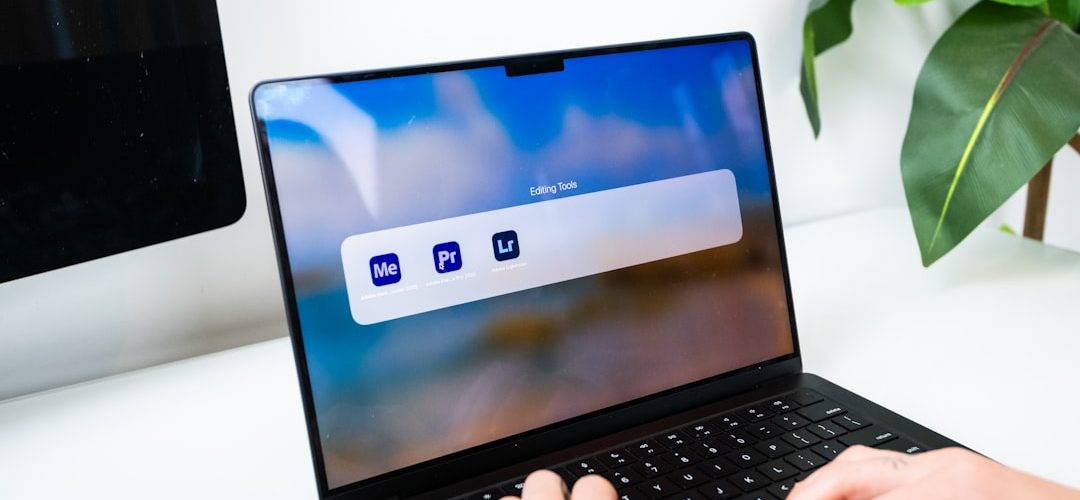
Online communities often form around practical problems: how to fix broken software, compare subscription options, understand licensing, or troubleshoot errors. r/GenP is one of those communities, but it sits in a sensitive area because it is widely associated with discussions about modifying commercial software access, particularly Adobe-related tools. Understanding what the community is, why people visit it, and what safer alternatives exist can help users make more informed decisions.
TLDR: r/GenP is commonly known as a Reddit community focused on discussions around unofficial software patching and access workarounds, which can raise legal, ethical, and cybersecurity concerns. A typical user might visit after facing a $55/month creative software subscription, but the risks can include malware, account compromise, or violating license terms. Safer options include free tools like GIMP, Krita, Blender, DaVinci Resolve, and official student or trial plans. If you are choosing between saving money and protecting your device, accounts, and work, legitimate alternatives are usually the smarter long-term choice.
What Is r/GenP?
r/GenP refers to a Reddit community associated with “GenP,” a term often connected to unofficial patching methods for certain paid creative applications. In general terms, communities like this tend to attract users who are looking for ways to avoid subscriptions, restore access to older workflows, or discuss technical problems related to modified software installations.
It is important to separate discussion from recommendation. While people may talk about these tools online, using cracked, patched, or unauthorized versions of paid software can violate software licenses and, depending on jurisdiction and circumstances, may carry legal consequences. It may also expose users to security threats that are not immediately obvious.
Why Do People Visit Communities Like r/GenP?
The most common reason is simple: cost. Professional creative software can be expensive, especially for students, freelancers, hobbyists, and users in regions where subscription pricing is difficult to afford. Some people also dislike subscription models and prefer one-time purchases. Others may be frustrated by account requirements, license checks, or software updates that change familiar interfaces.
Typical motivations include:
- Budget pressure: Users may not be able to justify monthly subscription fees.
- Curiosity: Some users want to understand how software patching communities operate.
- Compatibility issues: People sometimes seek workarounds for older projects or discontinued features.
- Distrust of subscriptions: Many creatives prefer software they can own permanently.
- Troubleshooting: Users may seek help after unofficial modifications break installations.
These motivations are understandable, but they do not remove the risks. A short-term workaround can easily become a long-term problem if it compromises a device, exposes private files, or causes a professional project to fail.
The Legal and Ethical Side
Most commercial software is governed by an end-user license agreement, often called an EULA. These agreements typically prohibit modifying software to bypass licensing, using unauthorized activation methods, or redistributing altered files. Even if a user is not selling anything, unauthorized access can still breach the terms of use.
There is also an ethical dimension. Creative software is built by developers, designers, support teams, researchers, and security engineers. While large companies are fair targets for criticism over pricing and subscription models, unauthorized use still affects the software ecosystem. For independent developers especially, piracy can reduce funds available for updates, documentation, accessibility improvements, and support.
Safety Concerns: The Biggest Hidden Cost
The most serious issue with unofficial software patching is security. Files shared through unofficial channels can contain malware, spyware, credential stealers, cryptominers, or remote access tools. Even when a download appears to work, it may also perform background actions the user cannot see.
Common risks include:
- Malware infections: Executables and installers may include harmful code.
- Account theft: Saved browser sessions, cloud accounts, and passwords may be targeted.
- Project loss: Corrupted installations can damage files or interrupt deadlines.
- No reliable updates: Modified software may fail when official updates are released.
- Privacy exposure: Sensitive client files, photos, and documents may be scanned or stolen.
For freelancers and small studios, the risk is even higher. One compromised workstation can expose client assets, invoices, contracts, and private communications. Saving money on software is rarely worth losing a client relationship or facing a data breach.
Red Flags to Watch For
If you browse discussions about unofficial software access, certain warning signs should make you pause. Be cautious of any source that asks users to disable antivirus protection, run unknown scripts, turn off security features, or download password-protected archives from anonymous upload sites. These are common ways malicious files avoid detection.
Other red flags include vague instructions, aggressive community responses to safety questions, claims that something is “100% safe,” and files that require administrator permissions without a clear reason. In cybersecurity, certainty is often a marketing tactic, not proof.
Safer Alternatives to Consider
The good news is that creative work does not always require expensive subscriptions. Many legitimate alternatives are powerful enough for professional, educational, or hobby use. The right choice depends on your workflow.
- Photo editing: GIMP, Photopea, darktable, and RawTherapee are useful for image editing and RAW processing.
- Digital painting: Krita is a strong option for illustrators, concept artists, and comic creators.
- Vector graphics: Inkscape offers capable tools for logos, icons, and scalable artwork.
- Video editing: DaVinci Resolve has a robust free version suitable for many editing and color workflows.
- 3D creation: Blender is widely used for modeling, animation, rendering, and visual effects.
- Office and PDF tasks: LibreOffice and other legitimate PDF utilities can cover many everyday needs.
There are also official ways to reduce costs. Students, teachers, nonprofits, and businesses may qualify for discounts. Some companies offer free trials, limited free plans, or monthly subscriptions that can be activated only during active project periods. If you only need advanced tools a few times per year, temporary official access may be more cost-effective than paying continuously.
A Practical User Scenario
Imagine a freelance designer named Maya. She needs to edit client photos, create social media graphics, and occasionally produce short promo videos. At first, a full creative subscription seems like the only option, but the monthly cost feels heavy during slow months. She considers unofficial software after reading online discussions, but she also stores client contracts, brand assets, and payment records on her laptop.
A safer setup might be: Krita for illustration, GIMP or Photopea for image edits, Inkscape for vector work, and DaVinci Resolve for video. If a specific paid app is required for one client project, she can use an official monthly plan and include that cost in the project quote. This approach protects her computer, keeps her business legitimate, and still controls expenses.
How to Evaluate Any Software Community
Whether you are browsing Reddit, forums, Discord servers, or tutorial sites, it helps to evaluate the community’s habits. A trustworthy community usually encourages legal use, provides transparent troubleshooting, respects security concerns, and does not pressure users into risky downloads.
Ask yourself:
- Does the community explain risks clearly, or dismiss them?
- Are users encouraged to disable security tools?
- Are downloads hosted through official sources?
- Is there a healthy discussion of legal alternatives?
- Would you be comfortable using the advice on a work computer?
If the answer to several of these questions is “no,” it is a sign to step back. Curiosity is fine, but installing unknown files is a different level of risk.
Final Thoughts
r/GenP is best understood as part of a broader conversation about software affordability, subscription fatigue, and the tension between access and ownership. Many users arrive there because they feel priced out of professional tools, not because they set out to take unnecessary risks. Still, unofficial patching communities can create serious legal, ethical, and cybersecurity problems.
The smarter path is to match your needs with safe options: free and open-source tools, official trials, discounts, or short-term subscriptions. In many cases, you can build a capable creative workflow without exposing your device or data to unknown software. Saving money matters, but protecting your work, privacy, and reputation matters more.