A call box is a fixed communication device used to request assistance, report an issue, grant access, or connect directly with security, maintenance, emergency services, or building staff. Although call boxes are simple to use, they play an important role in safety, access control, customer service, and operational response across residential, commercial, industrial, and public environments.
TLDR: A call box is a durable communication station that lets a user press a button, speak to an operator, or trigger an alert when help or access is needed. For example, a visitor at a gated apartment community may use a call box to contact a resident, who can then remotely open the gate. In parking lots, warehouses, campuses, and transit areas, call boxes can reduce response time by giving users a direct connection to security or emergency personnel. Organizations often install them in high-traffic or isolated areas where a mobile phone may not be reliable or fast enough.
What Is a Call Box?
A call box is a mounted device that provides a direct communication link between a person at a specific location and a designated responder. Depending on the system, it may include a push button, speaker, microphone, keypad, camera, intercom, card reader, emergency light, or wireless transmitter.
Unlike a standard phone, a call box is typically designed for a dedicated purpose. It may call one number, connect to a monitoring center, open a gate, notify security, or activate an alarm. Many modern models are weather-resistant, vandal-resistant, and integrated with video surveillance, access control systems, or building management platforms.
Common Types of Call Boxes
Call boxes vary by use case, environment, and communication technology. The most common types include:
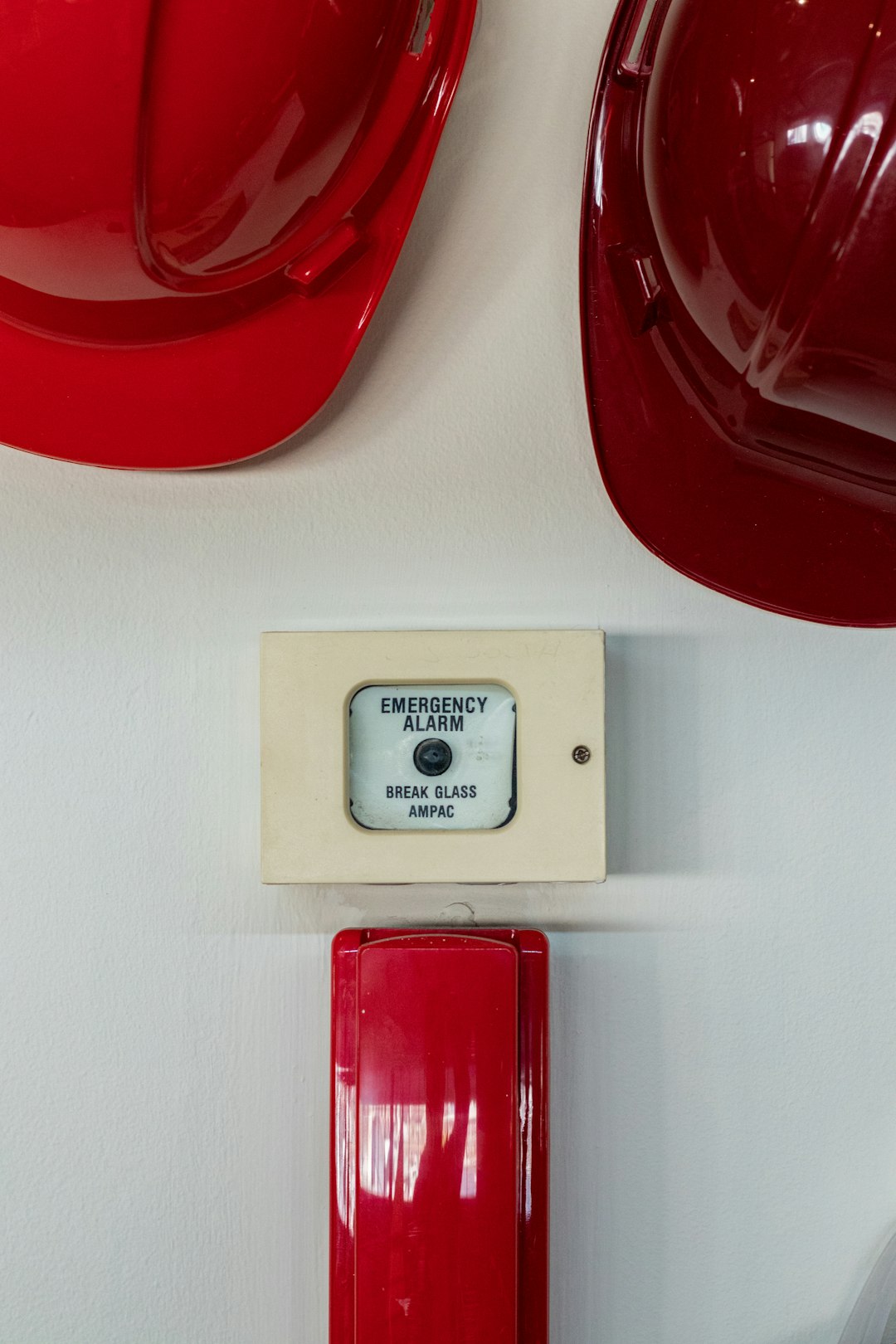
- Emergency call boxes: Installed in parking garages, campuses, parks, hospitals, transit stations, and industrial sites. They usually feature a highly visible button and connect directly to security or emergency responders.
- Gate and entry call boxes: Used at gated communities, commercial properties, delivery entrances, and restricted-access areas. Visitors can call a tenant, receptionist, or guard to request entry.
- Elevator call boxes: Required in many jurisdictions for passenger safety. They connect trapped passengers to emergency assistance or building personnel.
- Industrial call boxes: Built for factories, warehouses, refineries, mines, and construction areas. These are often ruggedized for dust, moisture, vibration, or hazardous conditions.
- Customer assistance call boxes: Found in retail stores, gas stations, drive-through lanes, service counters, and parking payment areas. They help customers contact staff when immediate assistance is needed.
- Wireless call boxes: Useful where cabling is difficult or expensive. They may operate via cellular networks, radio frequency, Wi-Fi, or long-range wireless systems.
- Video call boxes: Equipped with cameras to allow visual verification before granting access or dispatching help. These are increasingly common in apartment buildings and secure facilities.
How Call Boxes Are Used
Call boxes are used wherever people need a reliable way to communicate from a fixed point. Their purpose is not only convenience, but also accountability and faster response.
In residential settings, call boxes are frequently used for visitor access. A driver pulls up to a gate, searches for a resident, places a call, and waits for approval. In office buildings, a call box may connect after-hours visitors to security. In parking garages, emergency call boxes allow a person to report suspicious activity, an accident, or medical distress without searching for a phone number.
In industrial facilities, call boxes are often part of a broader safety system. Workers may use them to report equipment failure, request supervisor assistance, or communicate in areas where personal phones are restricted. On school and university campuses, blue-light emergency call boxes are installed along walking paths, near dormitories, and in parking areas to improve personal safety.
Key Benefits of Installing Call Boxes
Call boxes offer several practical benefits for property owners, facility managers, security teams, and end users.
- Improved safety: A clearly marked call box gives people a dependable way to request help, especially in isolated or high-risk locations.
- Faster response: Because the call box is tied to a known location, responders can identify where assistance is needed without relying entirely on the caller’s description.
- Better access control: Entry call boxes help verify visitors before gates, doors, or barriers are opened.
- Reduced staffing pressure: A centralized operator or security desk can manage multiple entry points or assistance stations remotely.
- Reliable communication: Hardwired or cellular call boxes can provide communication where personal mobile coverage is weak or where users may not have a phone.
- Visible deterrence: Emergency call boxes, especially those with lights and cameras, can discourage misconduct in public or semi-public areas.
- Compliance support: In some environments, emergency communication devices are required by building codes, accessibility rules, or industry safety standards.
Important Features to Consider
Choosing the right call box depends on location, users, and operational requirements. Before purchasing, evaluate these features carefully:
- Communication method: Options include analog phone line, VoIP, cellular, radio, Wi-Fi, or hardwired intercom systems.
- Power source: Some units use standard electrical wiring, while others use batteries, solar panels, or low-voltage power supplies.
- Weather resistance: Outdoor units should have an appropriate enclosure rating for rain, snow, heat, dust, and humidity.
- Vandal resistance: Public-facing boxes should include durable housings, tamper-resistant screws, and impact-resistant components.
- Audio quality: Noise cancellation and strong speaker output are important near roads, machinery, or busy public spaces.
- Video capability: Cameras improve identification and can support investigations when integrated with recording systems.
- Accessibility: Button height, signage, voice prompts, and tactile markings may be necessary for compliance and usability.
- Remote management: Modern systems may allow administrators to update directories, monitor device status, and review call logs remotely.
Call Box Installation Guide
Proper installation is essential. A poorly placed or unreliable call box can create confusion and reduce trust in the system. The following steps provide a practical installation framework.
1. Assess the Location
Start by identifying where users are most likely to need help or access. Good locations include entry gates, building entrances, loading docks, parking areas, elevator lobbies, remote pathways, and security checkpoints. The call box should be visible, reachable, and well lit.
2. Confirm Technical Requirements
Determine how the unit will communicate and receive power. A hardwired system may be reliable but requires trenching or cabling. A cellular call box can be faster to deploy but depends on signal quality and service fees. If using VoIP, confirm network stability, backup power, and cybersecurity controls.
3. Select Mounting Hardware
Call boxes may be mounted on walls, pedestals, bollards, posts, or gate columns. Outdoor installations should be anchored securely and protected from vehicle impact where necessary. In high-risk locations, consider adding protective bollards or a reinforced enclosure.
4. Configure Call Routing
Decide who receives calls and what happens if the first contact does not answer. For example, a gate call box may ring a resident first, then property management, then security. An emergency call box may connect directly to a monitoring center. Clear routing prevents missed calls and delayed response.
5. Test Audio, Video, and Access Functions
After installation, test the device under real conditions. Check microphone clarity, speaker volume, camera angle, button operation, gate release, door strike activation, and notification alerts. If the site is noisy, adjust settings or add equipment designed for high-noise environments.
6. Add Signage and Instructions
A call box should be easy to understand within seconds. Use clear labels such as “Press for Security”, “Visitor Entry”, or “Emergency Assistance”. In public areas, signage should be large, reflective if needed, and placed at eye level where possible.
7. Establish a Maintenance Schedule
Routine maintenance protects reliability. Test devices monthly or according to manufacturer guidance. Inspect for physical damage, verify cellular or network connectivity, clean cameras and speaker grilles, update contact lists, and replace batteries before failure. Keep records of inspections, repairs, and test calls.
Security and Compliance Considerations
Because call boxes may control access or transmit sensitive audio and video, security should not be treated as an afterthought. Use strong administrator passwords, encrypted communication where available, controlled access to management portals, and audit logs for configuration changes. If the device stores video or call history, confirm retention policies and privacy requirements.
Compliance needs vary by location and facility type. Elevators, public buildings, healthcare facilities, schools, and workplaces may have specific requirements for emergency communications, accessibility, signage, and backup power. When in doubt, consult local codes, the authority having jurisdiction, and qualified installers.
Final Thoughts
A call box is a practical, proven communication tool that supports safety, access control, and operational efficiency. The best system is not simply the most advanced one; it is the one that matches the site’s risks, user needs, environment, and response procedures. With careful planning, professional installation, and regular maintenance, call boxes can provide a reliable point of contact when it matters most.