Start with the tool that fixes your biggest hiring pain. If sourcing is a mess, pick a sourcing tool. If interviews eat your week, pick an interview tool. LinkedIn reports that 62% of talent pros are optimistic about AI in recruiting [source: LinkedIn]. So yes, AI is not just shiny office glitter.
TLDR: AI recruiting platforms help teams find, screen, chat with, and rank candidates faster. For example, a small team hiring 20 roles per quarter could cut 10 hours of resume review each week if AI filters the first pass. The best picks are LinkedIn Recruiter, Indeed, Greenhouse, Workable, Paradox, Eightfold AI, and HireVue. Use AI as a helper, not the boss.
The AI recruiting hit list
Recruiting can feel like inbox dodgeball. Resumes fly in. Managers ask for updates. Candidates vanish. Then someone says, “Can we move faster?” Sure. With what, magic?
AI recruiting tools are not magic. They are more like a very alert assistant with too much coffee. They sort, suggest, remind, and summarize. That alone can save your sanity.
-
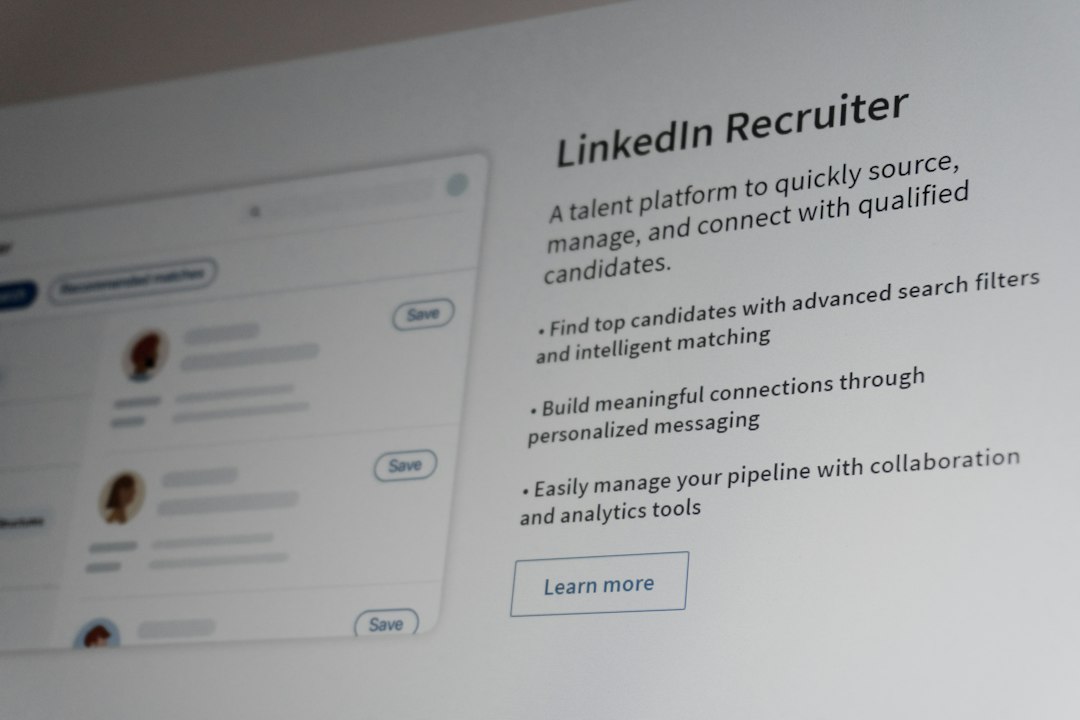
1. LinkedIn Recruiter
Best for: finding people who are not actively applying.
LinkedIn Recruiter is the big one. It helps you search by skills, job history, location, and signals that a person may be open to work. Its AI features can suggest better matches and help write outreach faster.
Nice part: The talent pool is huge.
Annoying part: Filters can still feel like a maze. Expect to click around a bit before your search feels clean.
-
2. Indeed Hiring Platform
Best for: high volume hiring.
Indeed works well when you need applicants now. Retail, support, warehouse, admin, and service roles are a good fit. AI can help match job posts with better candidates and cut down on manual screening.
Nice part: It gets jobs in front of many people fast.
Annoying part: You may still get random applications. Someone will apply to a senior finance role with only dog walking listed. It happens.
-
3. Greenhouse
Best for: organized hiring teams.
Greenhouse is an applicant tracking system, or ATS. That means it keeps candidates, notes, scorecards, emails, and interview steps in one place. Its AI features can help write job posts, summarize feedback, and spot hiring bottlenecks.
Nice part: It makes messy hiring feel less messy.
Annoying part: Setup takes thought. If your process is chaos, Greenhouse will politely show you the chaos.
-
4. Workable
Best for: small and mid sized teams that want speed.
Workable gives you job posting, candidate tracking, interview scheduling, and AI candidate suggestions. It is friendly for teams that do not have a giant HR department.
Nice part: It is simple to use.
Annoying part: Some deeper reporting can take extra poking. Honestly, it feels like the data is there, but sometimes it makes you work for it.
-
5. Paradox
Best for: candidate chat and scheduling.
Paradox is known for Olivia, its recruiting chatbot. It can answer questions, screen candidates, schedule interviews, and send reminders. This is great for hourly hiring and busy teams.
If you are comparing chat tools, this guide on how to choose an HR chatbot platform is a useful next read.
Nice part: Candidates get answers at 10 p.m. without waking a recruiter.
Annoying part: Bad chatbot scripts feel robotic fast. Please do not greet every human like a ticket number.
-
6. Eightfold AI
Best for: talent intelligence.
Eightfold AI looks at skills, career paths, internal talent, and future fit. It can help companies find current employees who may be ready for new roles. That is a big deal. Hiring from inside is often faster and cheaper.
Nice part: It connects recruiting with workforce planning.
Annoying part: It may be more tool than a tiny team needs.
-
7. HireVue
Best for: structured interviews and assessments.
HireVue helps teams run video interviews and skills checks. It can support consistent interview steps, which is helpful when many managers are involved. The goal is less guesswork and more job related signals.
Nice part: It can speed up early screening.
Annoying part: Some candidates dislike video interviews. Give clear instructions. Keep it human.
How to pick without getting a headache
- Pick one main problem. Sourcing, screening, scheduling, interviews, or reporting.
- Ask for a real demo. Use your own job description. Not a perfect sample role.
- Check integrations. Your ATS, calendar, email, and HR tools must play nicely.
- Watch the candidate experience. Fast is good. Cold and weird is not.
- Review for bias. AI can repeat bad patterns if no one checks it.
Here is the simple rule. AI should remove grunt work. It should not make final hiring choices alone. Let it sort the stack. Let it draft the message. Let it schedule the call.
But let humans judge the human stuff.
The best recruiting teams will not be the ones with the fanciest AI toy. They will be the ones that use AI to move faster, stay fair, and treat candidates like people. Wild idea, right?