Pick GoodNotes if you want clean notebooks, strong handwriting tools, and a paper-like study setup. Pick Notability if audio recording is your must-have feature. That is the simple split. Students usually lean toward GoodNotes. Meeting-heavy professionals often love Notability.
TLDR: GoodNotes is better for organized study notes, digital planners, flashcards, and neat handwriting. Notability is better when you need to record a lecture or meeting and tap your notes to hear what was said at that exact moment. For example, a student in a 60-minute lecture may save 30% of review time with Notability’s audio sync, while a law student with 12 folders of readings may feel calmer in GoodNotes. If you hate messy files, choose GoodNotes. If you hate missing spoken details, choose Notability.
GoodNotes vs Notability at a Glance
Both apps are excellent. Both let you write with an Apple Pencil. Both can mark up PDFs. Both can turn your iPad into a very fancy notebook.
But they feel different.
GoodNotes feels like a tidy desk. You get notebooks, folders, covers, paper templates, and lots of ways to keep work sorted. It is great for people who enjoy structure.
Notability feels like a smart recorder with notes attached. You write, type, sketch, and record audio at the same time. Later, you can tap a word or doodle and hear what was being said then. Very handy. Also a little magical.
Where GoodNotes Wins
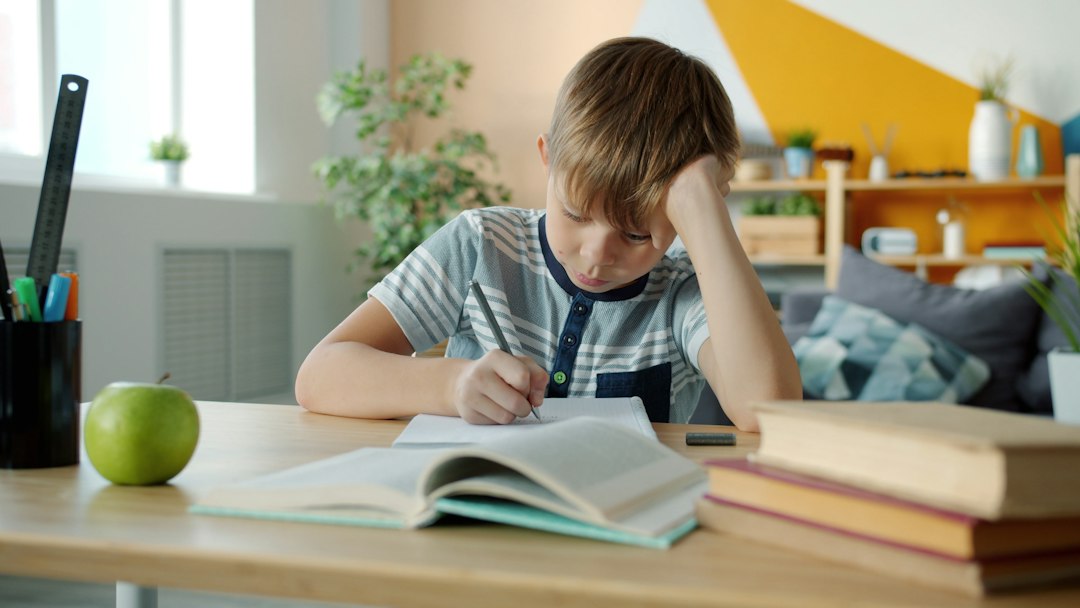
GoodNotes is the stronger pick for classic note-taking. It is built around notebooks. That sounds basic. It is not. It matters a lot when you have five classes, three side projects, and one brain that is tired by Thursday.
You can create a notebook for Biology. Another for Math. Another for Client Calls. Add folders. Add covers. Pick paper styles. Import PDFs. Highlight slides. Search your handwriting. It all feels neat.
GoodNotes is great for:
- Students with many classes.
- People who annotate textbooks and PDFs.
- Digital planner fans.
- Anyone who wants notes to look beautiful.
- Study sessions with flashcards and review sets.
The handwriting experience is smooth. Pens feel nice. The eraser is easy. The lasso tool is useful. You can move chunks of handwriting around without making a disaster.
Honestly, it feels like GoodNotes was made by someone who also hates losing page 47 of a PDF right before an exam.
Where Notability Wins
Notability shines when sound matters. This is its big superpower.
You can record audio while taking notes. Then your written notes stay linked to the recording. Tap a sentence, and the audio jumps to that part. This is gold for lectures, interviews, coaching calls, medical appointments, and work meetings.
Notability is great for:
- Lecture recording.
- Meetings with lots of talking.
- Interviews and research calls.
- People who type and write in the same note.
- Quick capture during busy days.
The catch is that Notability can feel less tidy than GoodNotes if you manage tons of files. It works fine. But GoodNotes feels more natural when building a full library of notebooks.
Still, if you often think, “Wait, what did the professor say right there?”, Notability may save your grade. Or at least your mood.
Writing and Drawing Feel
Both apps are strong with Apple Pencil. There is no bad choice here.
GoodNotes feels closer to writing in a real notebook. It has a polished pen tool. Lines look clean. Handwriting feels controlled. If your notes are color-coded, boxed, highlighted, and almost too pretty, GoodNotes will make you happy.
Notability is smooth too. It is better when you mix handwriting, typed text, sketches, photos, and audio. It feels more like a whiteboard that records everything.
If you draw diagrams, both are good. If you draw detailed art, neither replaces a true art app. But for graphs, mind maps, arrows, and “this will be on the test” boxes, both work well.
PDFs, Slides, and Textbooks
GoodNotes handles PDFs very well. Import a textbook chapter. Mark it up. Add blank pages. Search handwriting. Place it in a course folder. Done.
Notability also marks up PDFs well. It is especially good if your professor talks through slides while you write on them. That audio link can turn a boring slide deck into a replayable study guide.
For heavy PDF users, GoodNotes has the edge. For live slide lectures, Notability punches back hard.
Organization: Clean Shelf or Busy Backpack?
This is where GoodNotes pulls ahead for many students.
GoodNotes uses a familiar folder and notebook system. It looks like a digital bookshelf. You can make it as simple or as nerdy as you want.
Notability uses dividers and subjects. It is not hard. But if you are the kind of person who has 80 PDFs by midterm week, GoodNotes may feel safer.
Expect to waste time on cleanup if you dump everything into Notability without a plan. Not a huge problem. Just annoying. Like finding one sock after laundry.
Study Tools and Search
GoodNotes has useful study tools. Flashcards are a big plus. You can turn notes into review material without jumping between apps. That is helpful for language learning, medicine, law, history, and any subject with terms to memorize.
Both apps can search handwriting. This is a big deal. You can write “mitochondria” on page 19 and search for it later. The app can usually find it, even if your handwriting looks like a spider had coffee.
Search is not perfect. No handwriting system is. But it is good enough to feel useful.
For Students: Which One Should You Pick?
Most students should start with GoodNotes. It is easier to keep classes separate. It feels like school supplies, but without the heavy backpack.
Choose GoodNotes if you:
- Take lots of handwritten notes.
- Use PDFs and worksheets.
- Like neat folders.
- Need flashcards.
- Want pretty digital notebooks.
Choose Notability if you:
- Record lectures with permission.
- Miss details when teachers speak fast.
- Review by listening.
- Take notes during slide talks.
- Want audio and writing in one place.
If your school day is mostly reading, writing, and reviewing, GoodNotes wins. If your school day is mostly listening and replaying, Notability wins.
For Professionals: Which One Works Better?
Professionals have different needs. You may be in meetings, client calls, workshops, or training sessions. You may care less about cute notebook covers and more about finding one action item from last Tuesday.
Notability is often better for meetings. Audio recording can be a lifesaver. You can write “budget issue” and later tap it to hear the full discussion. That reduces guesswork.
GoodNotes is better for planning and documents. If you review contracts, mark up reports, sketch ideas, or keep a digital planner, GoodNotes feels cleaner.

Pricing and Value
Both apps offer paid features. Pricing can change, so check the App Store before buying.
GoodNotes usually feels like better value for people who want a full notebook system. Notability feels worth it if audio sync is part of your daily workflow.
Do not pay for features you will not use. Sounds obvious. People still do it. If you never record audio, Notability loses its main trick. If you never organize notes, GoodNotes loses some charm.
The Final Pick
Choose GoodNotes for structure, study, PDFs, planning, and beautiful handwritten notes. It is the safer all-around choice for many students.
Choose Notability for audio, lectures, interviews, and meetings. It is the better tool when spoken words matter as much as written ones.
Here is the easiest test. Ask yourself one question: “Will I replay audio later?”
If the answer is yes, pick Notability. If the answer is no, pick GoodNotes. Simple. No app drama needed.