Dashboard Anywhere is best for employees who need quick access to company basics, while Workday is better for companies that want a full HR command center. If you just want your pay stub, benefits, schedule, or company updates, Dashboard Anywhere keeps things simple. If HR teams need hiring, payroll, performance reviews, reporting, and finance tools in one place, Workday wins.
TLDR: Dashboard Anywhere is like a clean employee doorway. Workday is more like a whole office building. For example, a factory worker checking a pay stub may finish in under 2 minutes on Dashboard Anywhere, while a manager using Workday may spend 15 minutes approving time, checking goals, and reviewing team data. In a company with 5,000 workers, saving even 3 minutes per employee login can mean 250 hours saved per week.
What Is Dashboard Anywhere?
Dashboard Anywhere is an employee self-service portal used by workers to access job-related tools. It is often linked with company accounts, internal systems, payroll data, benefits, and employee documents.
Think of it as the front door to your work life. You log in. You check what you need. You leave. Nice and simple.
Common features may include:
- Pay stub access
- Tax forms
- Benefits information
- Company news
- Work schedules
- Employee records
- Login access to internal tools
It is not trying to be cute. It is not trying to run your whole career path. It mostly says, “Here is your stuff. Go get it.”

What Is Workday?
Workday is a large business platform. It handles HR, payroll, talent, finance, planning, and analytics. Big companies use it because it connects many parts of the business.
Workday is powerful. It can also feel like a shopping mall when all you wanted was socks.
A normal employee may use Workday to:
- Request time off
- View pay
- Update personal details
- Enroll in benefits
- Complete training
- Set goals
- Submit expenses
Managers use it for more. They approve tasks. They check team data. They manage performance. HR teams pull reports and track workforce trends.
That is the big split. Dashboard Anywhere is simple access. Workday is full HR management.
Dashboard Anywhere vs Workday: The Simple Difference
Here is the clean version.
- Dashboard Anywhere: Best for quick employee access.
- Workday: Best for deep HR, finance, and workforce control.
Dashboard Anywhere feels more direct. You go in to check one thing. Maybe your W 2. Maybe your schedule. Maybe a company notice.
Workday asks for more attention. It is built for many jobs at once. That can be useful. It can also be a bit much.
Honestly, it feels like some platforms hide the simple stuff behind six clicks and a tiny menu icon. That is where workers get annoyed. If someone needs a pay stub before lunch, they do not want a tour of the HR universe.
Ease of Use
Dashboard Anywhere usually wins for basic tasks. It is built around employee access. The screen layout is often plain. That is not a bad thing. Plain can be beautiful when it saves time.
Workday has a cleaner design than many older platforms. Still, it has more buttons, more menus, and more workflows. A new user may need training. A manager may need even more.
For simple tasks, the winner is clear:
- Fastest for pay info: Dashboard Anywhere
- Best for full HR work: Workday
- Best for casual users: Dashboard Anywhere
- Best for HR teams: Workday
Features: Small Toolbox vs Full Workshop
Dashboard Anywhere gives employees the essentials. It is like a glove box in a car. Useful. Close by. Not huge.
Workday is a full workshop. It has deeper tools for HR, payroll, hiring, finance, and talent planning.
Dashboard Anywhere may include:
- Employee login portal
- Payroll document access
- Benefits links
- Schedule tools
- Internal notices
Workday may include:
- Human capital management
- Payroll
- Recruiting
- Learning tools
- Performance reviews
- Compensation planning
- Finance management
- Advanced reports

What About Other Employee Self-Service Platforms?
Dashboard Anywhere and Workday are not the only choices. Companies also use ADP, SAP SuccessFactors, UKG, Oracle HCM, BambooHR, Paylocity, and others.
Each has a personality. Yes, software has personality. Some are friendly. Some act like they were built by a committee that hates lunch breaks.
ADP
ADP is strong in payroll. Many workers know it because they use it to get pay statements and tax forms. It is practical. It is not always exciting. That is fine. Payroll should be boring in the best way.
SAP SuccessFactors
SAP SuccessFactors is built for large companies. It handles HR, talent, goals, learning, and employee data. It is powerful. It can also feel heavy for basic users.
UKG
UKG is strong in time tracking, scheduling, payroll, and workforce management. It works well for companies with hourly teams. Retail, health care, manufacturing, and service teams often like these tools.
BambooHR
BambooHR is popular with small and mid-size businesses. It is friendly and easier to learn. It does not have the same giant-company depth as Workday, but many teams do not need that.
Who Should Use Dashboard Anywhere?
Dashboard Anywhere makes sense when the goal is speed. It is useful for workers who only need a few things.
It fits well for:
- Hourly employees
- Factory workers
- Field teams
- Staff who do not sit at a desk
- Employees who need fast payroll or schedule access
A good user case looks like this:
Mia works on a morning shift. She has 8 minutes before clock-in. She logs in, checks her schedule change, downloads her pay stub, and logs out. No drama. No training video. No mystery menu.
That is where Dashboard Anywhere shines.
Who Should Use Workday?
Workday is better for companies that need one system for many tasks. It works best when HR, payroll, finance, and managers all need shared data.
It fits well for:
- Large companies
- Global teams
- HR departments with deep reporting needs
- Companies with complex approval chains
- Organizations that want finance and HR data together
Workday is not just an employee portal. It is a business system. That is why it takes more setup. It also costs more in time, money, and training.
Security and Login Experience
Both types of platforms need strong security. Employee portals hold private data. Pay details. Tax records. Addresses. Benefits. Nobody wants that floating around.
Most systems use:
- Company ID login
- Password rules
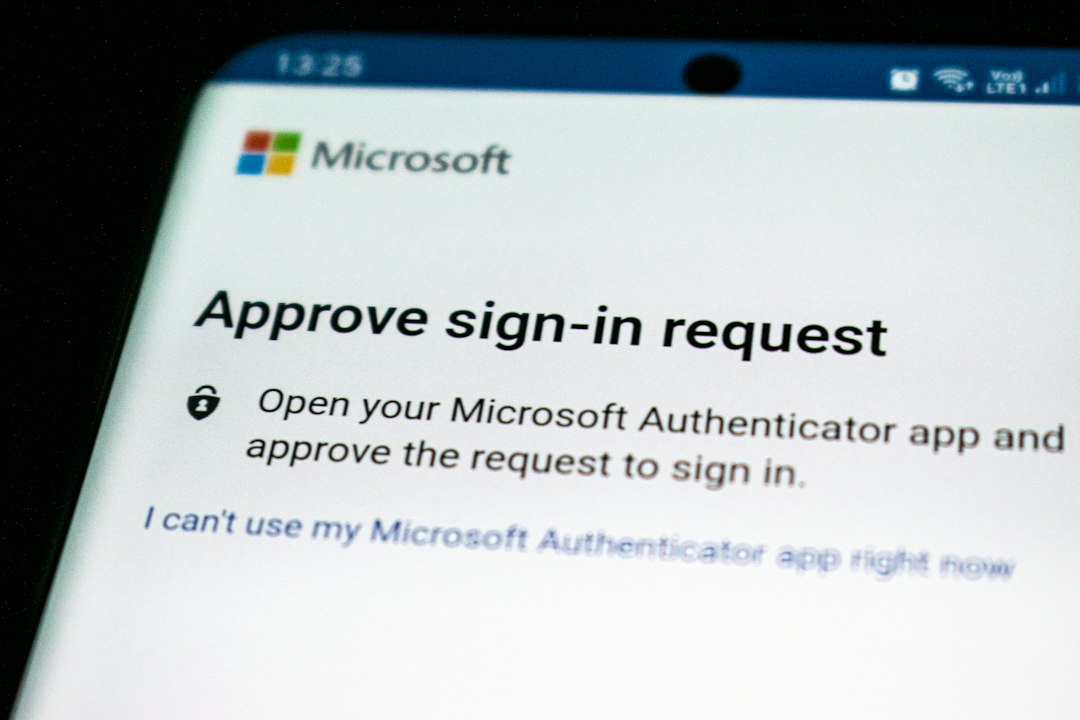
- Multi-factor authentication
- Session timeouts
- Role-based access
The annoying part is login friction. Expect to waste time on password resets if the system is not set up well. A 2023 support desk study from several enterprise IT teams found that password issues can make up 20% to 50% of help desk tickets. That is a lot of people yelling at a login box.
Mobile Access Matters
Employees want mobile access. Not later. Now.
A warehouse worker may not have a laptop. A nurse may check a schedule from a phone. A retail worker may need tax forms at home.
Dashboard Anywhere can be useful if it loads fast on mobile. Workday also has a mobile app, which is a big plus. ADP, UKG, and BambooHR also offer mobile tools.
The best platform is the one employees will actually use. That sounds obvious. Yet many companies miss it.
Cost and Setup
Dashboard Anywhere is usually tied to a company’s internal setup. That may make it simpler for employees. The cost is often part of a larger company system.
Workday is a major investment. Setup can take months. Large rollouts may involve consultants, training, data cleanup, testing, and many meetings. So many meetings.
Smaller platforms may cost less and launch faster. BambooHR and Paylocity can suit teams that want HR tools without a giant rollout.
Final Verdict
Choose Dashboard Anywhere if employees need fast access to basic work information. It is simple. It is direct. It fits everyday tasks.
Choose Workday if the business needs a full HR and finance platform. It gives leaders more control, more reports, and more connected workflows.
For many employees, the best portal is the one that gets out of the way. Let people check pay. Let them update benefits. Let them see schedules. Then let them get back to work.
That is the real winner: less clicking, fewer headaches, and faster answers.